
Theme Integration
Install app to theme
To ensure the Samita Order Limit app works correctly on your storefront, you’ll need to enable its App Embed in your current theme. This allows the app to monitor and restrict orders according to the rules you create.
Follow these steps to activate the app in your theme:
🔧 Step-by-Step Instructions
Section titled “🔧 Step-by-Step Instructions”-
From your Shopify Admin, go to Apps > Samita Order Limit
-
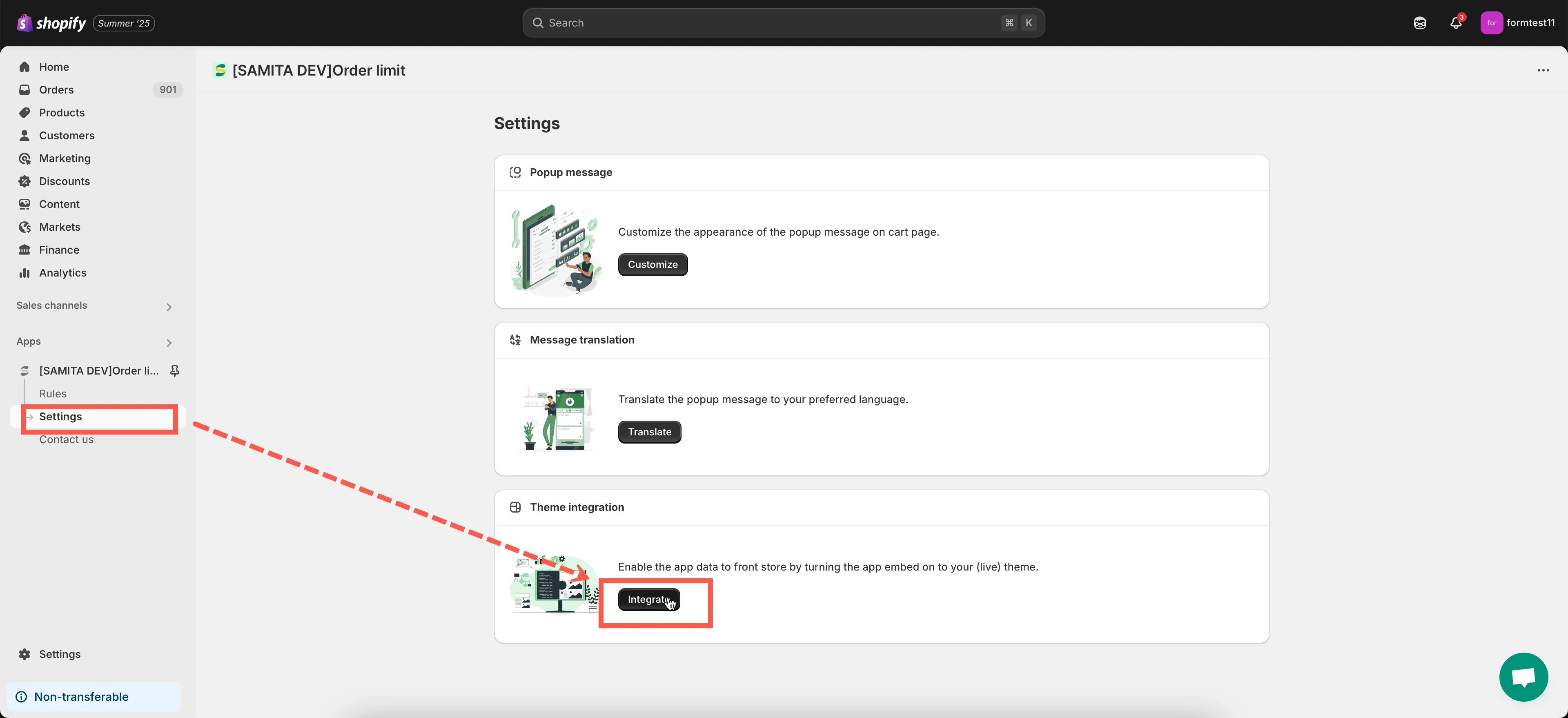
In the left-hand menu, click on Settings > Theme Intergration button
-
Click the Integrate button.
-
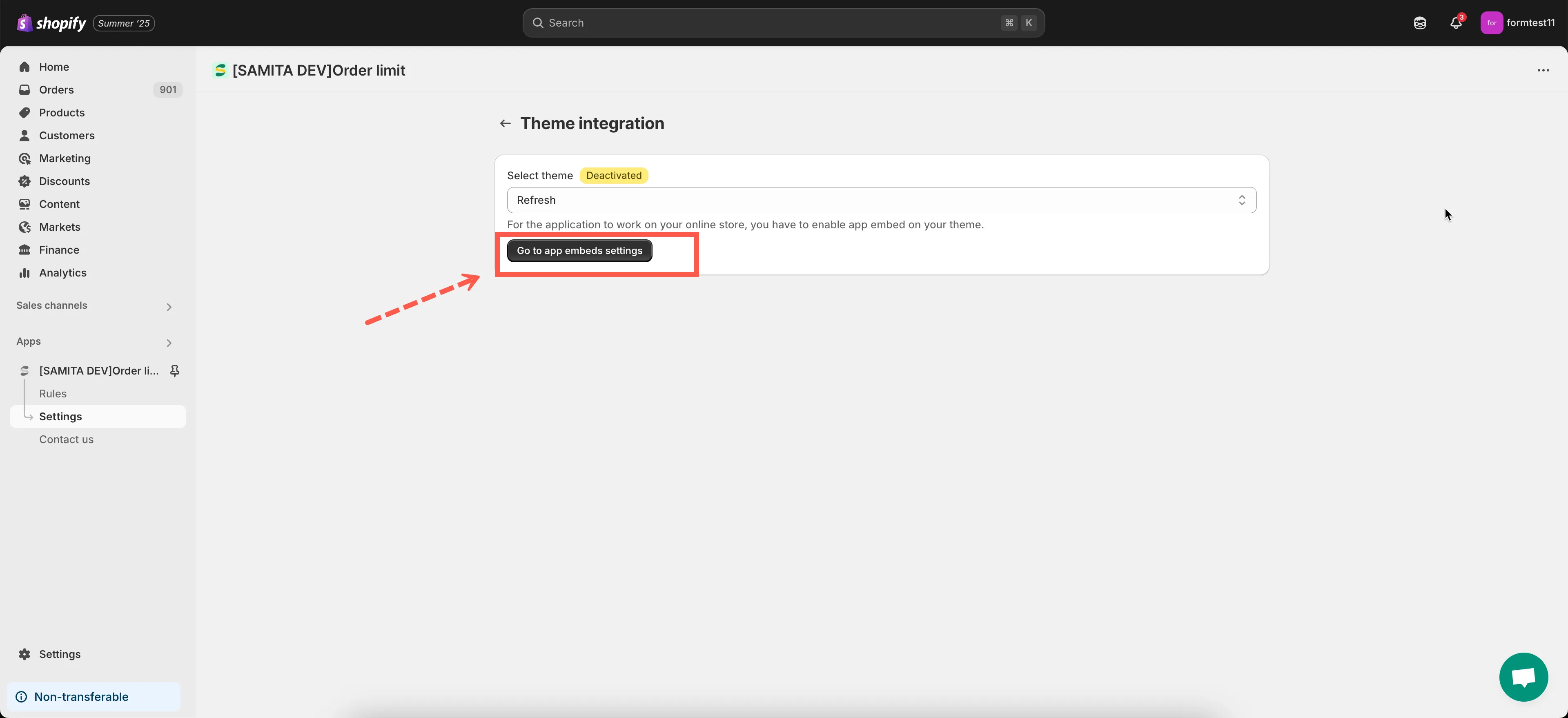
In the Theme Integration window, choose a them you want to enable the app.
-
Click the Go to App Embed settings button.
-
In the Theme Editor:
- On the left sidebar, click the “App embeds” icon
- Find the toggle for Samita Order Limit app
- Switch it ON
-
Click Save at the top-right corner of the Theme Editor
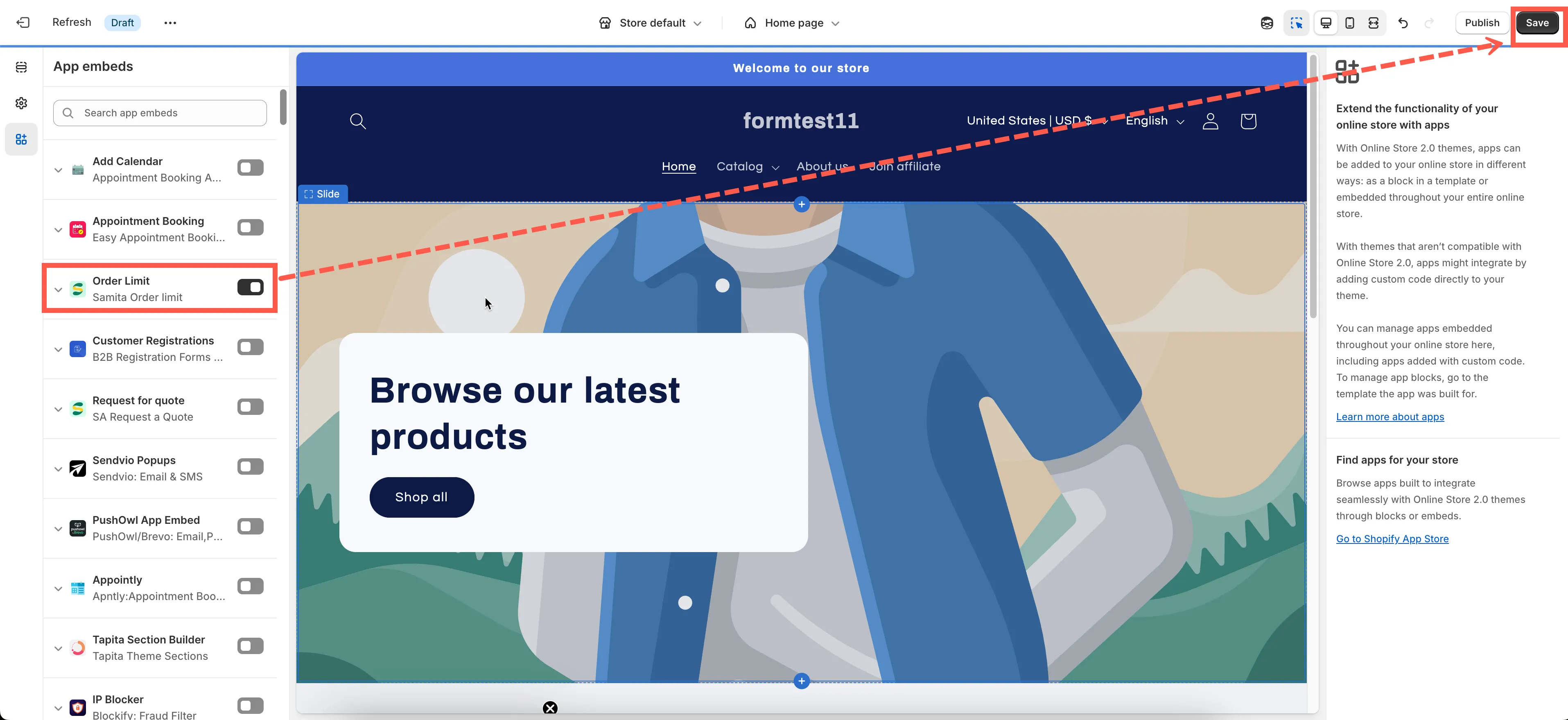
🎉 Done! The app is now active on your store.
✅ Why This Step Matters
Section titled “✅ Why This Step Matters”Without enabling the app embed, your order limit rules won’t take effect on the storefront. This step ensures that the app can properly validate orders before checkout.
If you need help at any point, feel free to reach out to us at support@samita.io. We’re here to assist!