
Access rules
Location
Match visitors based on their detected country, using a public IP-geolocation lookup.
Location matches a visitor based on their detected country. It’s useful for restricting content by geography — for example, only showing a promotion to visitors in a specific country, or blocking a product page in a country you don’t ship to.
Like most access rules (aside from the action-based ones such as Passcode, Secret link, Subscribe, and Confirmation prompt), Location can be set to match If the visitor’s detected country is one of your selected countries, or Unless it is — inverting it to match every other country instead. See Combining rules.
Add the rule
Section titled “Add the rule”- Open Locks and create a new lock, or open an existing one to edit it.
- Choose the content you want to protect. See Access rules overview for how rules fit into a lock.
- Click the Unlock rules tab, then in the Condition type dropdown, select Location.
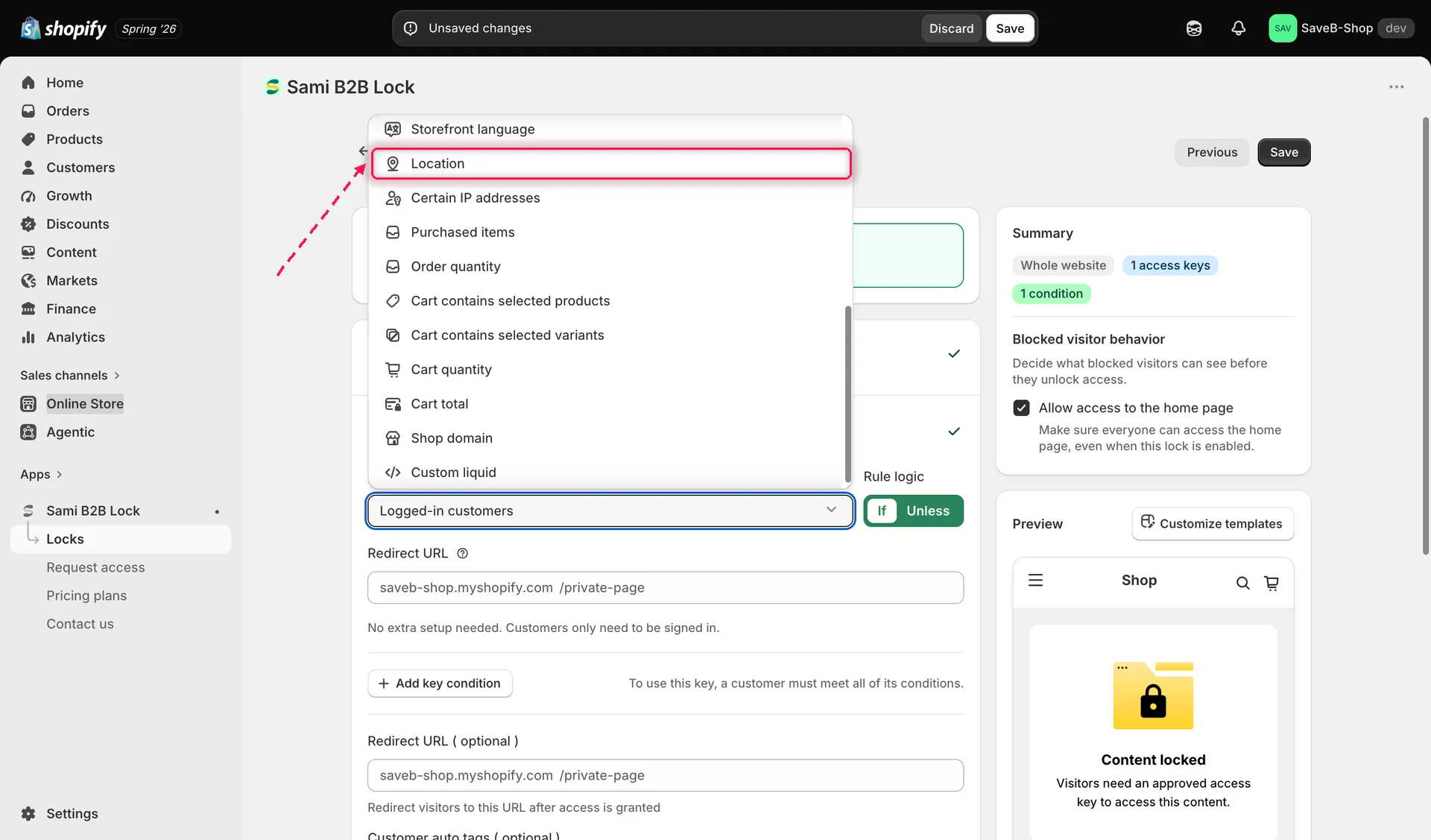
Select Location from the Condition type dropdown on the Unlock rules tab.
- Search for and select one or more countries to match against.
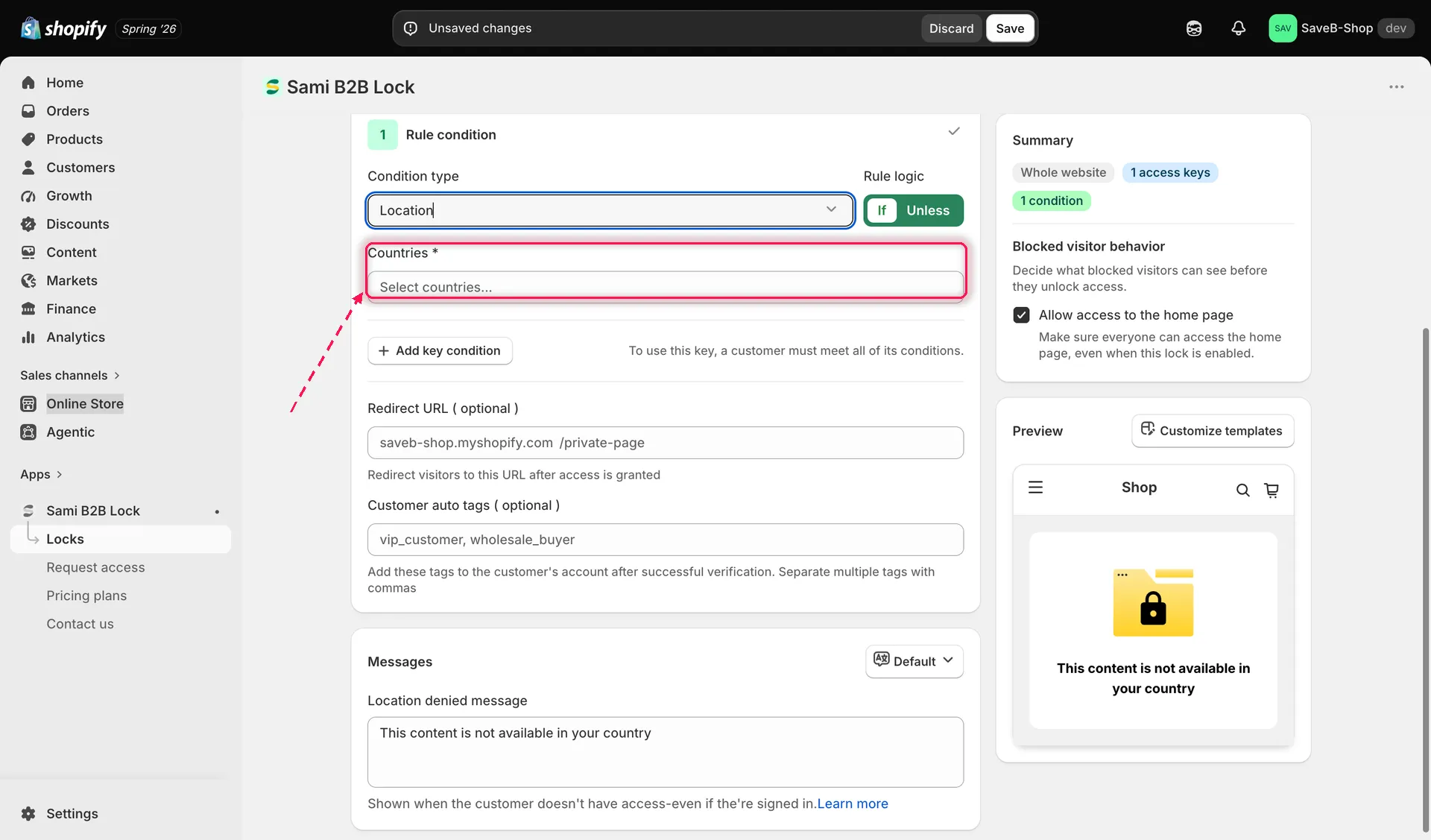
Select the countries this rule should match against the visitor’s detected country.
- Choose If or Unless.
- Click Save.
Shopper-facing copy
Section titled “Shopper-facing copy”When a Location rule denies a visitor and the lock shows a message rather than redirecting, the default text is:
- “This content is not available in your country.”
This is editable per lock and per storefront language. See Translate lock messages.
Example: Make a product available only in the United States and Canada
Section titled “Example: Make a product available only in the United States and Canada”Suppose a product can only be offered to visitors whose detected country is the United States or Canada.
- Select the product you want to protect.
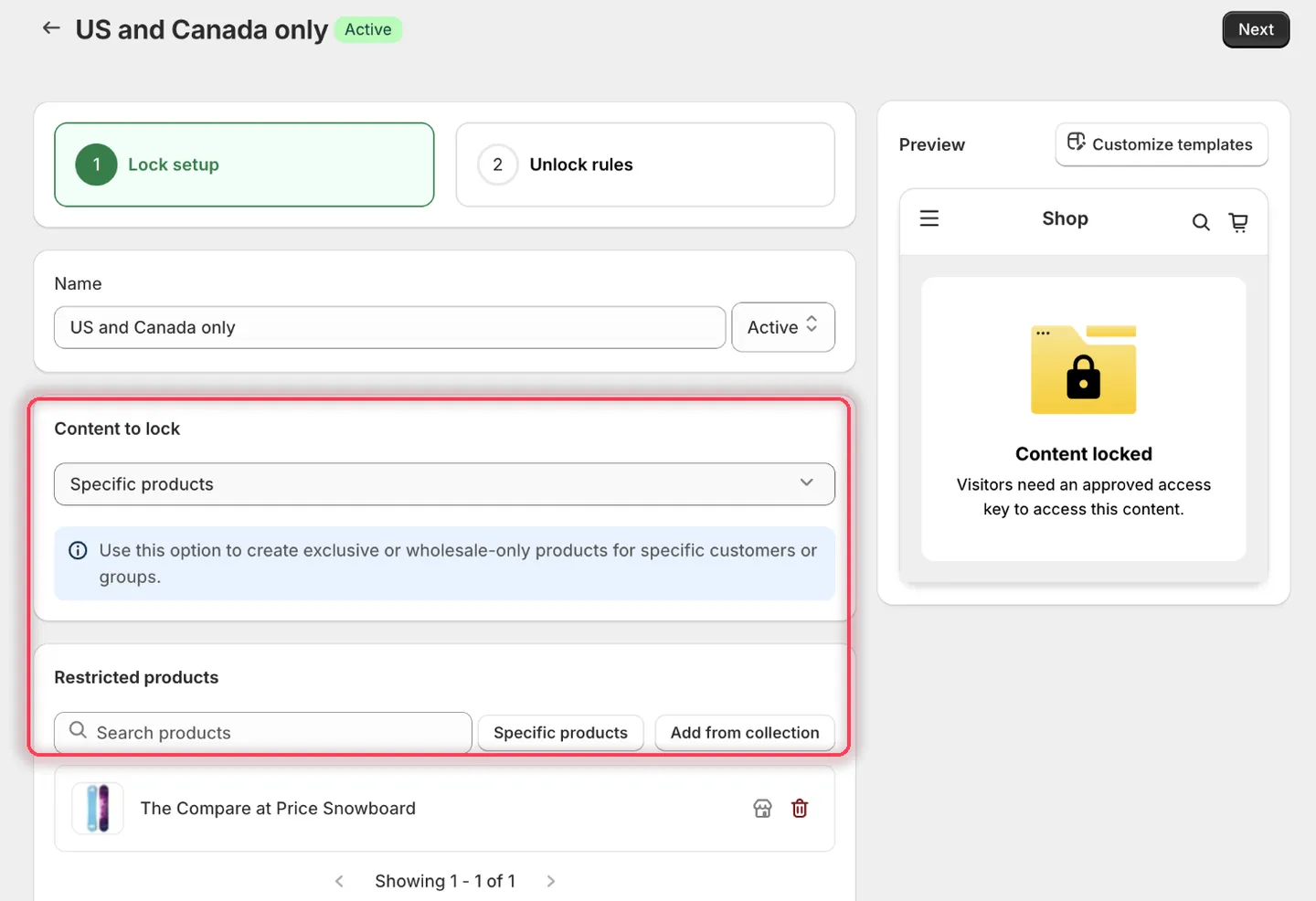
Pick the product with the country restriction.
- Add Location, choose If, then pick United States and Canada from the Countries field. Each choice becomes a removable chip.
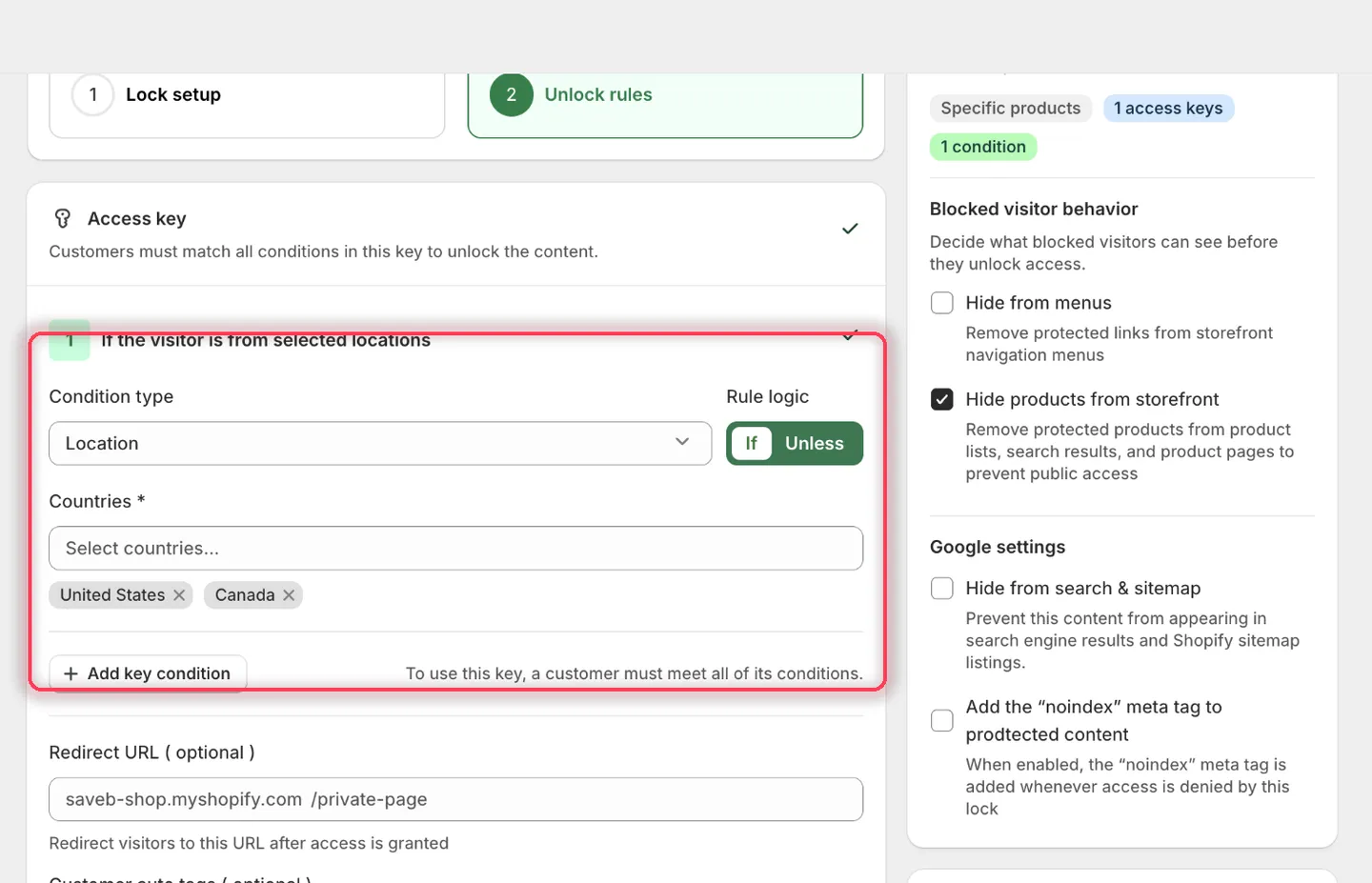
The condition heading reads: If the visitor is from selected locations.
- Leave the rule’s Redirect URL empty.
- Set the Location denied message to:
This product is only available to visitors in the United States and Canada.
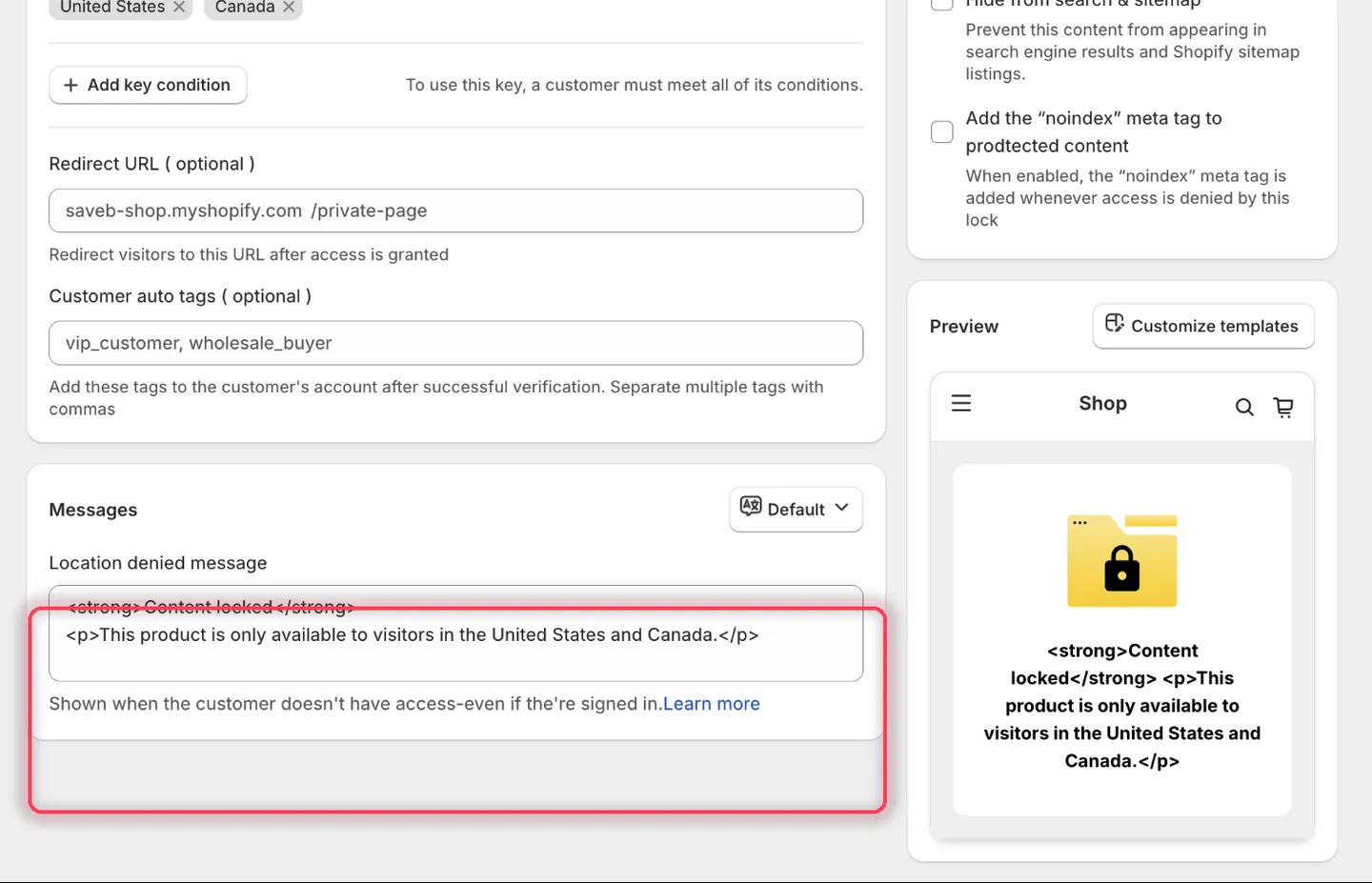
For Location, the field is named Location denied message.
- Click Save.
Result on the storefront
Section titled “Result on the storefront”A visitor detected in either selected country can view the product normally. A visitor detected anywhere else sees the locked content and the message above. The result is based on IP geolocation, not the customer’s shipping address.
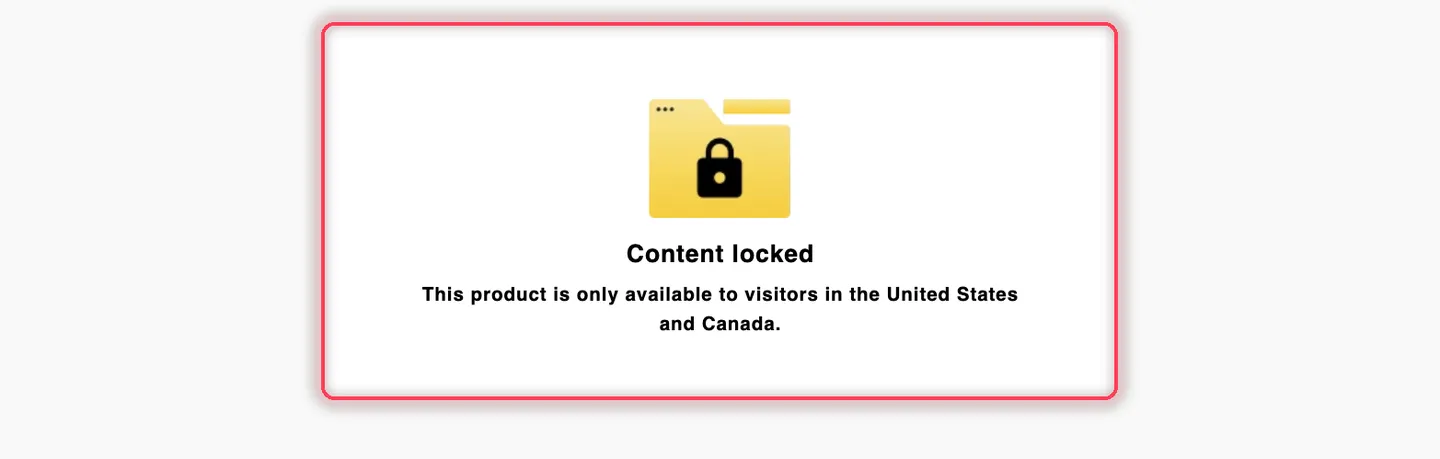
A visitor detected outside the selected countries sees the Location denied message from this example.