
Tags
Add, remove or replace product tags in bulk.
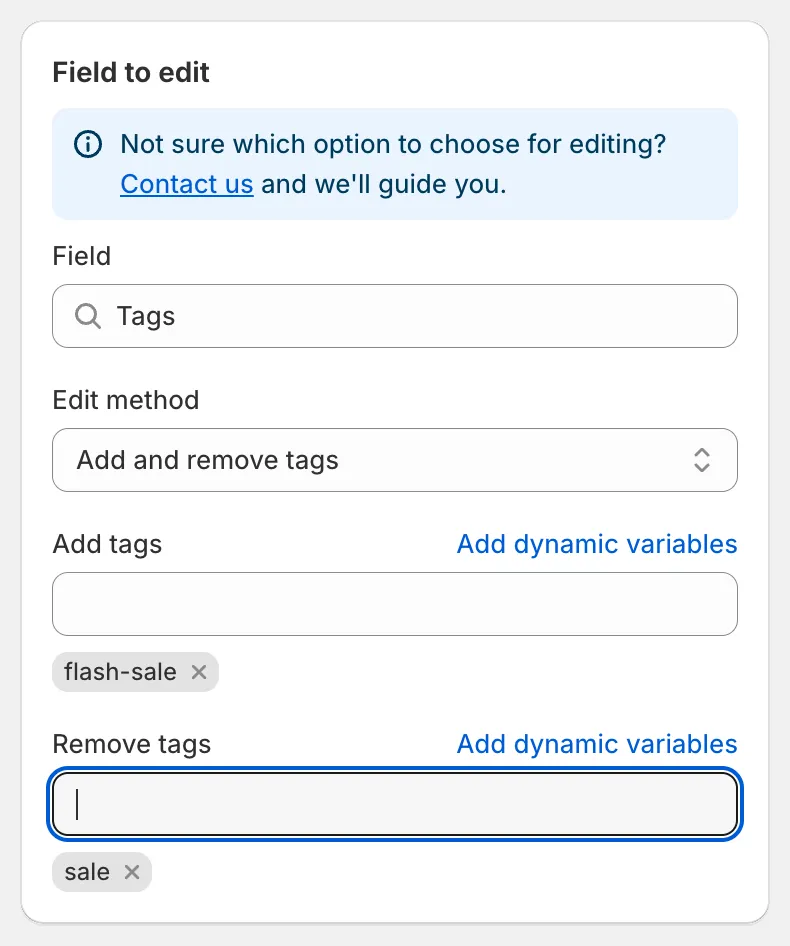
Add and remove tags
Edit methods
Section titled “Edit methods”| Edit method | What it does |
|---|---|
| Add and remove tags (default) | Adds the tags in Add tags and removes the tags in Remove tags. Other tags on the product stay untouched. You can fill one box or both. |
| Replace all tags | Deletes every existing tag and sets the tags in New tags. Leave the box empty to remove all tags. |
Type a tag and press Enter (or pick Add in the dropdown) to add it to the list. Click the × on a tag to remove it from the list.
Examples
Section titled “Examples”- Start a flash sale. Add tags
flash-sale, remove tagssale. Products taggedsalelose that tag and gainflash-sale. - Clean up. Choose Replace all tags and leave New tags empty to strip all tags from the selected products.
- Tag by vendor. Add tags with the dynamic variable
{{ product.vendor }}to tag each product with its own vendor name. See Dynamic variables.
Preview and revert
Section titled “Preview and revert”The preview shows the current tag list and the new tag list for each product. In Product changes, added tags are highlighted and removed tags are struck through.
Reverting the task removes the tags it added and restores the tags it removed.
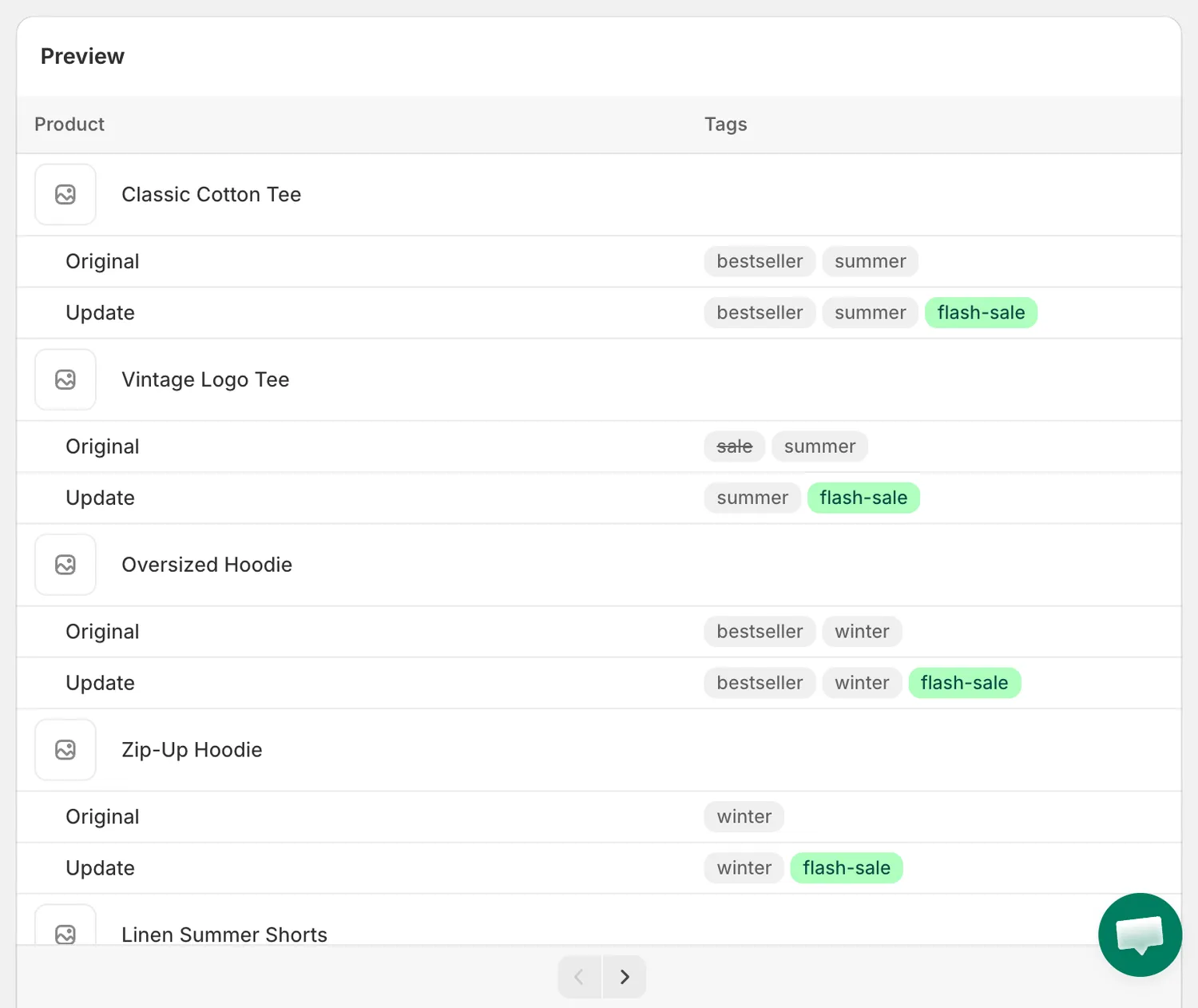
Tags preview