
Field guides
Title, handle, vendor, type and SEO
Bulk edit titles, handles, vendors, product types, SEO titles and SEO descriptions with find and replace, prefixes, suffixes and more.
These product fields share the same set of text edit methods:
- Title
- Handle (the last part of the product URL)
- Vendor
- Product type
- SEO title and SEO description (the search engine listing)
- Theme template (see Category, template and visibility)
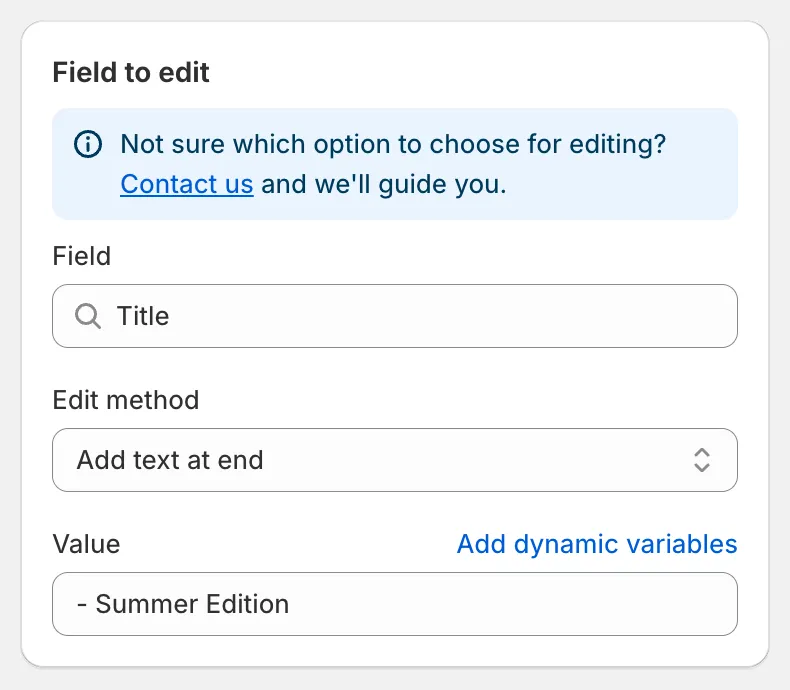
Adding a suffix to titles
Edit methods
Section titled “Edit methods”| Edit method | Inputs | Example on “Classic Cotton Tee” |
|---|---|---|
| Find and replace (default) | Find value, Replace value | Find Classic, replace Premium → “Premium Cotton Tee” |
| Replace entire text | Value | New Arrival → “New Arrival” |
| Add text at beginning | Value | [Sale] → “[Sale] Classic Cotton Tee” |
| Add text at end | Value | - Summer Edition → “Classic Cotton Tee - Summer Edition” |
| Remove from beginning | Value | Classic → “Cotton Tee” |
| Remove from end | Value | Tee → “Classic Cotton” |
| Remove up to (and including) word | Value | Cotton → “Tee” |
| Remove from word to end | Value | Cotton → “Classic” |
Details worth knowing:
- Find and replace is case-sensitive and matches the text exactly as typed. Every occurrence is replaced. Leave Replace value empty to delete the found text.
- Add text at beginning and Add text at end always insert one space between your text and the existing text.
- Remove from beginning only acts when the field starts with the value. Remove from end only acts when the value is the last word.
- If the result would be empty, the original value is kept.
- All inputs accept dynamic variables, for example
{{ product.vendor }} {{ product.title }}.
Handle
Section titled “Handle”Handles must be unique and URL-safe. After your edit the app converts the result to a valid handle: lowercase, accents removed, spaces and symbols replaced with hyphens. Shopify creates an automatic redirect from the old URL to the new one, so existing links keep working.
Vendor and Product type
Section titled “Vendor and Product type”Use Replace entire text to standardise values, for example renaming the vendor sami apparel to Sami Apparel on products that match the condition Product vendor equals sami apparel.
SEO title and SEO description
Section titled “SEO title and SEO description”These fields update the search engine listing of the product. Combined with dynamic variables you can build listings from other fields, for example SEO title Replace entire text with {{ product.title }} | {{ product.vendor }}.
Preview and revert
Section titled “Preview and revert”The preview shows an Original and an Update row per product. Click the eye icon to compare long texts side by side. Reverting the task restores the original text.