
Send a quotation
Email your priced quote to the customer, and send it again after you revise it.
Editing a quote tells the customer nothing. Sending it is the step that puts your offer in their inbox.
You will use it again every time you revise a quote and need the customer to see the new version.
Two ways to send
Section titled “Two ways to send”| Where | How |
|---|---|
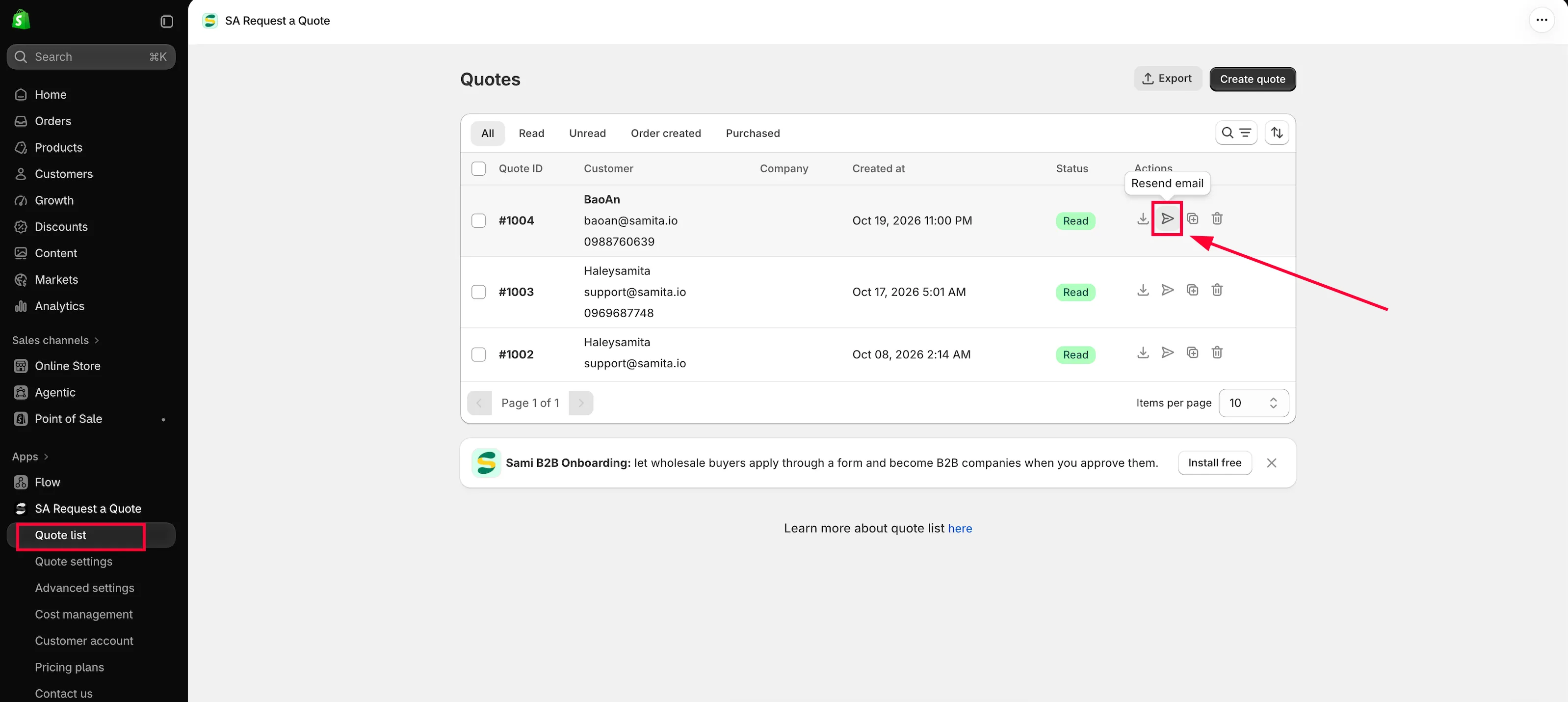
| From the Quotes page | The send email action in the Actions column of the row, between download PDF and duplicate. |
| From the open quote | Resend an email, at the bottom of the Payment panel next to Mark as unread and Mark as paid. |
Use the row action when you are working through the list. Use Resend an email when you have just finished pricing and are already looking at the quote.
Send it
Section titled “Send it”-
Open Quote list
Section titled “Open Quote list”Go to Quote list in the app navigation to reach the Quotes page.
-
Make sure the quote is ready
Section titled “Make sure the quote is ready”Check the Price & quantity boxes and the Total in the Payment panel. If you still need to set prices, do that first — see View and edit a quote.
-
Send it
Section titled “Send it”Either use the send email action on the quote’s row, or click Resend an email on the open quote.
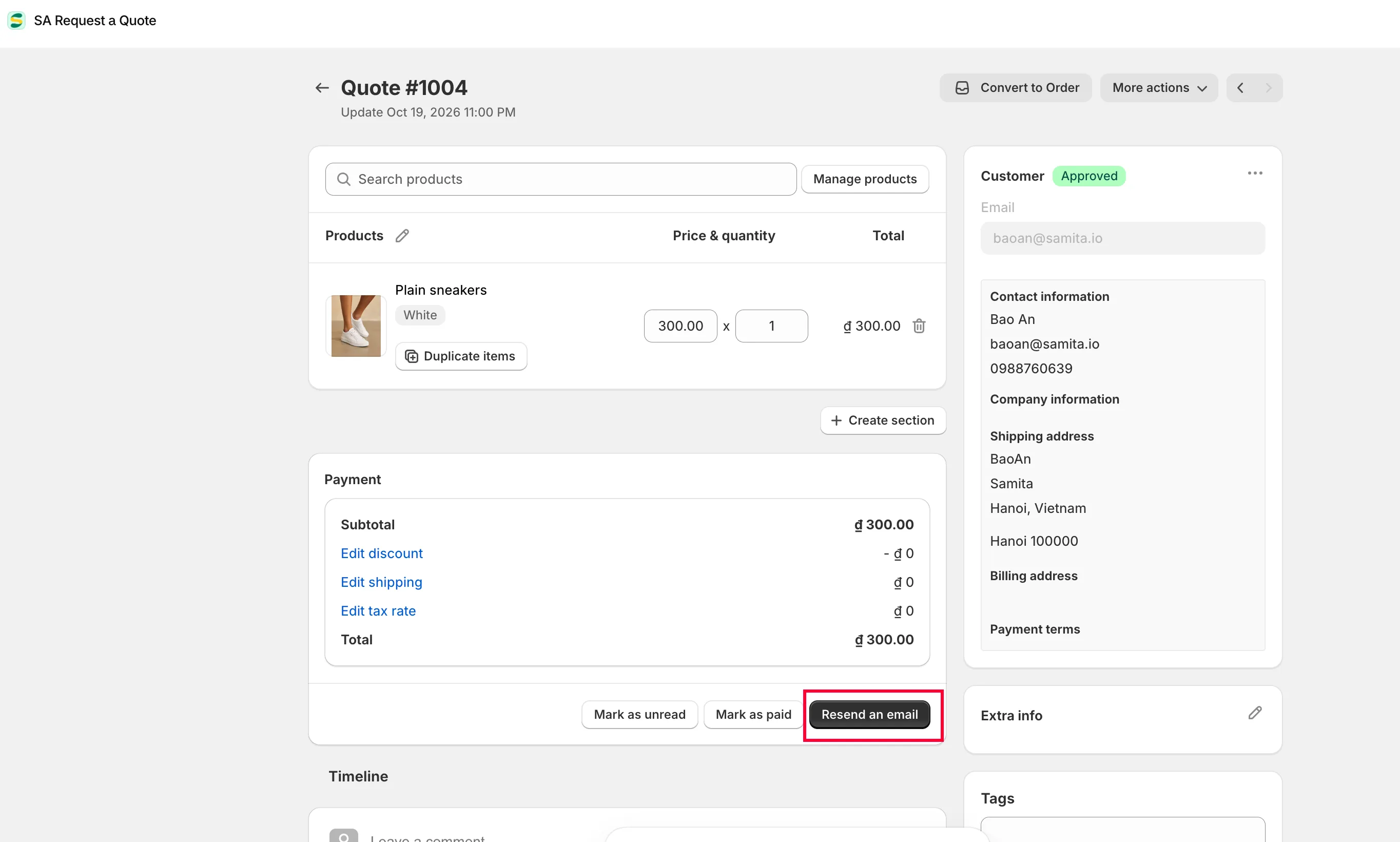
Sending the quotation emails the customer your reply.
Or resend in quote list
This is not the automatic acknowledgement
Section titled “This is not the automatic acknowledgement”Two different emails are easy to confuse.
| When it goes out | |
|---|---|
| Auto response email | Automatically, as soon as a customer submits a quote — a "thanks, we have got it" message. Set up under Advanced settings > Email notifications. |
| The quotation you send | When you use the send email action or Resend an email, after you have priced the request. |
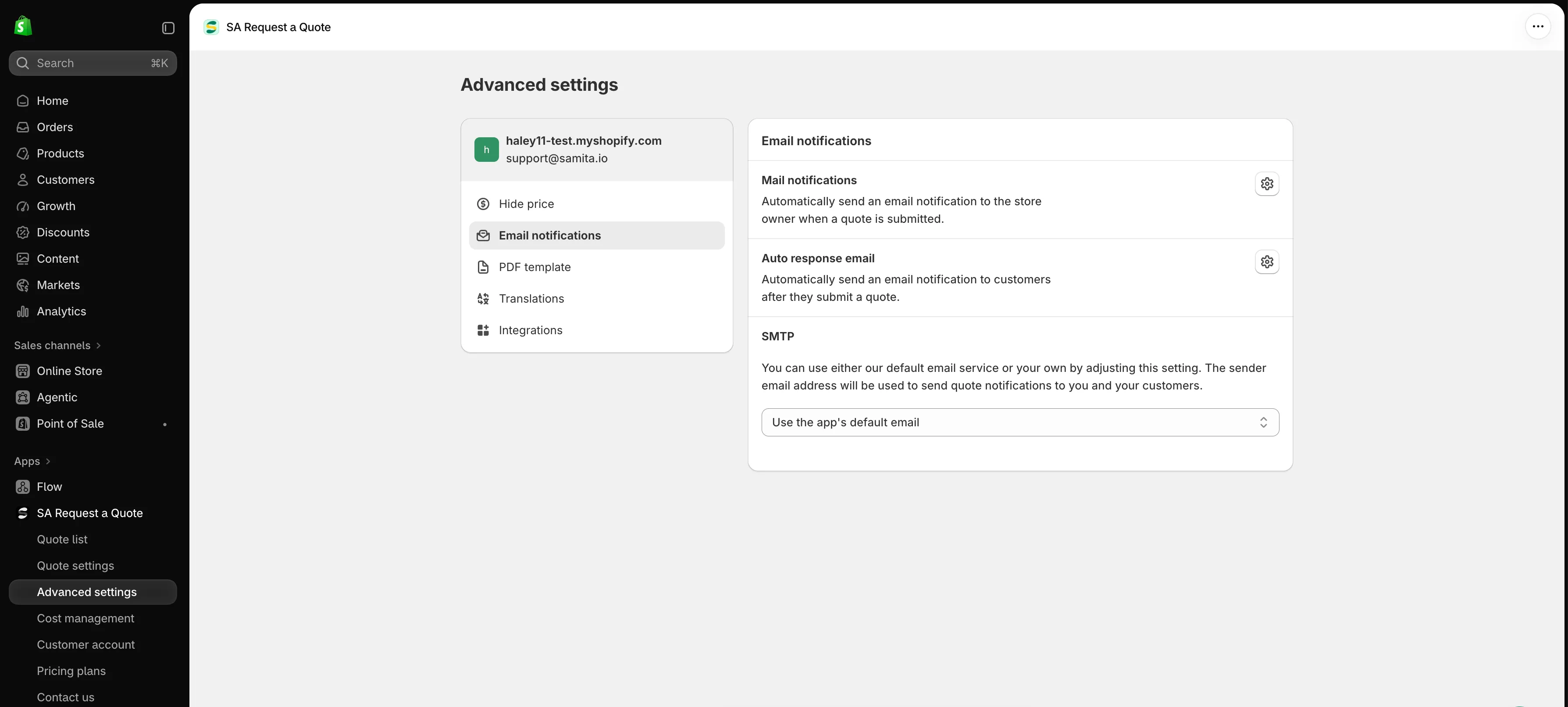
Advanced settings > Email notifications controls the automatic emails.
You control the wording and look of what customers receive — see Emails sent to customers.
Sending again after changes
Section titled “Sending again after changes”There is no limit on sending. A normal negotiation runs: send your price, the customer asks for a better one, you revise the quote and use Resend an email.
Note what you agreed in the Timeline comment box while it is fresh — “Only you and your staff can see comments”, so it is safe to record the margin or the reason for a discount there.
If the customer says it never arrived
Section titled “If the customer says it never arrived”The usual causes are spam filtering and a mistyped address. Check the Email on the quote first, then see Troubleshooting.
Sending from your own domain helps a lot. Under Advanced settings > Email notifications, the SMTP section lets you use your own mail service instead of the app’s default one — see Send from your own address (SMTP).
Next steps
Section titled “Next steps”- Convert to a draft order — when the customer accepts
- Emails sent to customers — customise what they receive
- Send from your own address (SMTP) — send from your own address