
Collecting quote requests
Show a variant selector
Let customers choose a size, colour or other variant before they add a product to their quote.
A quote button on a collection page has a problem: the customer can add the product, but can’t say which version of it they want. Show variant selector adds that choice next to the button.
Turn it on
Section titled “Turn it on”-
Open the button settings
In the app, go to Quote settings and click Customize, then open the Button & widget tab.
-
Find the Add to quote section
Scroll down the Button & widget tab to the Add to quote section — the same group of checkboxes that holds Allow customers to edit quote item prices and Require login before adding to quote — and tick Show variant selector.
The label is singular, Show variant selector, so searching the page for “variants” will not find it.
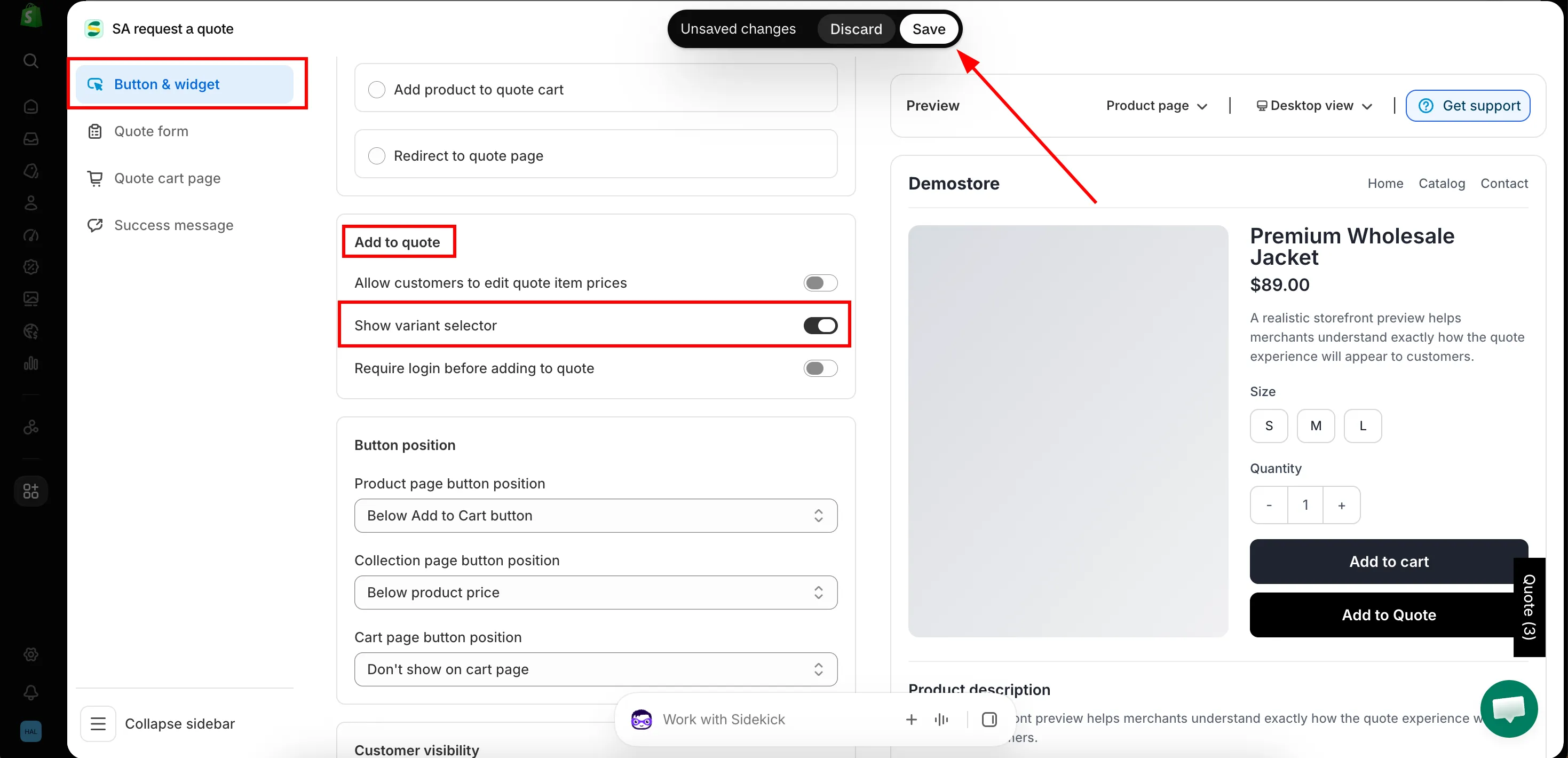
-
Save
Click Save to update the changes.
-
Check the result on the front store
Open a collection on your storefront. The variant selector shows up on each product on the product list, beside the quote button, so a shopper can pick the version they want without opening the product.
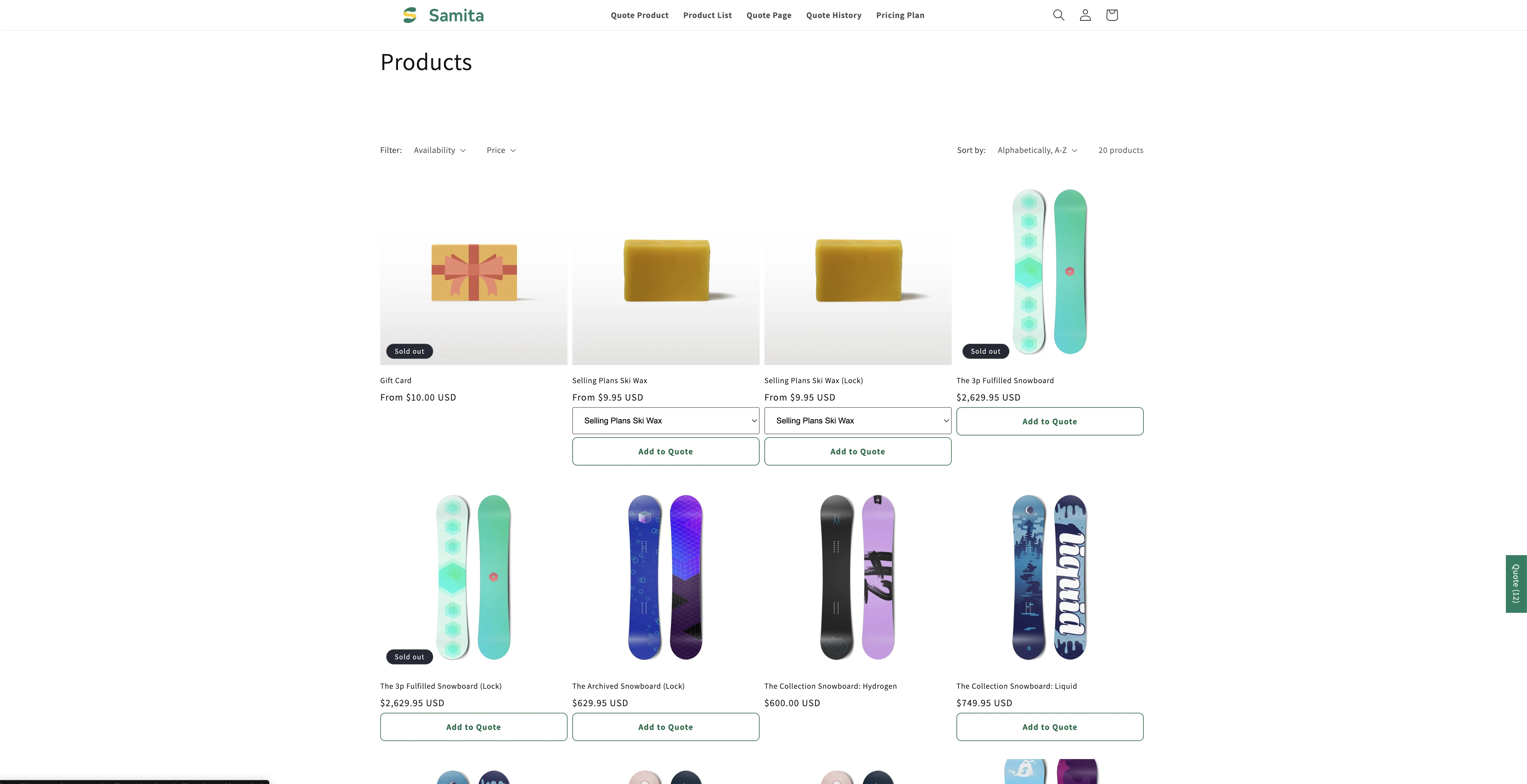
Shoppers pick the variant without opening the product.
Why it’s worth turning on
Section titled “Why it’s worth turning on”Without it, a request from a collection page tells you the product but not the size or finish, and you have to email back and ask. On a catalogue with variants, that is a wasted round trip on almost every quote.
Seeing the choice on the quote
Section titled “Seeing the choice on the quote”To show the chosen variant in the customer’s quote cart, include the Option column under Product list columns on the Quote cart page tab — “The product details shown as columns in the customer’s quote cart.”
Next steps
Section titled “Next steps”- Quote button on collection pages — the position this setting supports
- Let customers propose a price — other columns in the customer’s quote cart
- Set the after-click behavior — what happens once they add a product
- Contact support — if the selector does not appear on your theme’s product cards, send us a collection URL and we will look