
Help
Contact support
How to reach the SA Request a Quote team, and what's worth including so the first reply is a useful one.
Email us
Section titled “Email us”From inside the app
Section titled “From inside the app”The dashboard has a Need any help? section with three routes, so you don’t have to leave your admin:
| Option | Button | Use it for |
|---|---|---|
| Help docs | Learn more | Opening this documentation. |
| Get email support | Contact us | Anything that needs someone to look at your store. |
| Start live chat | Start chat | A quick question, when chat is available. |
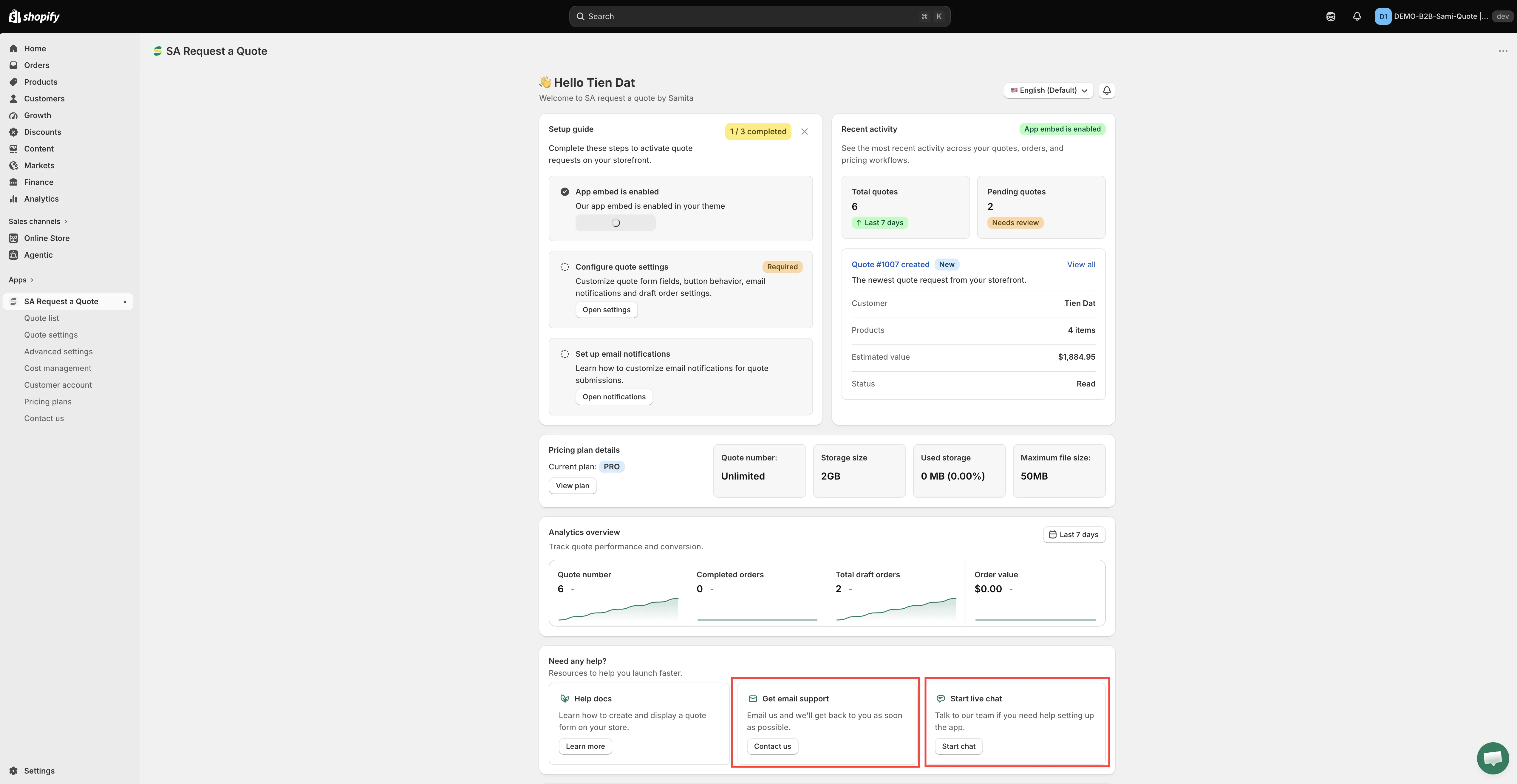
Help, email support and live chat all sit at the bottom of the dashboard.
Contact us is also in the app menu in your Shopify sidebar, below Pricing plans.
What’s worth including
Section titled “What’s worth including”Storefront problems are much easier to answer when the reply doesn’t have to start with questions. These four usually save a round trip:
| Include | Why it helps |
|---|---|
| Your store URL | Lets someone look at your actual settings and theme rather than guessing. |
| A link to the page with the problem | A specific product or collection URL is far more useful than "the product page". |
| A screenshot | Shows exactly what you're seeing, including anything your theme is doing. |
| What you expected instead | Separates a bug from a setting that just needs changing. |
Things the app itself points at support for
Section titled “Things the app itself points at support for”A few settings say to get in touch rather than offering a button:
| Where | What it says |
|---|---|
| Quote PDF template | "Remove the watermark from your PDF. Please contact us to verify your store and receive this service for free." See Customize the quote PDF. |
| Admin email, in the Mail notifications editor | "A maximum of 5 addresses is allowed. Contact us to increase the number of emails added." See Change notification recipients. |
Theme-specific button placement is the other common one — if your theme puts its buy buttons in unusual markup, the quote button may not land where you expect, and that’s worth sending in with a product URL.
Before you write
Section titled “Before you write”Many issues have a documented fix that’s faster than waiting for a reply:
- Troubleshooting — quote button missing, prices still showing, blank quote pages, emails not arriving
- FAQ — short answers to common questions
- Plan comparison — if a feature seems missing, check it’s on your plan
If you’re asked for access to your store
Section titled “If you’re asked for access to your store”Some theme-specific problems can’t be diagnosed from the outside, so you may be asked for collaborator access. That’s yours to grant or refuse: you set it up in your own Shopify admin, and you can revoke it once the issue is resolved.
Legal and privacy
Section titled “Legal and privacy”- Privacy policy
- Terms and conditions
- Permissions and data — what the app accesses and stores
Next steps
Section titled “Next steps”- Troubleshooting — check the common fixes first
- FAQ — quick answers
- Pricing plans — check what your plan includes