
Set Priority between Payment Term and Invoice Payment at Cart
Decide what happens when both Payment Term and Invoice Payment could apply to the same order.
Since Payment Term and Invoice Payment share the same Pay Later button in the cart, you need to tell the app what to do when both could apply to the same order.
Example: you’ve set up both Payment Term and Invoice Payment to apply to customers tagged “wholesale,” and every product in your store qualifies for both.
Steps to manage
Section titled “Steps to manage”-
Open Payment term settings
Section titled “Open Payment term settings”Go to Add-on Features > Payment term, then click Settings.
-
Choose what happens after “Pay Later”
Section titled “Choose what happens after “Pay Later””Under After clicking “Pay Later”, choose one of the 3 options:
- Prioritize Payment Terms — automatically select Payment Terms when both options are available.
- Prioritize Invoice Payments — automatically select Invoice Payments when both options are available.
- Let customer choose — show a popup for customers to select their preferred payment method.
Check the Preview panel on the right to see how the Pay later button behaves.
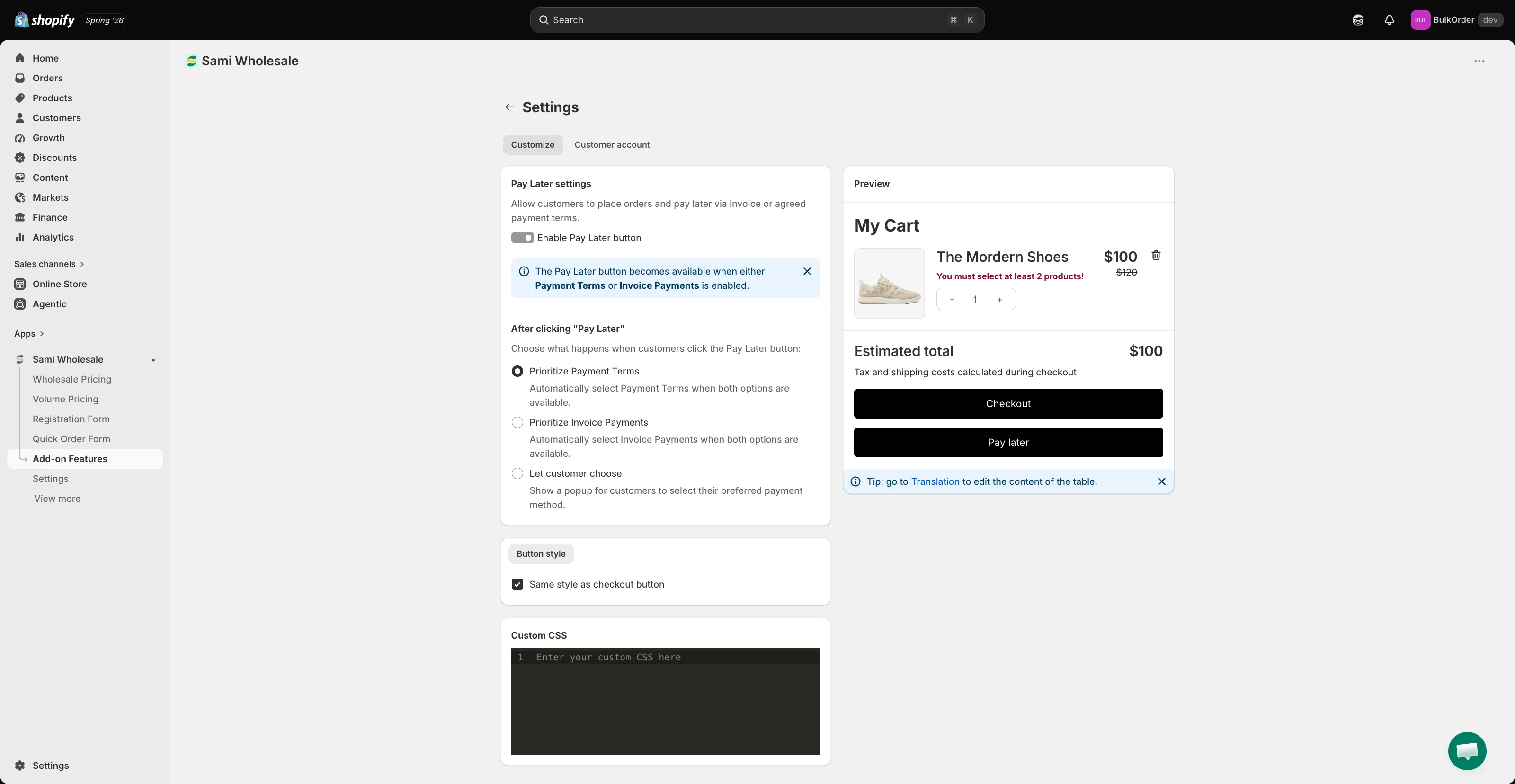
You can also set the Button style (matching your checkout button by default) and add Custom CSS on this same settings page.