Set up Invoice Payment as Payment Method for B2B customers
Let customers place an order now and pay later from an emailed invoice, without setting up recurring payment terms.
Invoice Payment lets customers place an order without paying immediately. Instead, the app generates an invoice and sends it to them to pay later — a simpler alternative to a full payment term, and a good way to improve conversion for customers who need to arrange payment separately.
Steps to manage
Section titled “Steps to manage”-
Open Invoice Payment
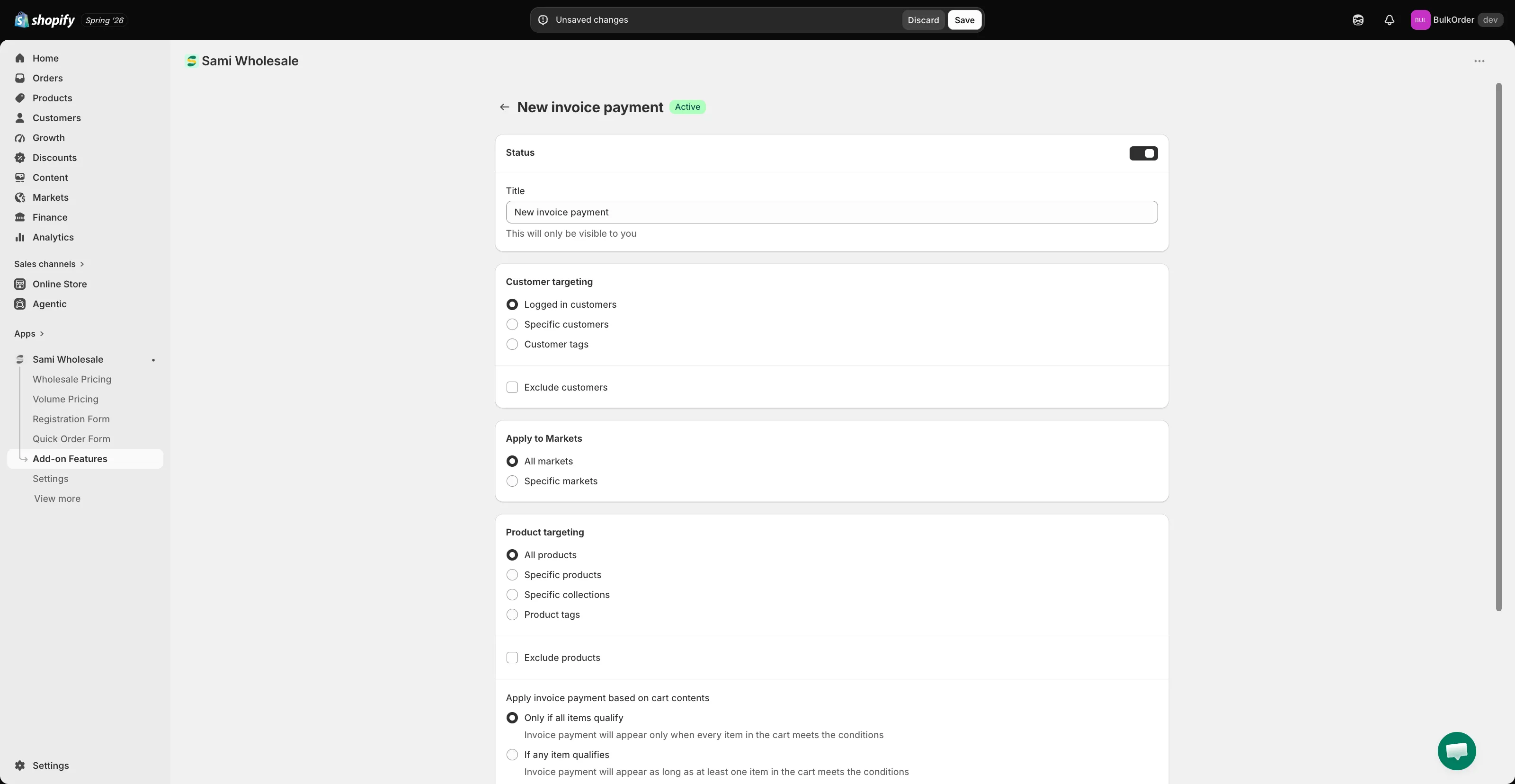
Section titled “Open Invoice Payment”Open the app, go to Add-on Features, then click Invoice payment > Setup invoice payment, and click Add new invoice payment.
-
Configure the conditions
Section titled “Configure the conditions”- Status and Title — enable it and give it a name (only visible to you).
- Customer targeting — choose Logged in customers, Specific customers, or Customer tags. Tick Exclude customers to hide it from certain customers.
- Apply to Markets — choose All markets or Specific markets.
- Product targeting — choose All products, Specific products, Specific collections, or Product tags, and optionally Exclude products.
- Apply invoice payment based on cart contents — choose Only if all items qualify or If any item qualifies.
- Order conditions — set a minimum/maximum order amount or quantity that controls when this method is available.
- Order tagging — search for a tag to automatically apply to orders created this way, so they’re easy to find later.
-
Click Save.
What customers see
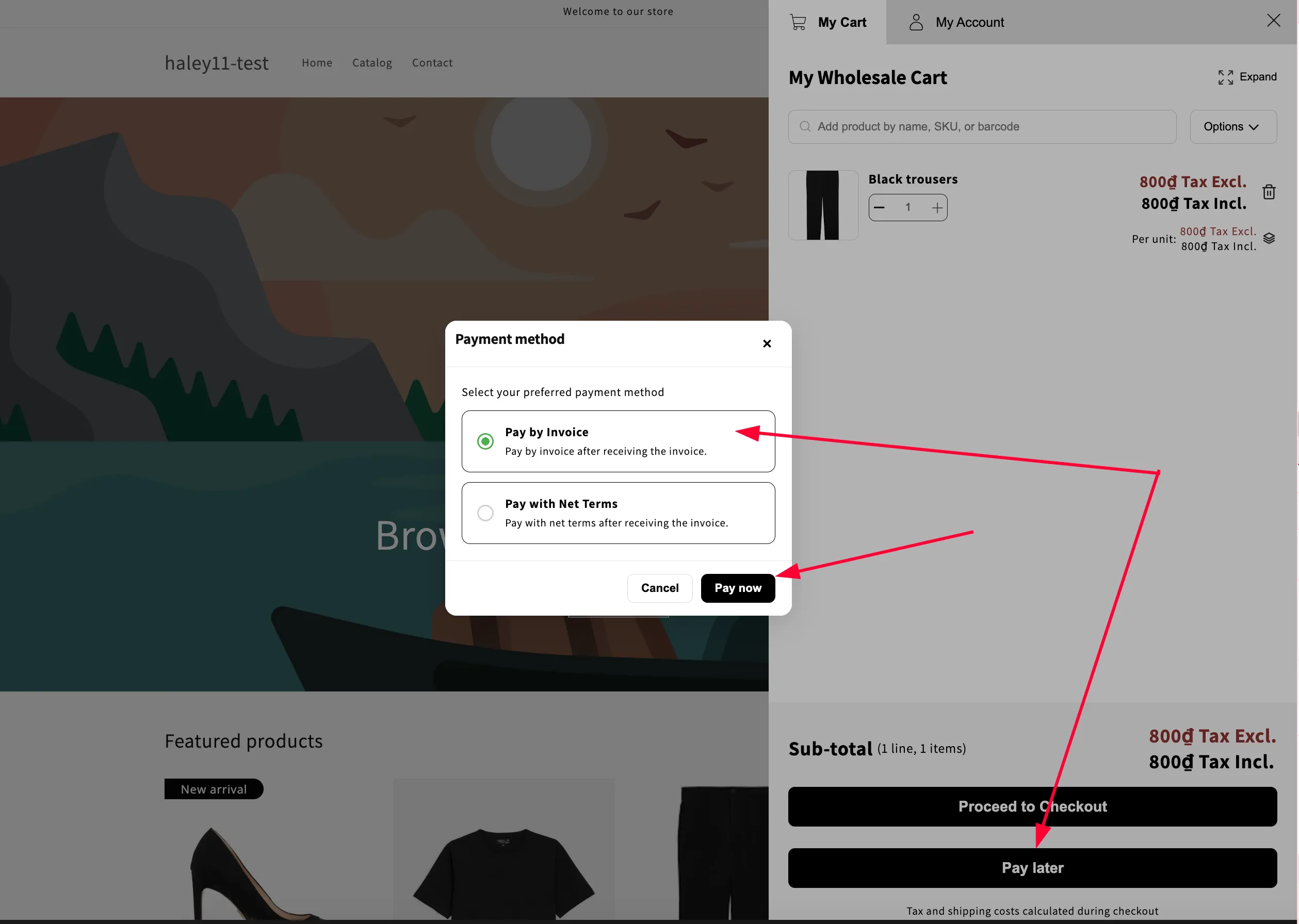
Section titled “What customers see”On the cart page or cart drawer, the app shows a Pay Later button. When a customer clicks it:
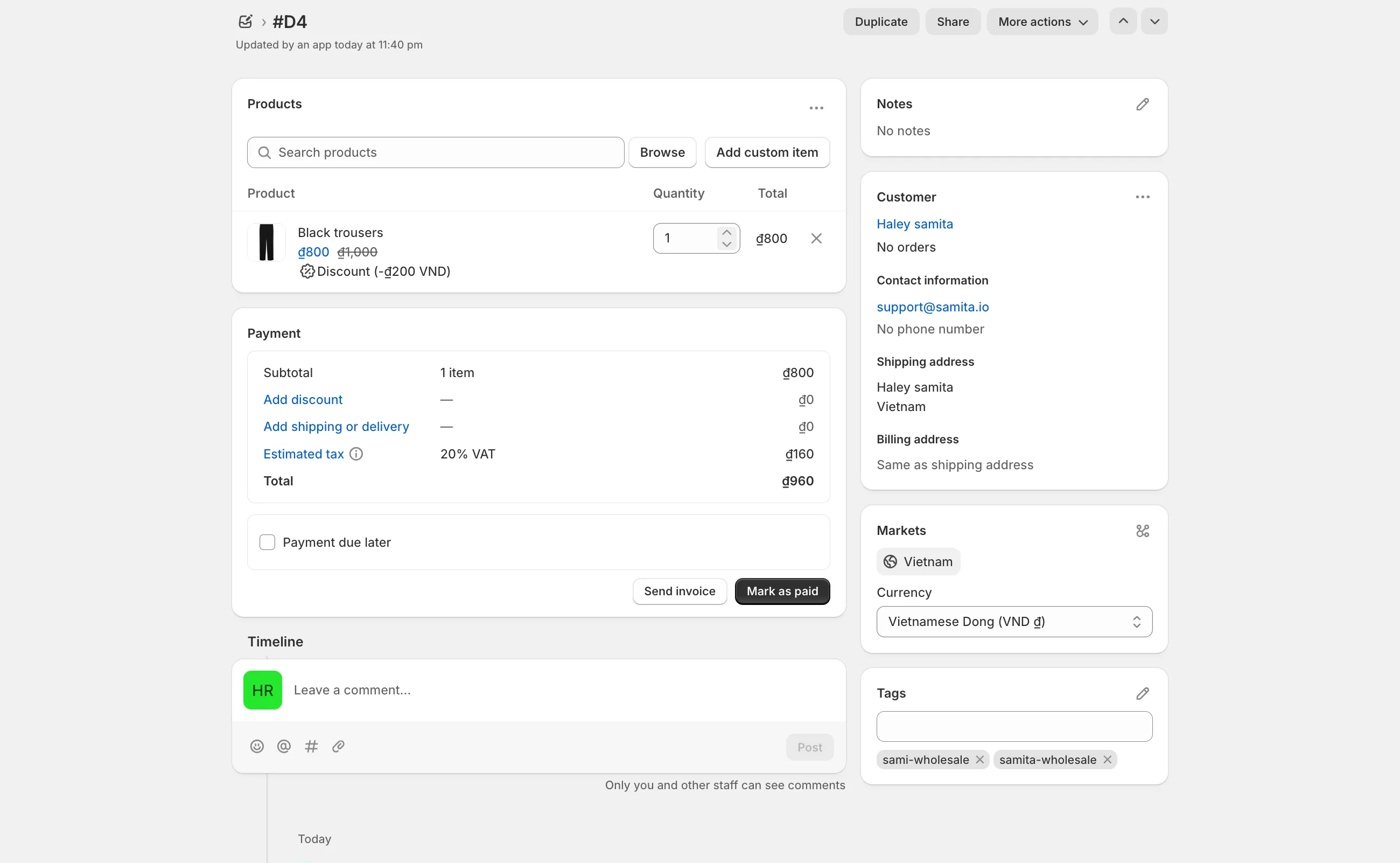
- A draft order is automatically created in Shopify.
- The cart is cleared.
- An invoice is generated and sent to the customer.
The Pay Later button always shows once this feature is enabled, alongside the app’s other payment-related settings.
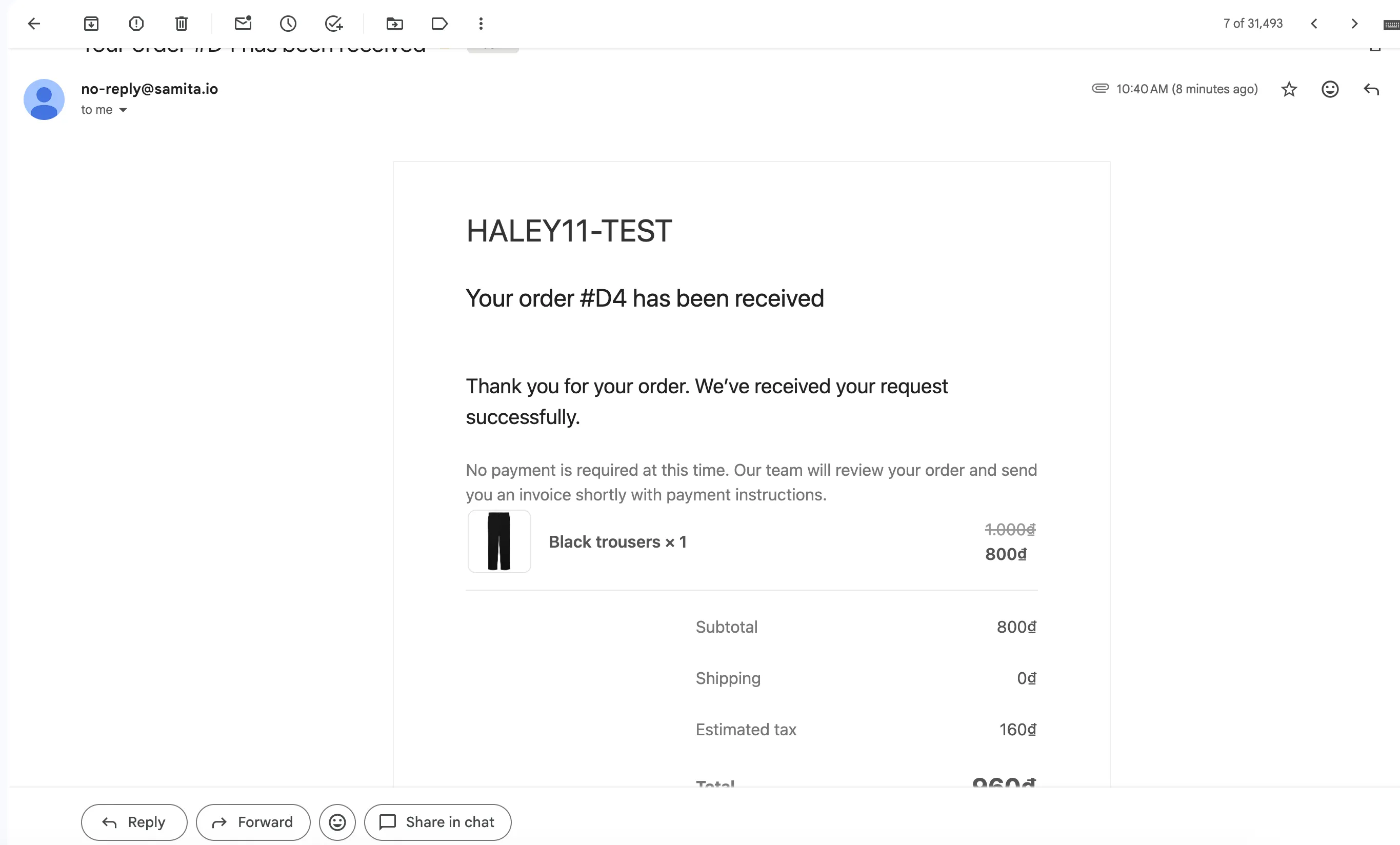
The customer receives an email notification about their draft order.
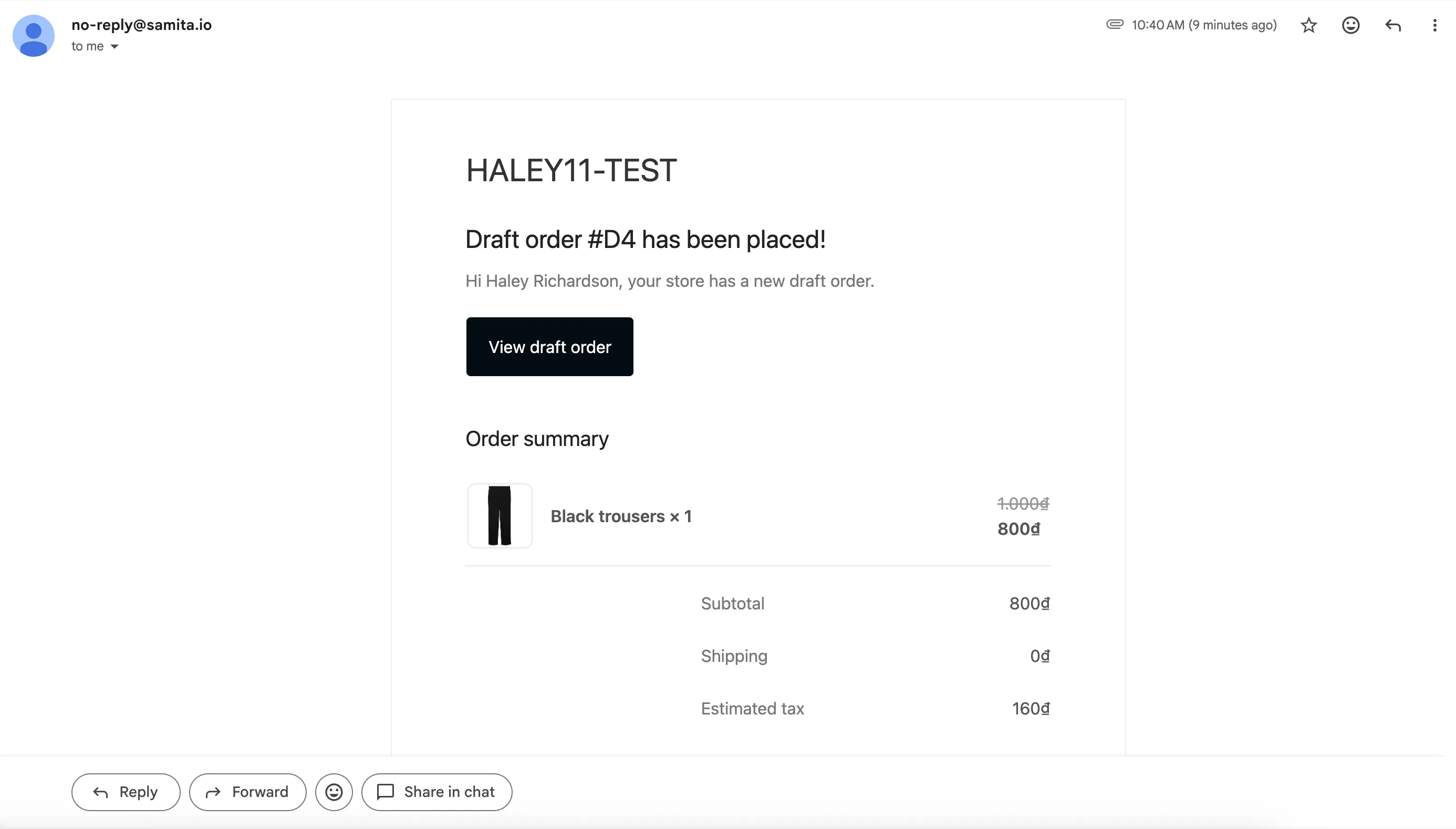
You can then review the draft order and send the invoice from your Shopify admin.