How to apply discount to manual draft order?
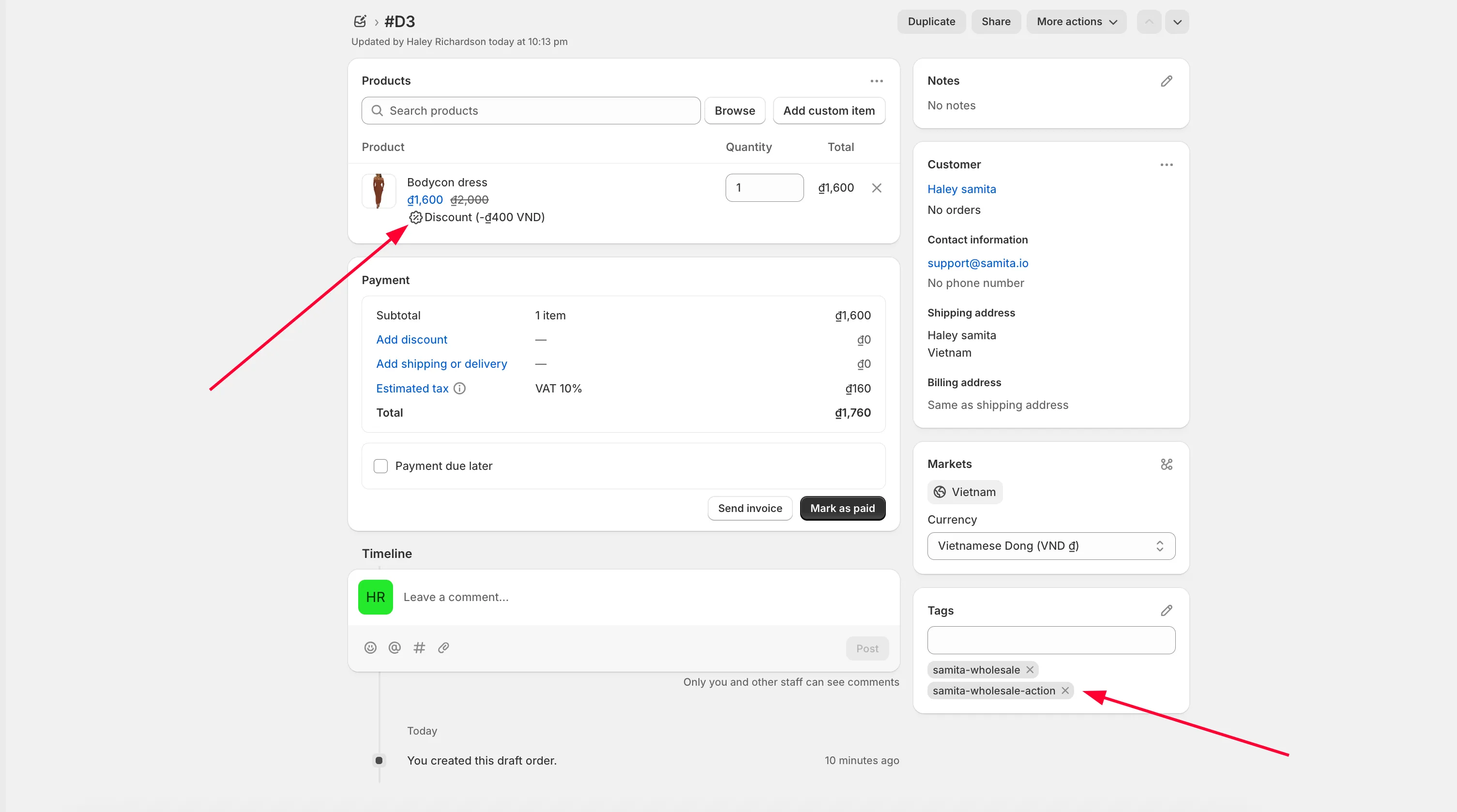
Apply a customer's wholesale discount to a draft order you create manually from the Shopify admin.
Besides showing discounts automatically on the storefront, the app also lets you apply the discounted price when you create a draft order for a customer yourself — useful for phone or email orders you place on their behalf.
Steps to manage
Section titled “Steps to manage”-
Set up a wholesale pricing rule
Section titled “Set up a wholesale pricing rule”If you haven’t already, create a wholesale pricing rule first.
-
Start a draft order in Shopify
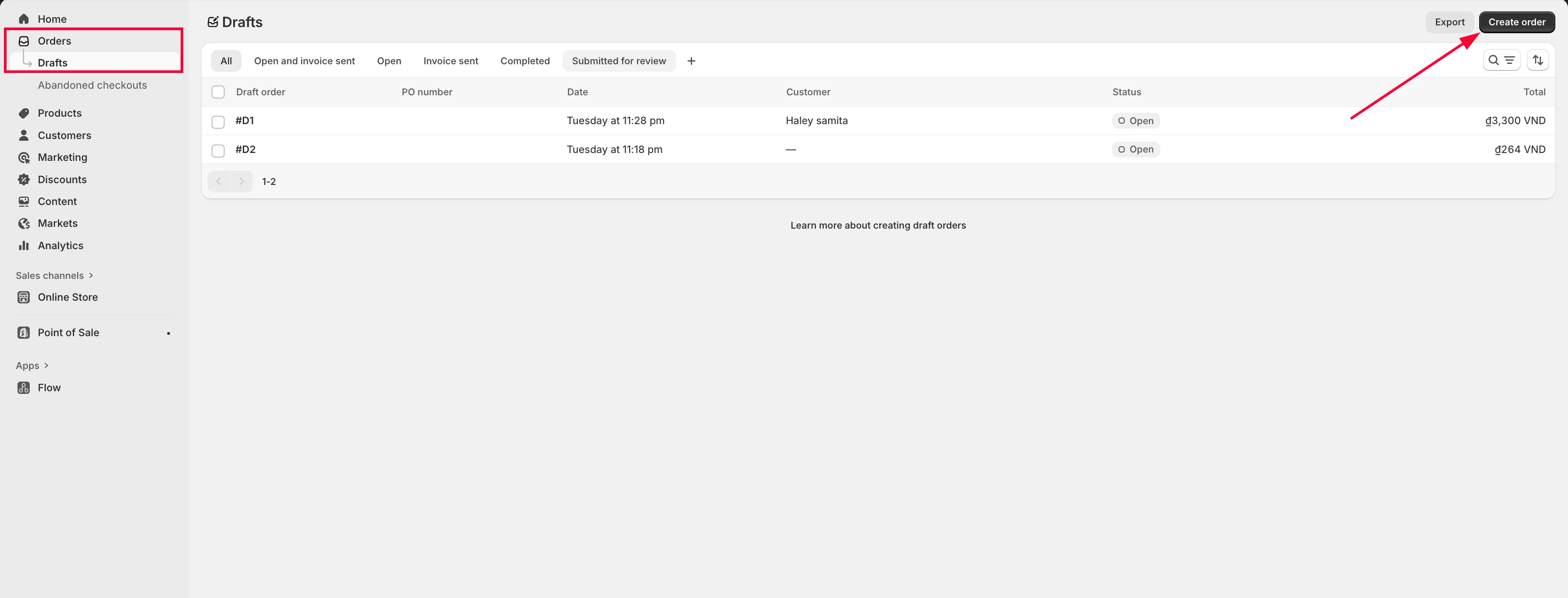
Section titled “Start a draft order in Shopify”Go to Orders > Drafts in Shopify, then click Create order.
-
Fill in the order
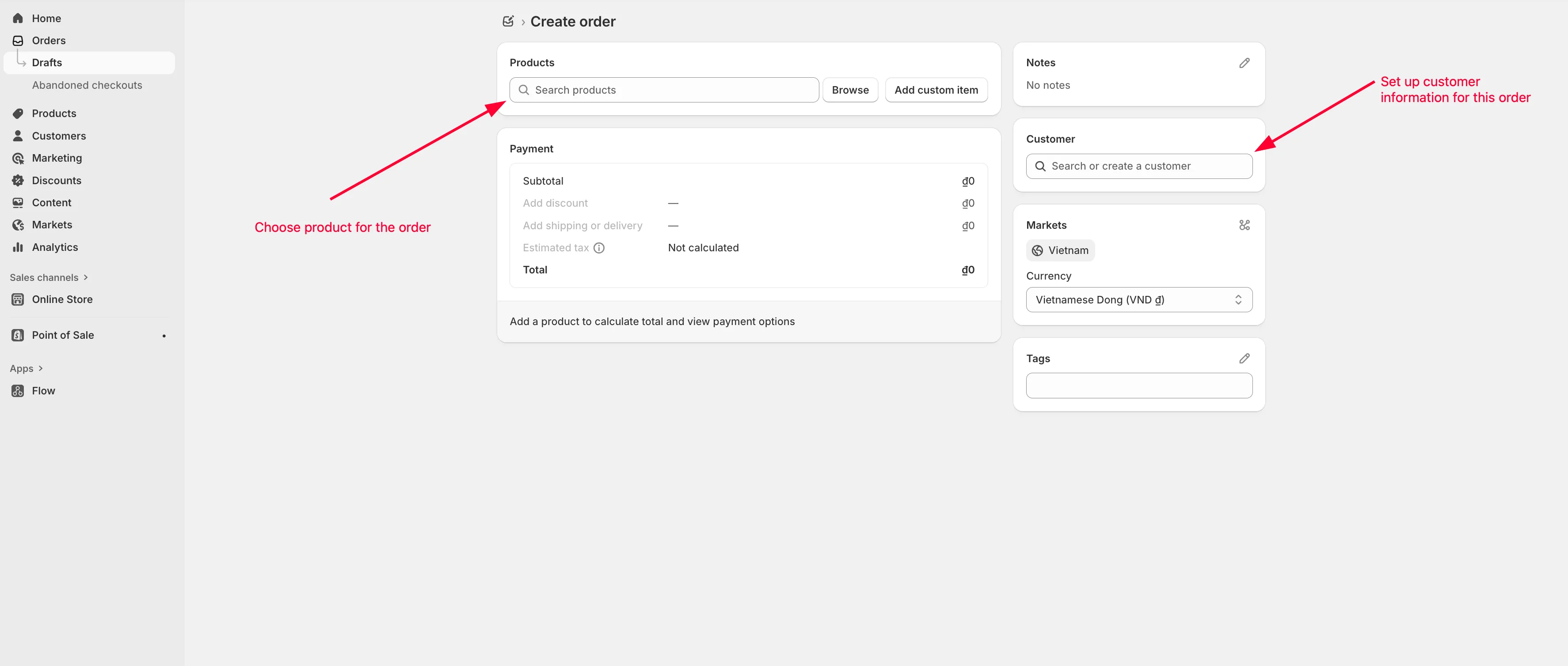
Section titled “Fill in the order”Choose the products, set the customer information, and fill in any other necessary details.
-
Save the draft order
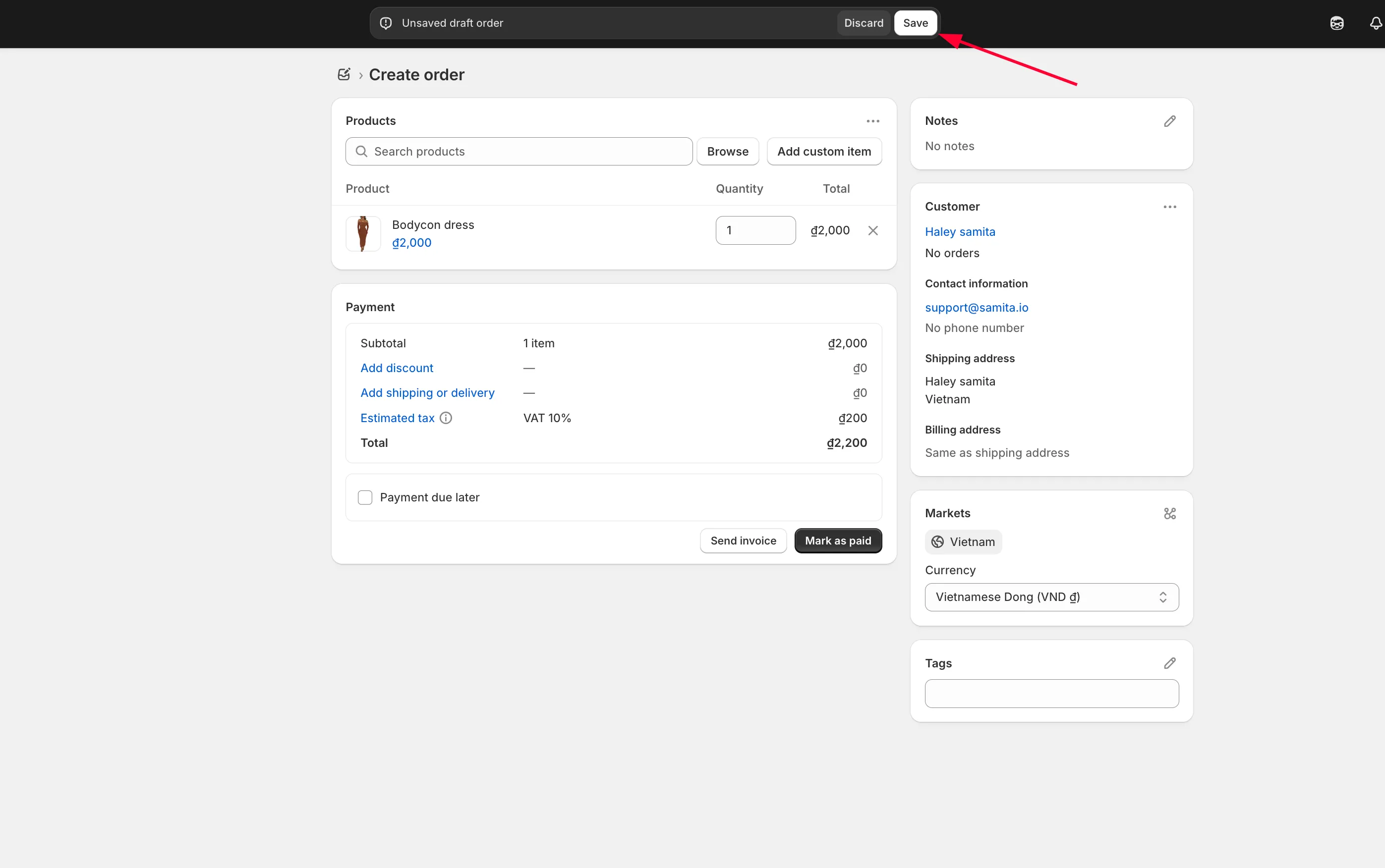
Section titled “Save the draft order”Click Save to finish creating the order.
-
Apply the wholesale discount
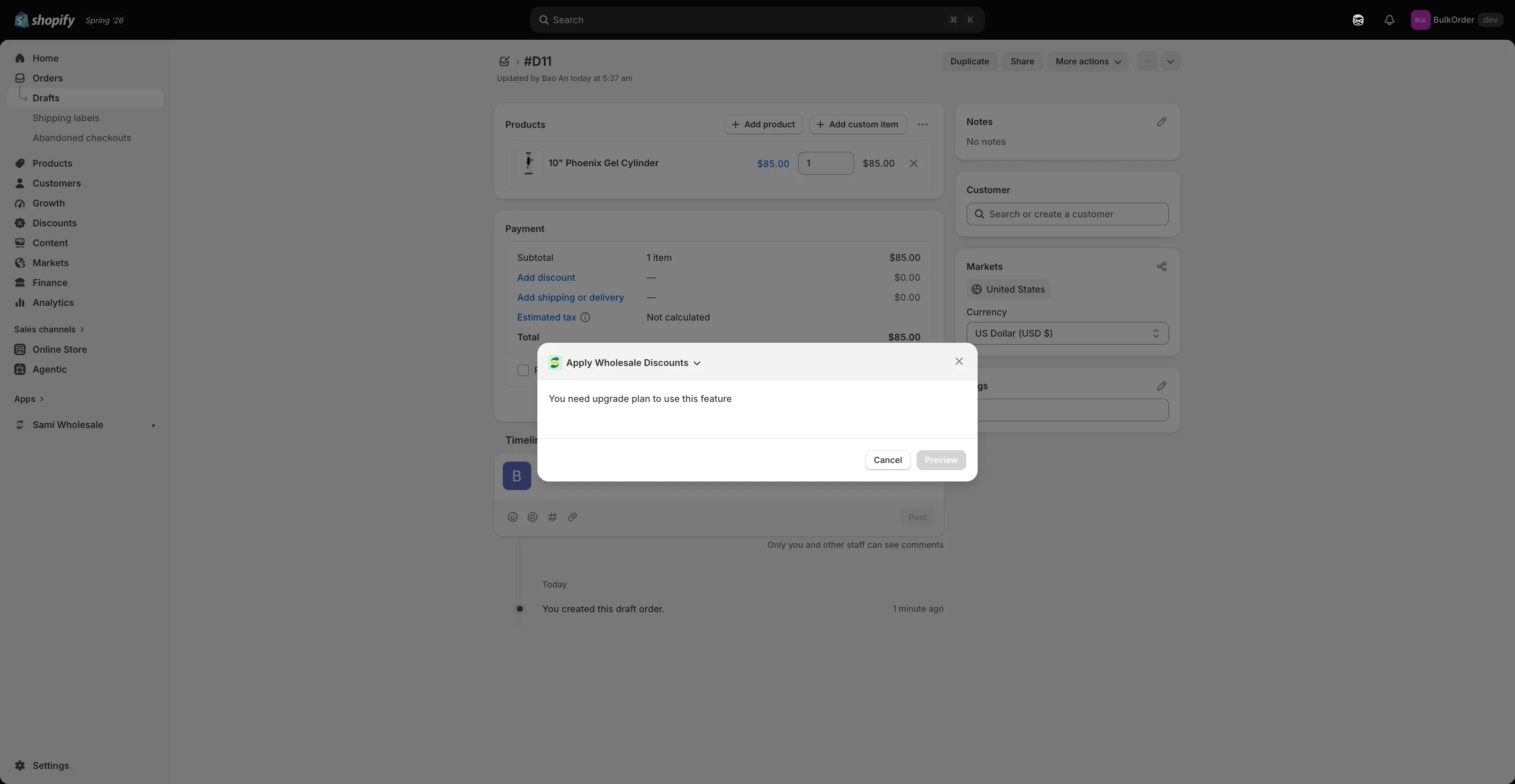
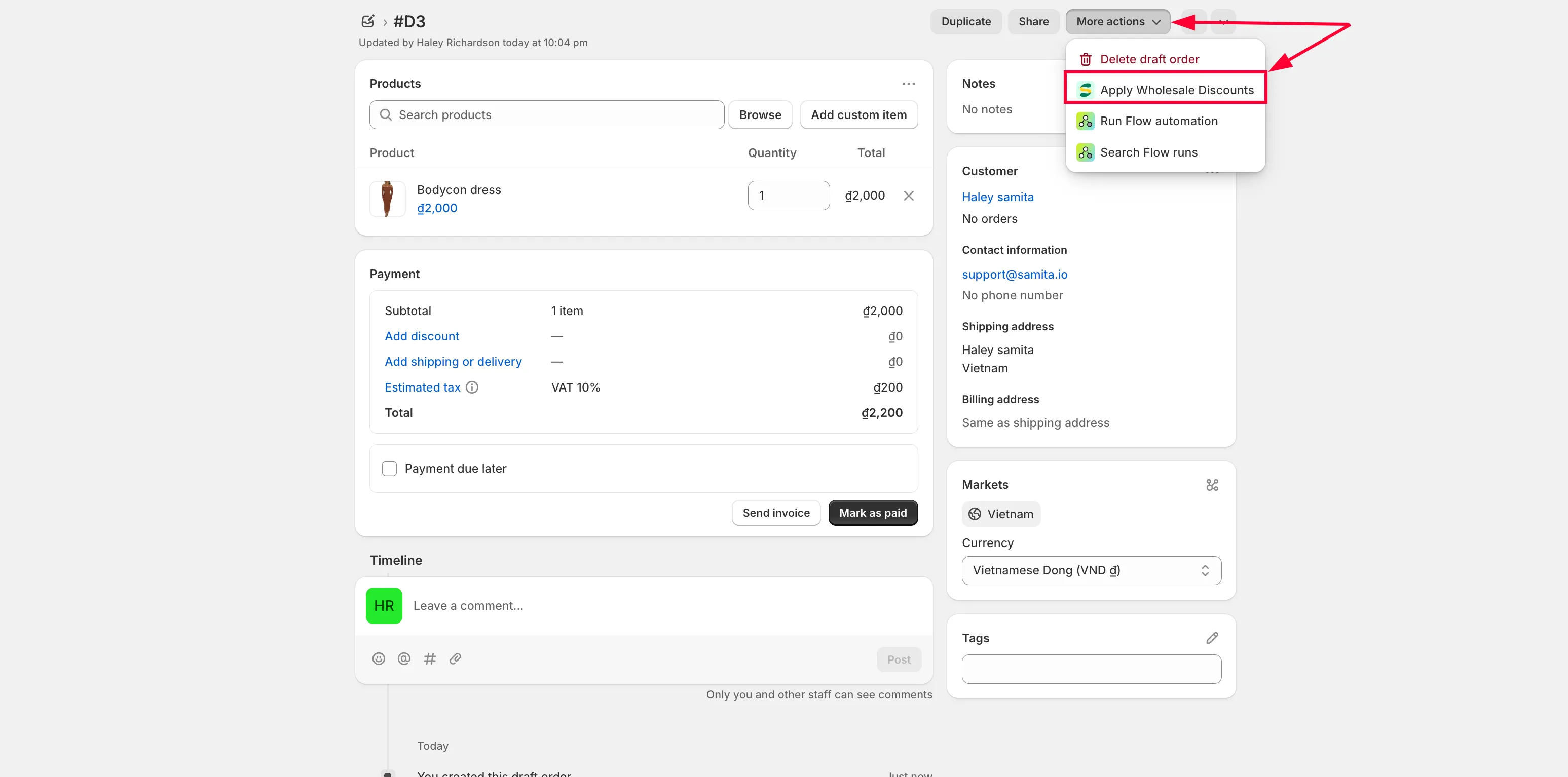
Section titled “Apply the wholesale discount”Open More actions and choose Apply Wholesale Discounts.
-
Choose the market (if applicable)
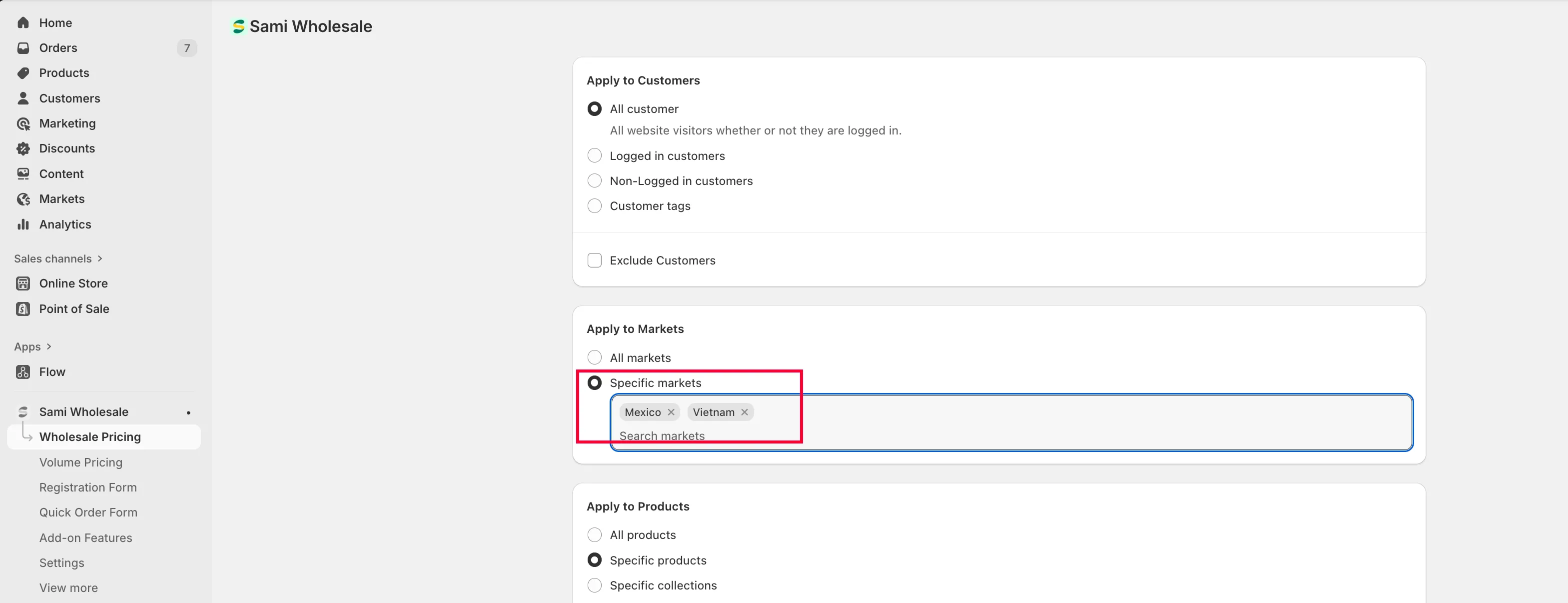
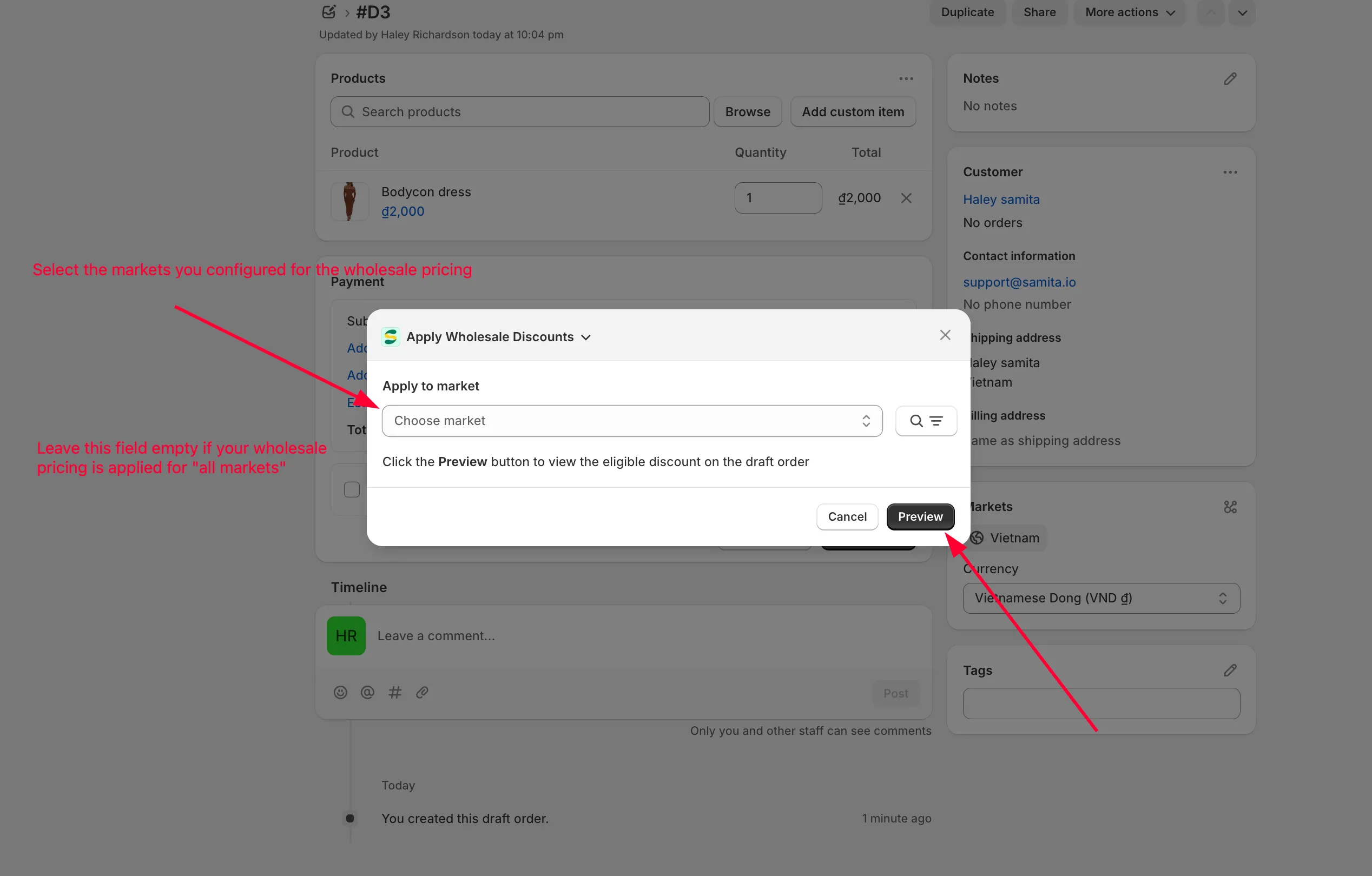
Section titled “Choose the market (if applicable)”If you’ve set up wholesale pricing for specific markets, choose the market the discounted price should come from.
If your rule applies to all markets, skip this and click Preview right away.
-
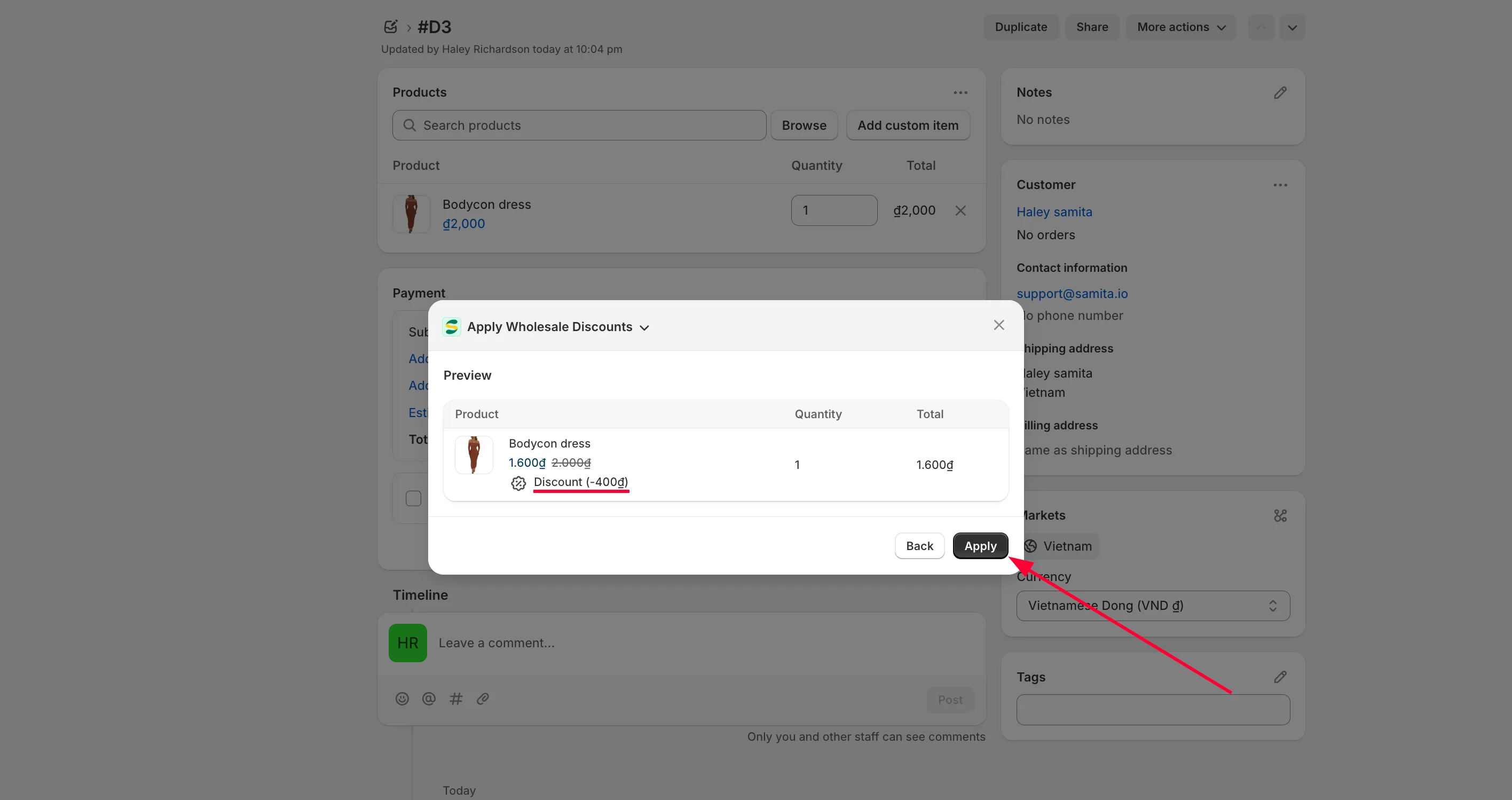
Apply the discount
Section titled “Apply the discount”Click Apply.
-
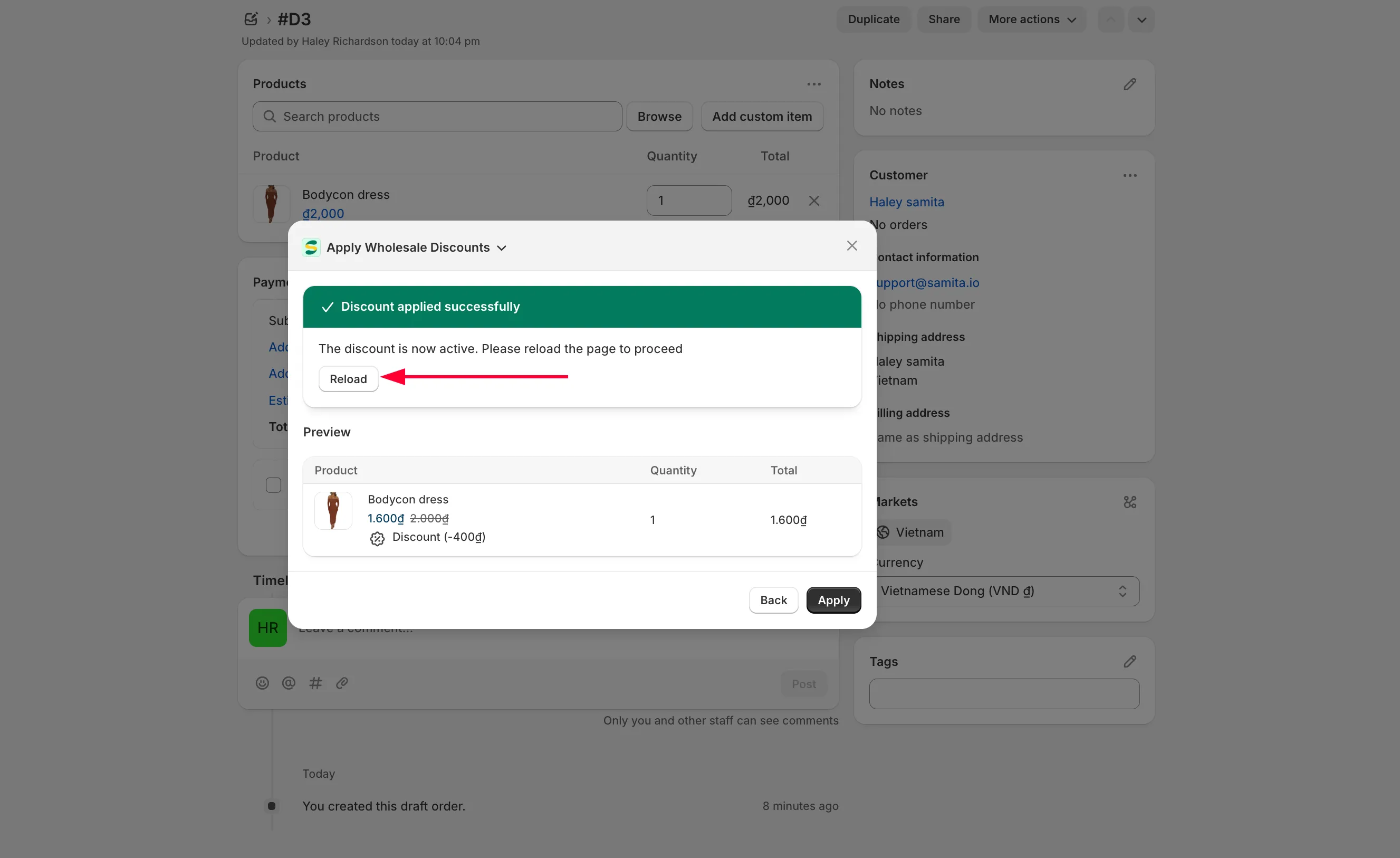
Reload to see the changes
Section titled “Reload to see the changes”Reload the page to see the updated order.
-
The discount is applied automatically, and matching order tags are added to the draft order so you can track it easily.