
Choose pricing source: Selling price or Compare-at price
Choose whether a volume pricing rule discounts Shopify's Selling price or its Compare-at price.
Every volume pricing rule has a Pricing source setting that controls which Shopify price the discount is calculated from.
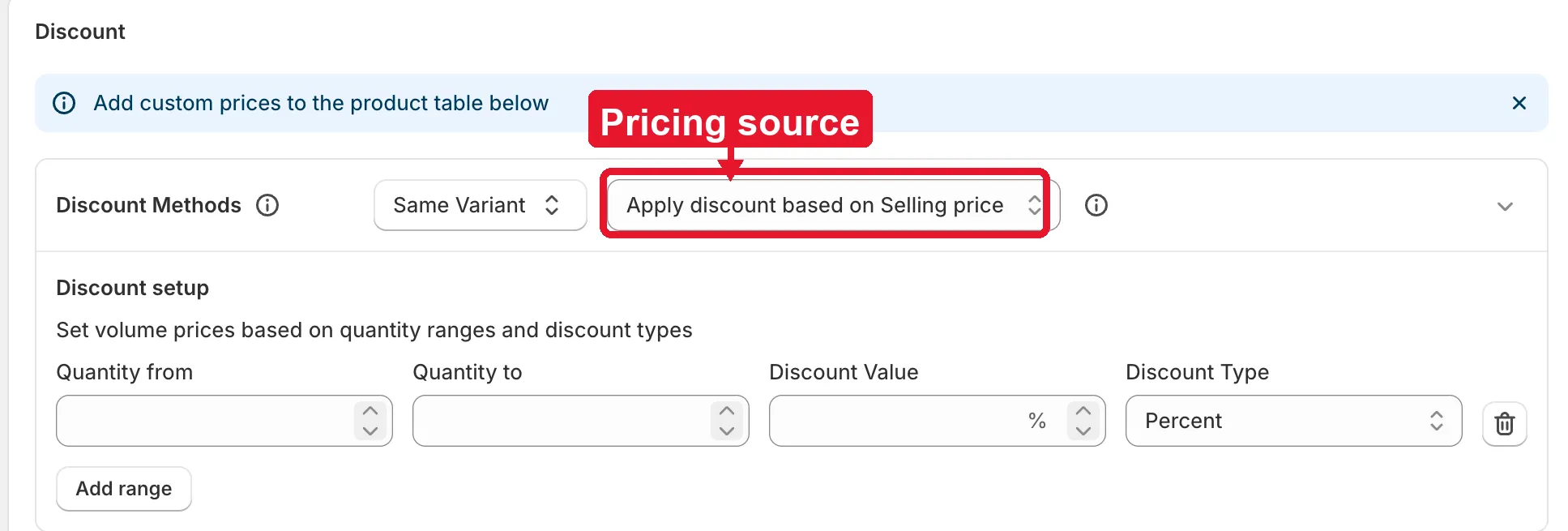
You’ll find it next to the discount method selector (Same Variant / Mix Variants / Mix Products) in the rule’s Discount section. It applies once to the whole rule — every quantity range you add uses the same pricing source. See Discount Methods for Volume Pricing for how the discount method options work.
Options
Section titled “Options”- Apply discount based on Selling price (default) — every quantity range’s discount is calculated from the product’s current Shopify Price.
- Apply discount based on Compare at price — every quantity range’s discount is calculated from the product’s Shopify Compare-at price instead.
Example: a product’s Selling price is $50 and its Compare-at price is $60. A quantity range with a 10% discount gives $45 with Selling price selected, or $54 with Compare-at price selected.
Need support?
Section titled “Need support?”If you do encounter any difficulty while proceeding these steps, don’t show any hesitation to contact us promptly via the email address support@samita.io.