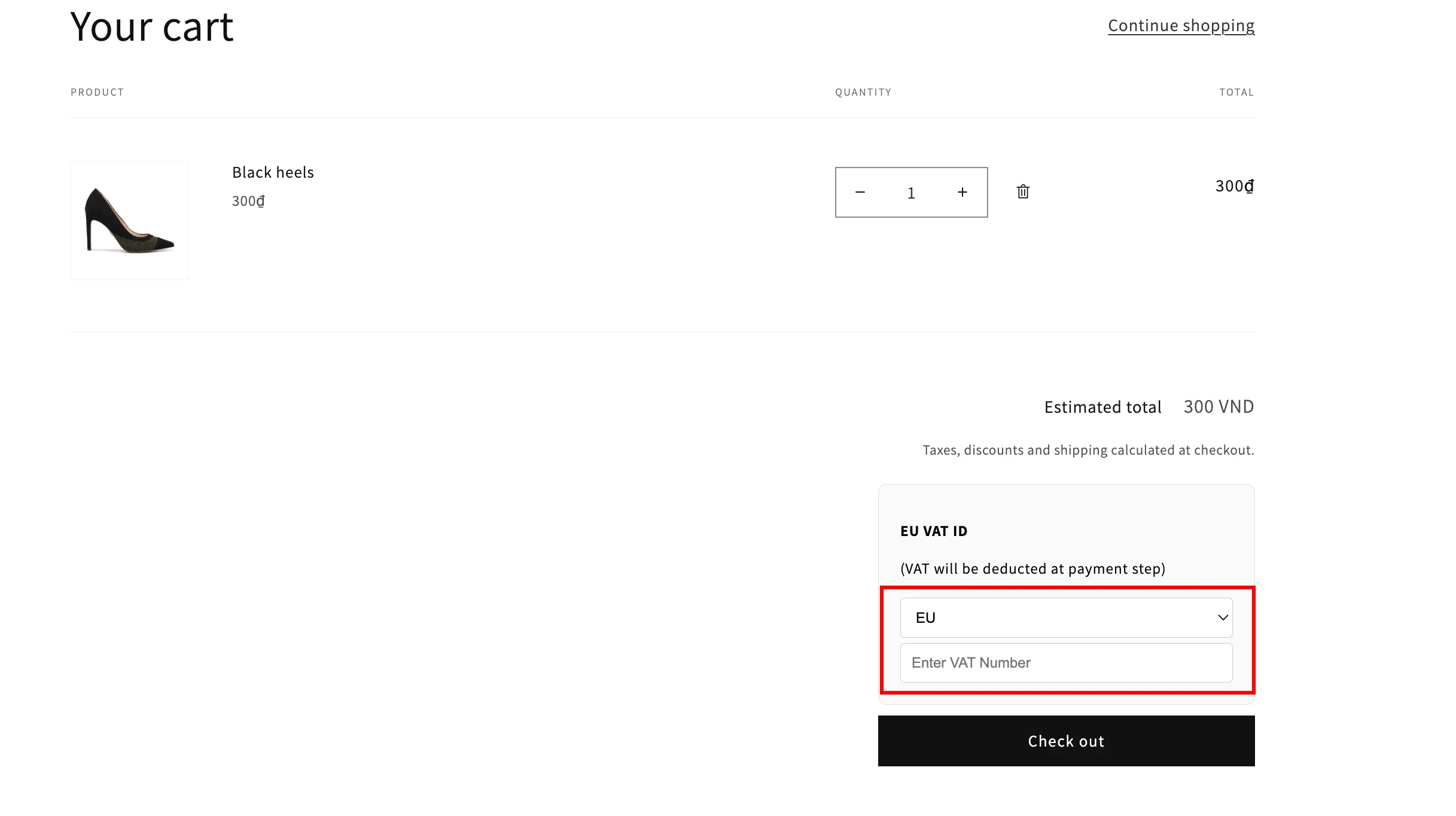
Select EU countries for VAT ID validation
Limit VAT ID validation to only the EU countries you choose, instead of checking against all of them.
If you select EU VAT API in the Tax exempt general section, you can choose exactly which EU countries the app validates VAT IDs against.
Steps to manage
Section titled “Steps to manage”-
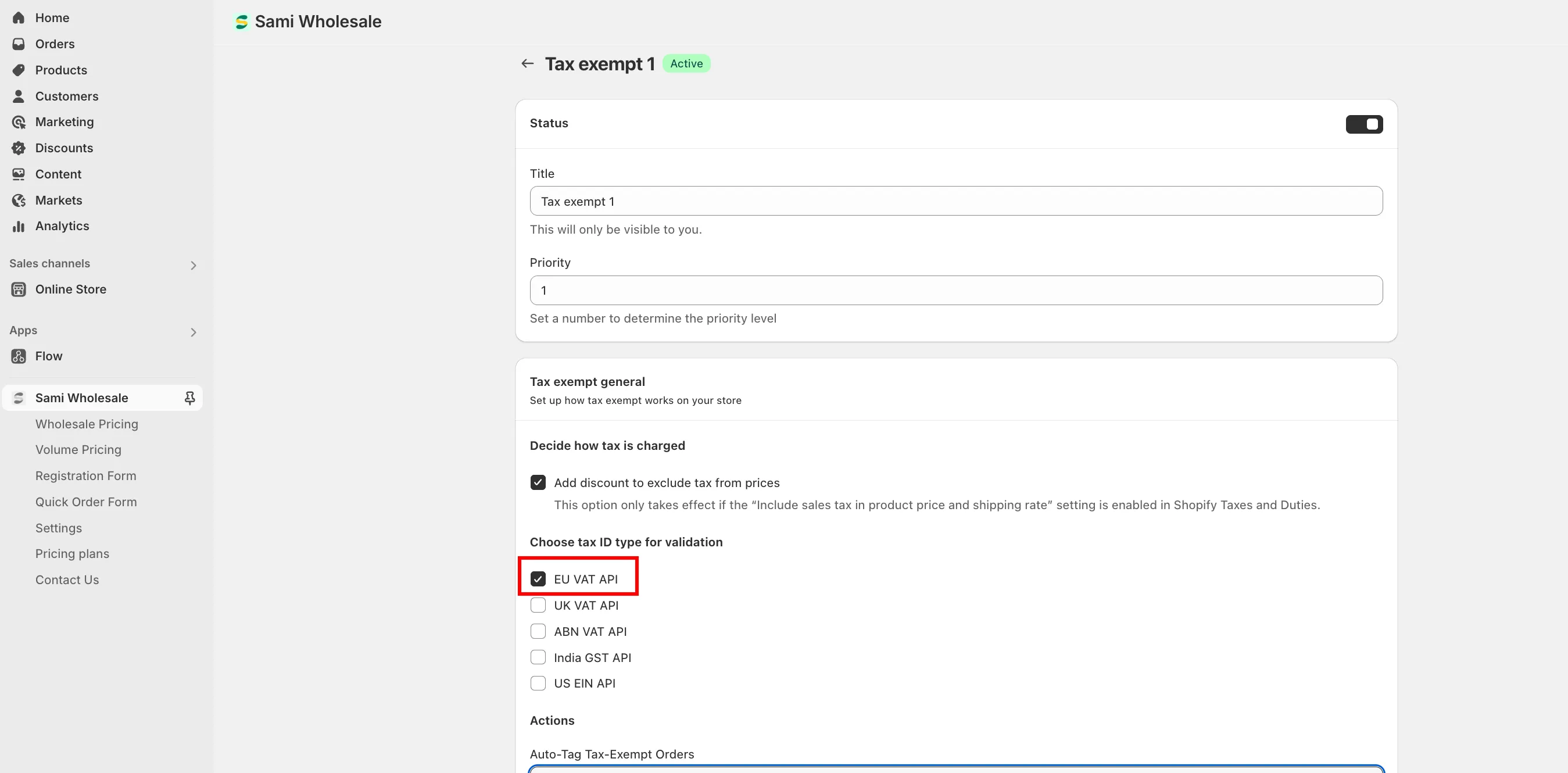
Enable EU VAT API
Section titled “Enable EU VAT API”In Tax exempt general, tick EU VAT API.
-
Turn on country selection
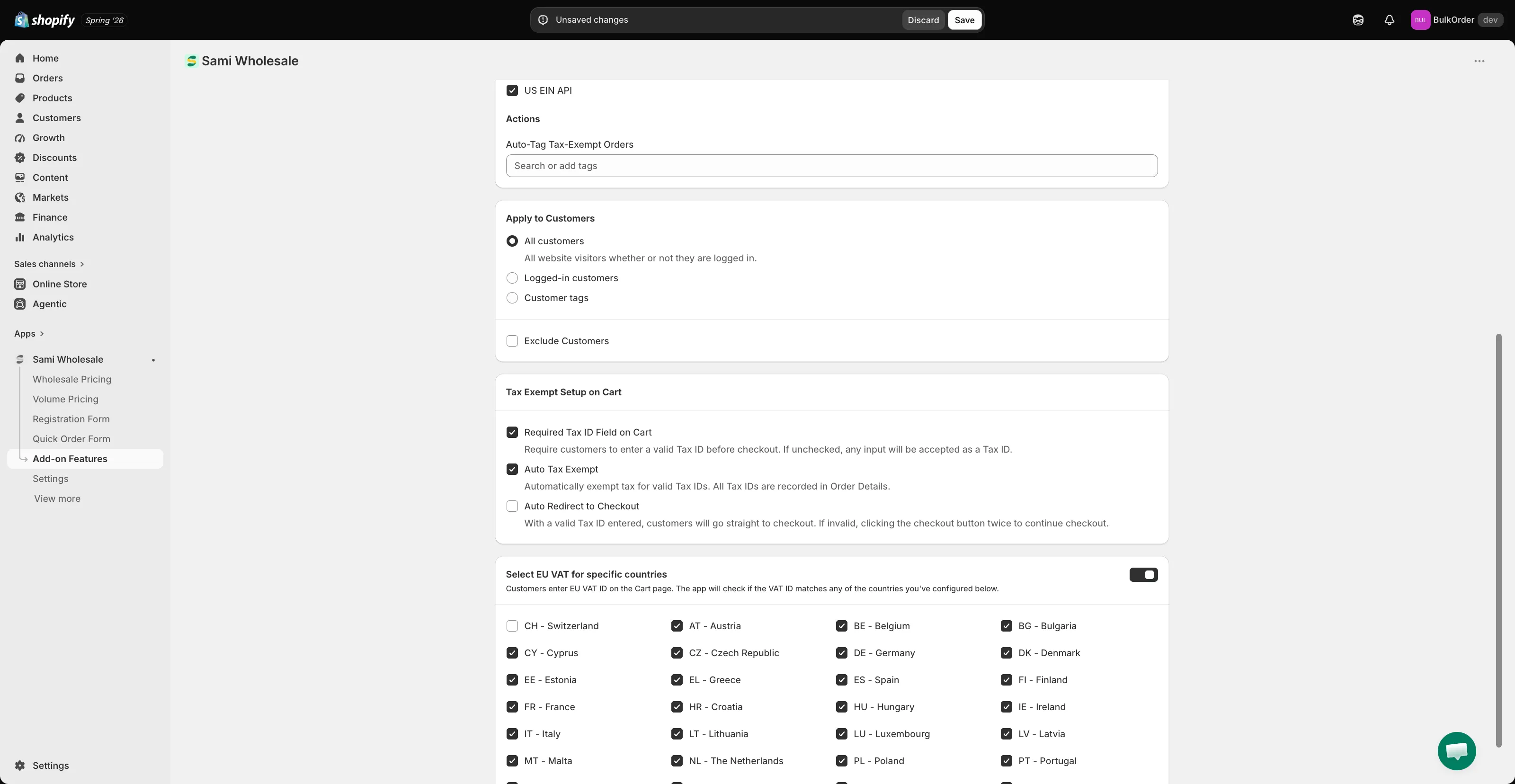
Section titled “Turn on country selection”Scroll to Select EU VAT for specific countries and toggle it on — a list of countries appears.
-
Choose your countries and save
Section titled “Choose your countries and save”Tick the countries you want validated, then click Save.
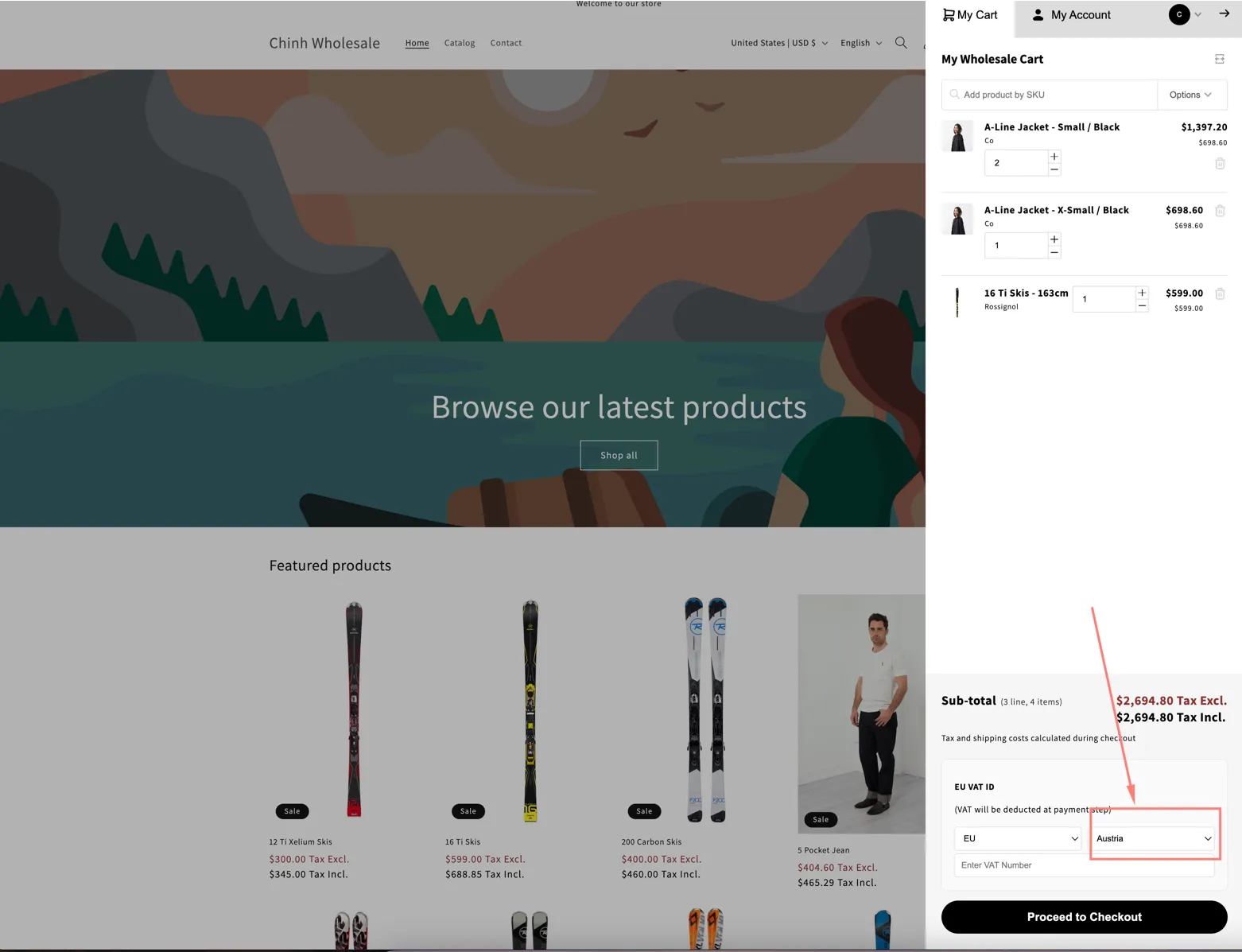
Your cart’s country list now only shows the countries you selected.
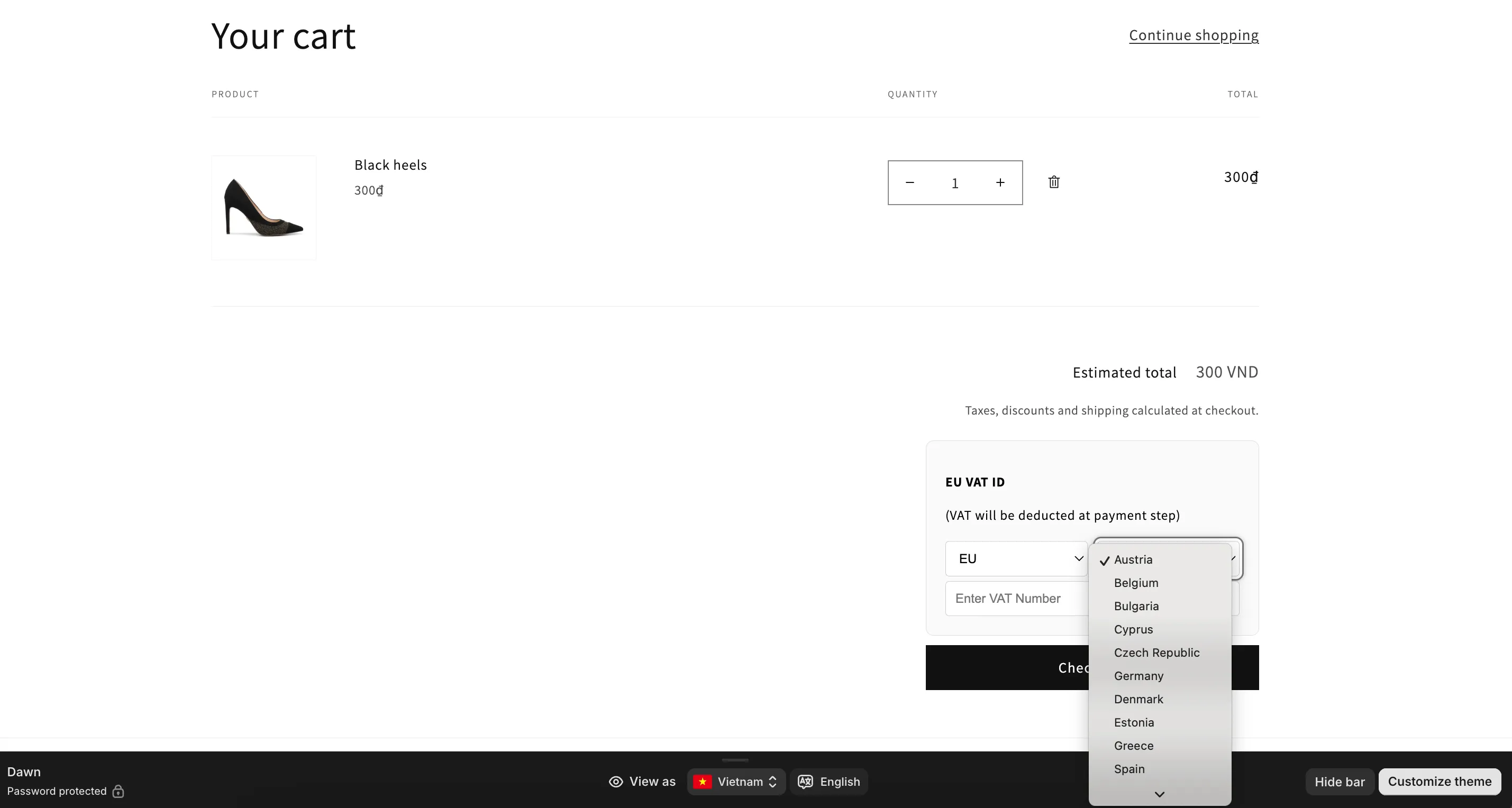
Customers select the country that issued their tax ID before entering it, and the app validates the ID against that country’s format and rules.