
Set up automatic order tags
Automatically add custom tags to every order the app creates, so they're easy to filter in Shopify.
Every order created through the app is tagged automatically, so you can filter and manage them easily in Shopify. This page shows you how to customize those tags.
Steps to manage
Section titled “Steps to manage”-
Open General settings
Section titled “Open General settings”From the app, click Settings, then click General.
-
Edit your order tags
Section titled “Edit your order tags”In Automatic order tags, add or remove the tags you want applied. By default, the app uses the tag
samita-wholesale. You need to keep at least one tag.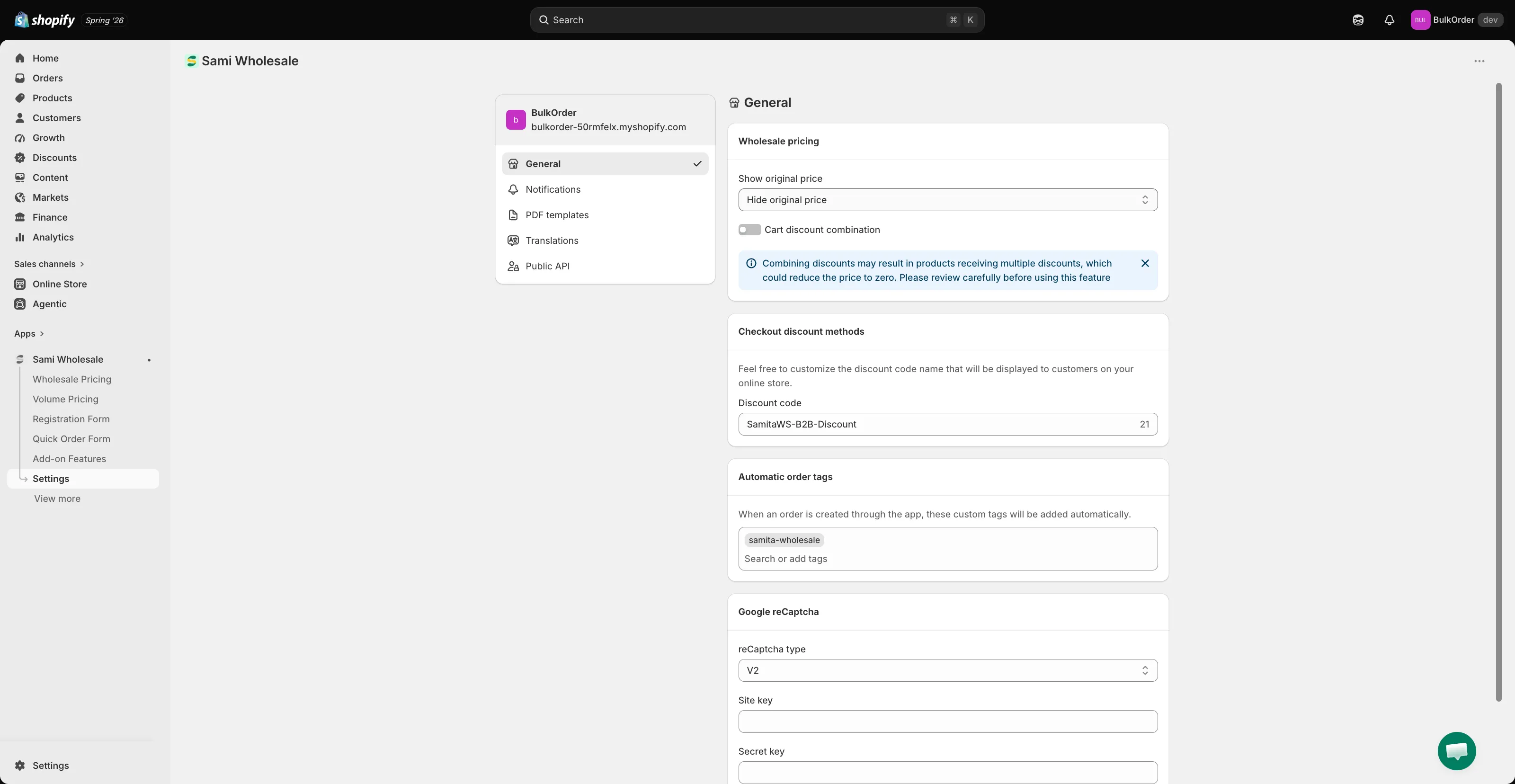
-
Click Save in the bar that appears at the top of the page.
Need support?
Section titled “Need support?”If you do encounter any difficulty while proceeding these steps, don’t show any hesitation to contact us promptly via the email address support@samita.io.