
Getting started
Enable the app in your theme
Use the first step of the dashboard Setup guide to switch the app embed on in your theme, so quote buttons and forms reach your customers.
Shopify keeps apps switched off inside your theme until you allow them. Until you do this, the app works in your admin but customers see nothing on your storefront.
The job has two halves, and merchants usually finish only the first. You start it in the app, but you finish it in Shopify’s theme editor — and it is not done until you click Save there.
Where you do this
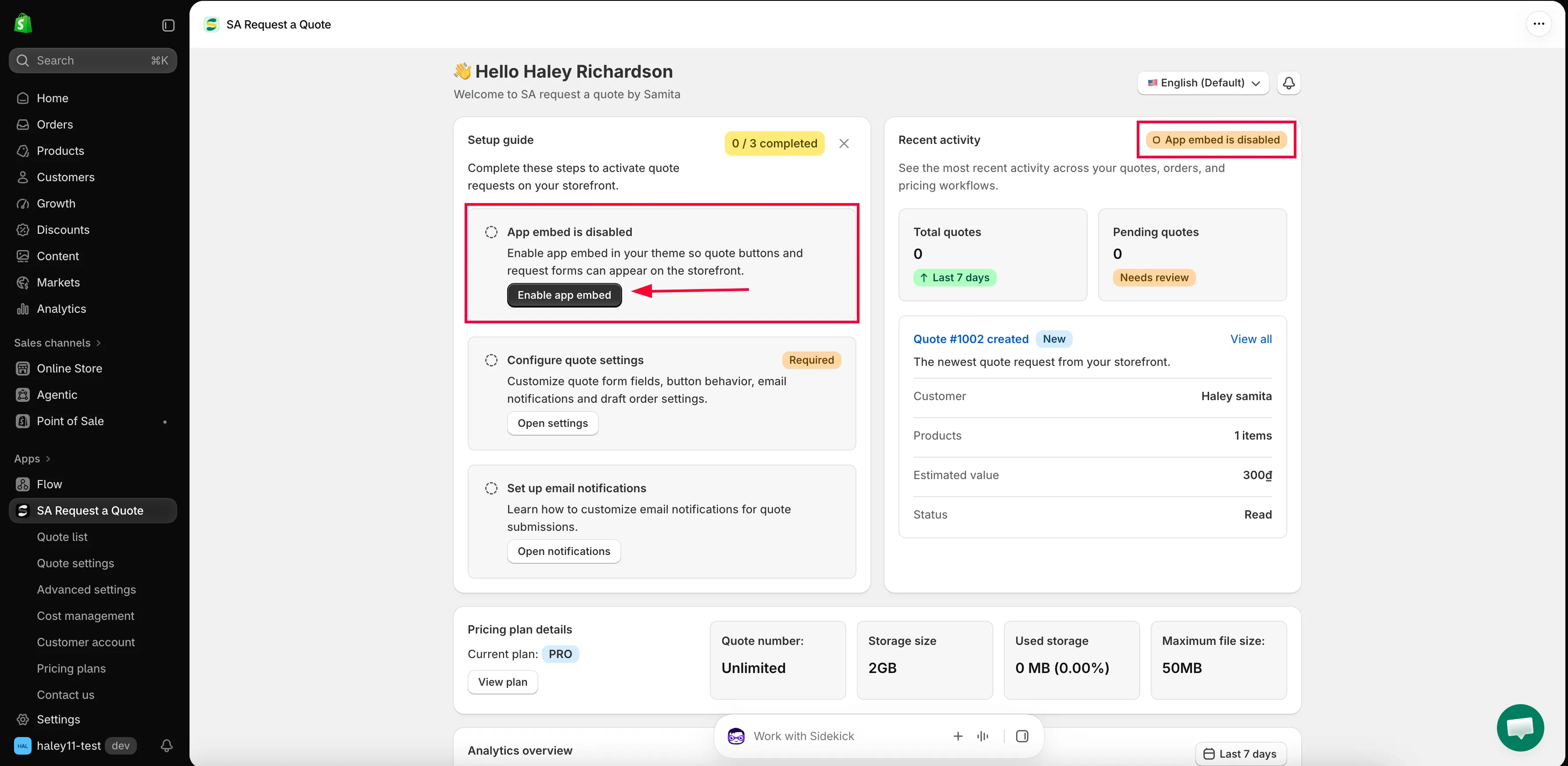
Section titled “Where you do this”When you open the app you land on its dashboard. The Setup guide there — “Complete these steps to activate quote requests on your storefront.” — has three steps, and a badge counts how many are finished as n / 3 completed.
The first step is the theme one. It reads App embed is disabled until you turn it on, with the line “Enable app embed in your theme so quote buttons and request forms can appear on the storefront.”
Turn the app on
Section titled “Turn the app on”-
Open the app
In your Shopify admin, go to Apps and open SA Request a Quote. The dashboard opens first.
-
Click Enable app embed
In the Setup guide, find the step reading App embed is disabled and click Enable app embed.
-
Switch the embed on in your theme
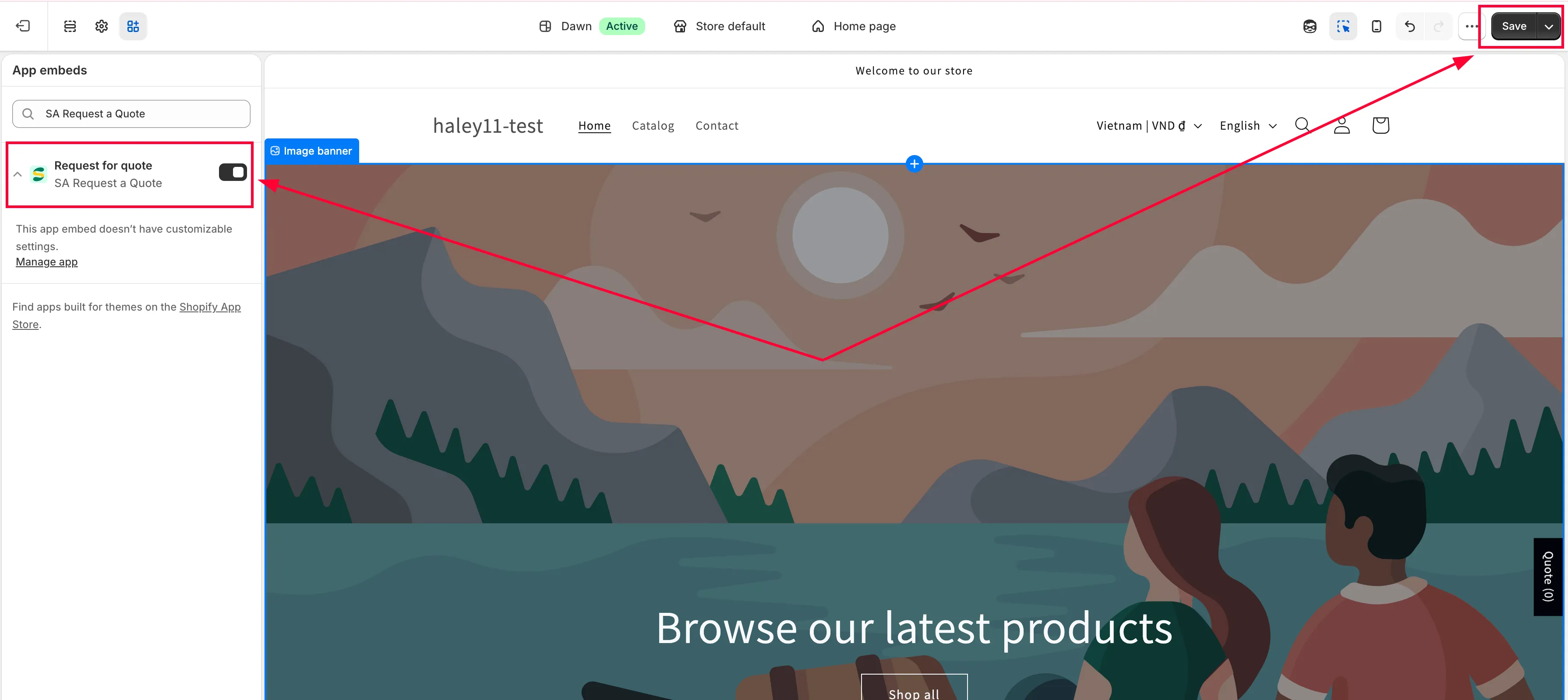
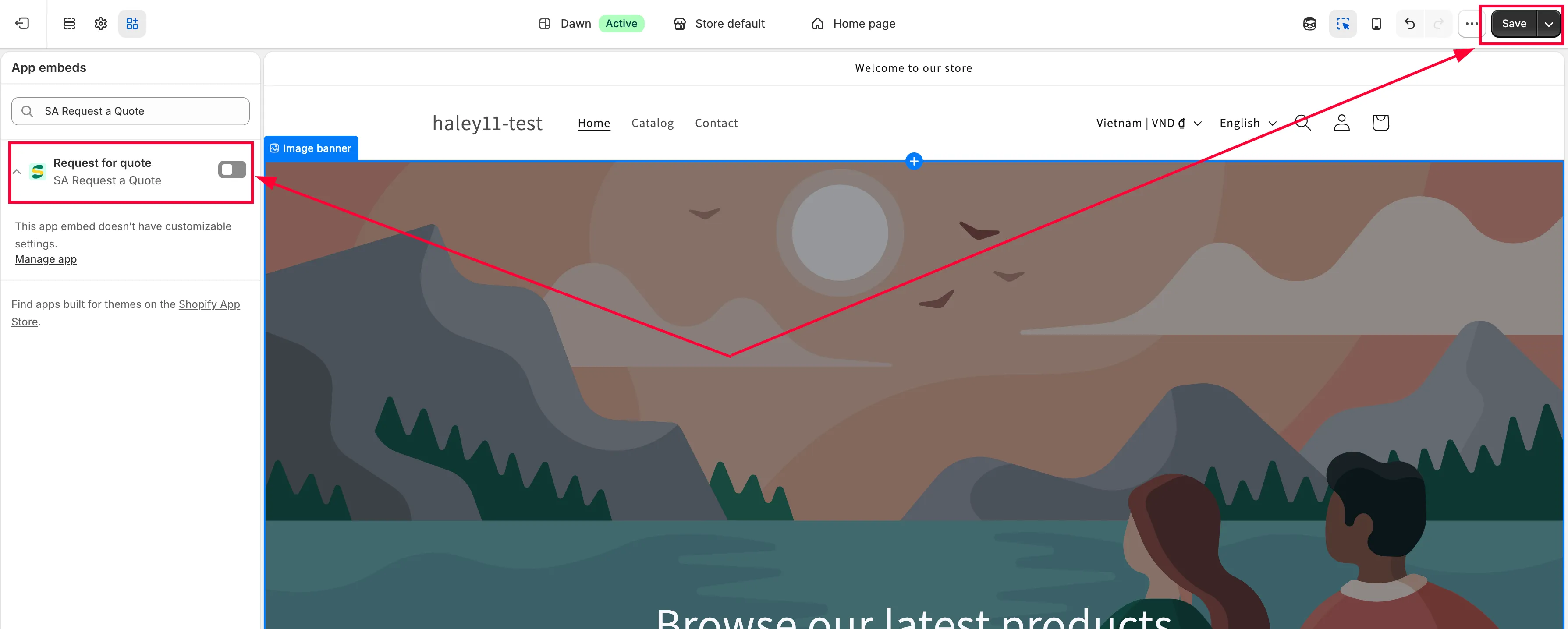
Shopify takes you out of the app and into the Theme Customize page for your theme, with the app’s embed ready.
- In the left-hand panel, look for the App embeds section.
- Find the app’s row there and turn its toggle on.
- Click Save in the top right corner of the page.
-
Check the step changed
Go back to the app. The step now reads App embed is enabled, and the badge at the top of the Setup guide counts one more step done.
Every step also has a round icon at its left. Clicking it ticks the step off — hover and the tooltip reads Mark as done, or Mark as not done on a step already ticked. There is no button with that label, so look for the icon rather than words. It only changes the Setup guide; it switches nothing on in your theme, so use it for housekeeping, not instead of the toggle.
-
Look at your storefront
Open a product you’ve made quotable. Your quote button appears in the position you chose, using your Button text — Add to Quote unless you’ve changed it.
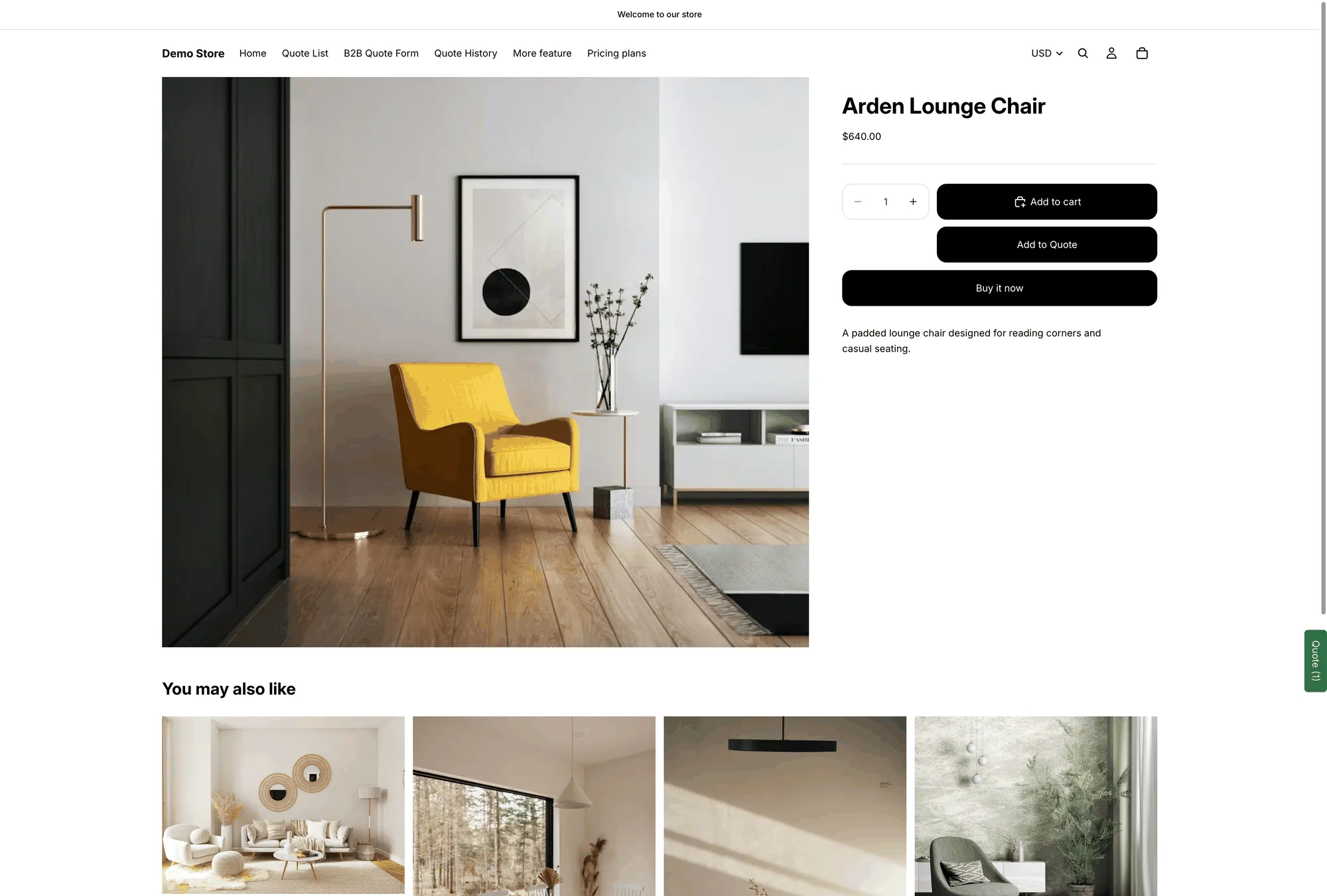
With the embed on, the quote button renders on your product pages.
If it still isn’t showing
Section titled “If it still isn’t showing”| What happened | What to do |
|---|---|
| You turned the toggle on but nothing changed on the storefront | Go back to the Theme Customize page and check Save at the top right was clicked. An unsaved toggle does nothing. |
| The app still says App embed is disabled | You may have saved the embed into a different theme. Open App embeds in the theme that is actually published and check the toggle there. |
| The embed is on, but the button is missing on one product | That product may not be in your quotable selection. See Choose quotable products. |
| The button is missing on collection pages only | On many modern themes it is attached to the theme's quick-add control: it only appears when you hover a product card, and as a small icon rather than a labelled button. |
Turn the app off
Section titled “Turn the app off”If you want to stop the app appearing on your storefront without uninstalling it:
-
Click Disable app embed
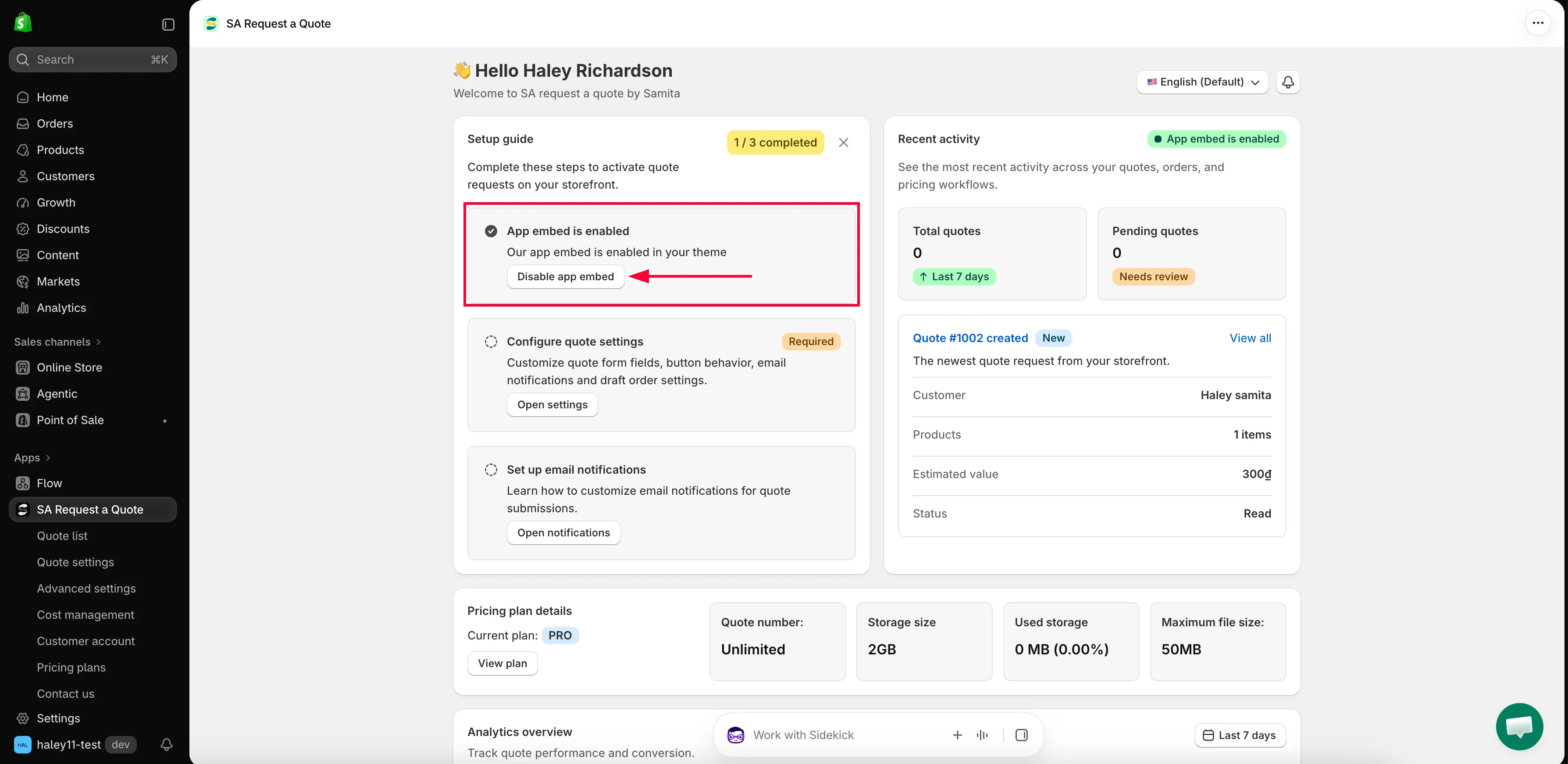
On the dashboard, in the Setup guide, the first step reads App embed is enabled. Click Disable app embed.
-
Switch the embed off in your theme
Shopify takes you to the Theme Customize page again. Open App embeds in the left-hand panel, turn the app’s toggle off, and click Save in the top right corner.
-
Confirm
Back in the app, the step reads App embed is disabled. Your quote buttons and hide price rules no longer apply to your storefront.
Your quotes and settings are kept — switching the embed off only stops the storefront side. Turn it back on whenever you like.
Next steps
Section titled “Next steps”- Quickstart — the rest of the Setup guide, end to end
- Choose quotable products — decide which products customers can quote
- Troubleshooting — if the button still doesn’t appear