
Create Free shipping
Offer free shipping once an order reaches a quantity or amount threshold, using the same Shipping rate rule.
Free shipping is just a shipping rate rule with no fee — this page shows you the one setting that makes the difference.
Steps to manage
Section titled “Steps to manage”-
Start a new shipping rule
Section titled “Start a new shipping rule”Go to the app, click Add-on features > Shipping rate, then create a new shipping rule.
-
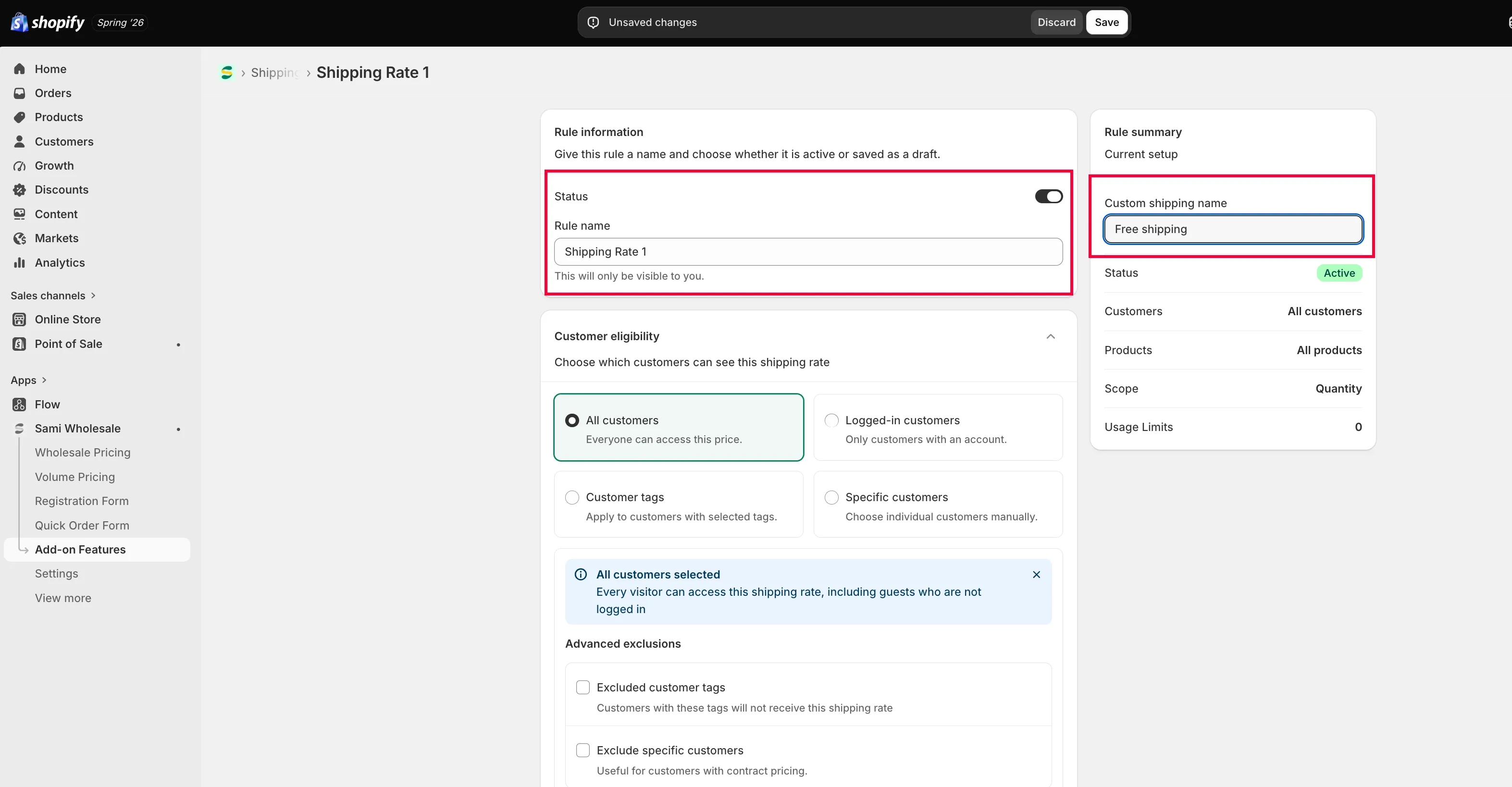
Name it
Section titled “Name it”Name the rule, and name how it should appear at checkout.
-
Set who and what it applies to
Section titled “Set who and what it applies to”Configure Customer eligibility (who can see this free shipping) and Product eligibility (which products it applies to).
-
Set the threshold and leave the fee empty
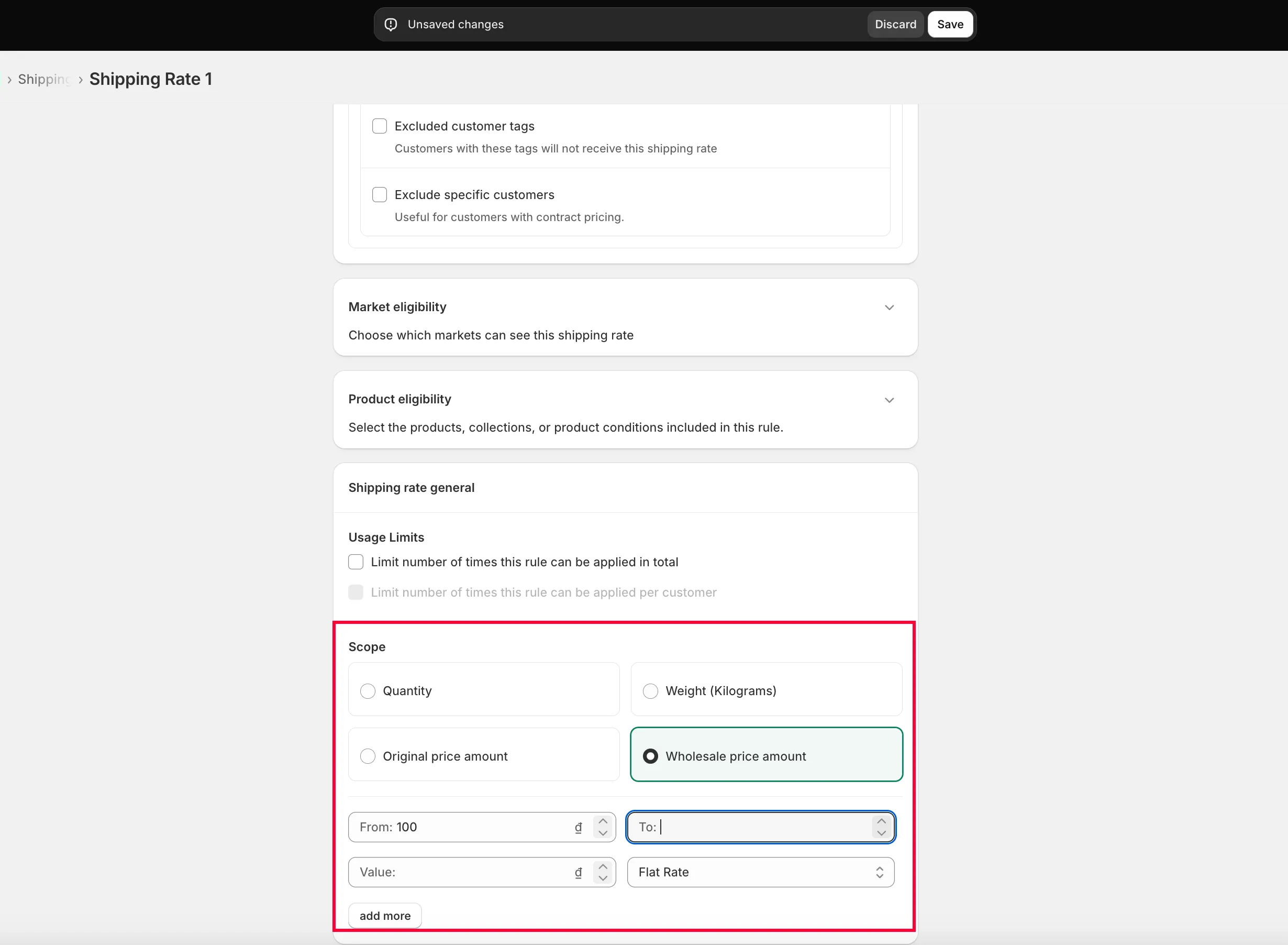
Section titled “Set the threshold and leave the fee empty”In Shipping rate general, set the scope — quantity or order amount — and the range that triggers it.
To make it free shipping, leave the Value field empty.
Example: customers get free shipping once their order reaches $100.
-
Click Save.