
Customize the Notification popup box of Order limit
Customize the colors and text of the popup that warns customers when they haven't met an order limit.
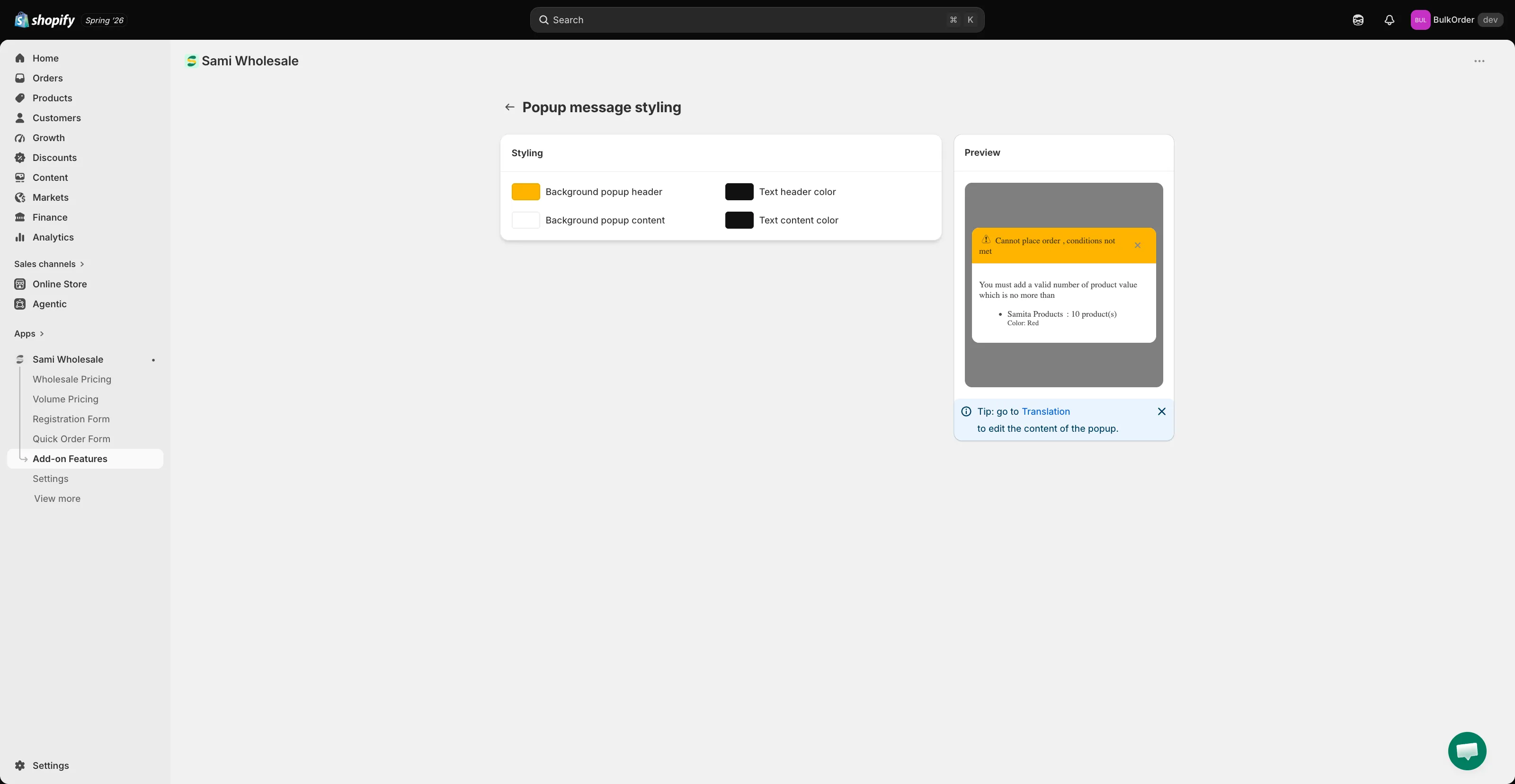
When a customer doesn’t meet an order limit, a popup message reminds them how many products they still need to add. You can customize both its look and its text.
Configure the popup’s colors
Section titled “Configure the popup’s colors”On the Order limit page, click Customize message popup, then set the header and content colors. The Preview panel updates live.
Edit or translate the message text
Section titled “Edit or translate the message text”-
Open Translations settings
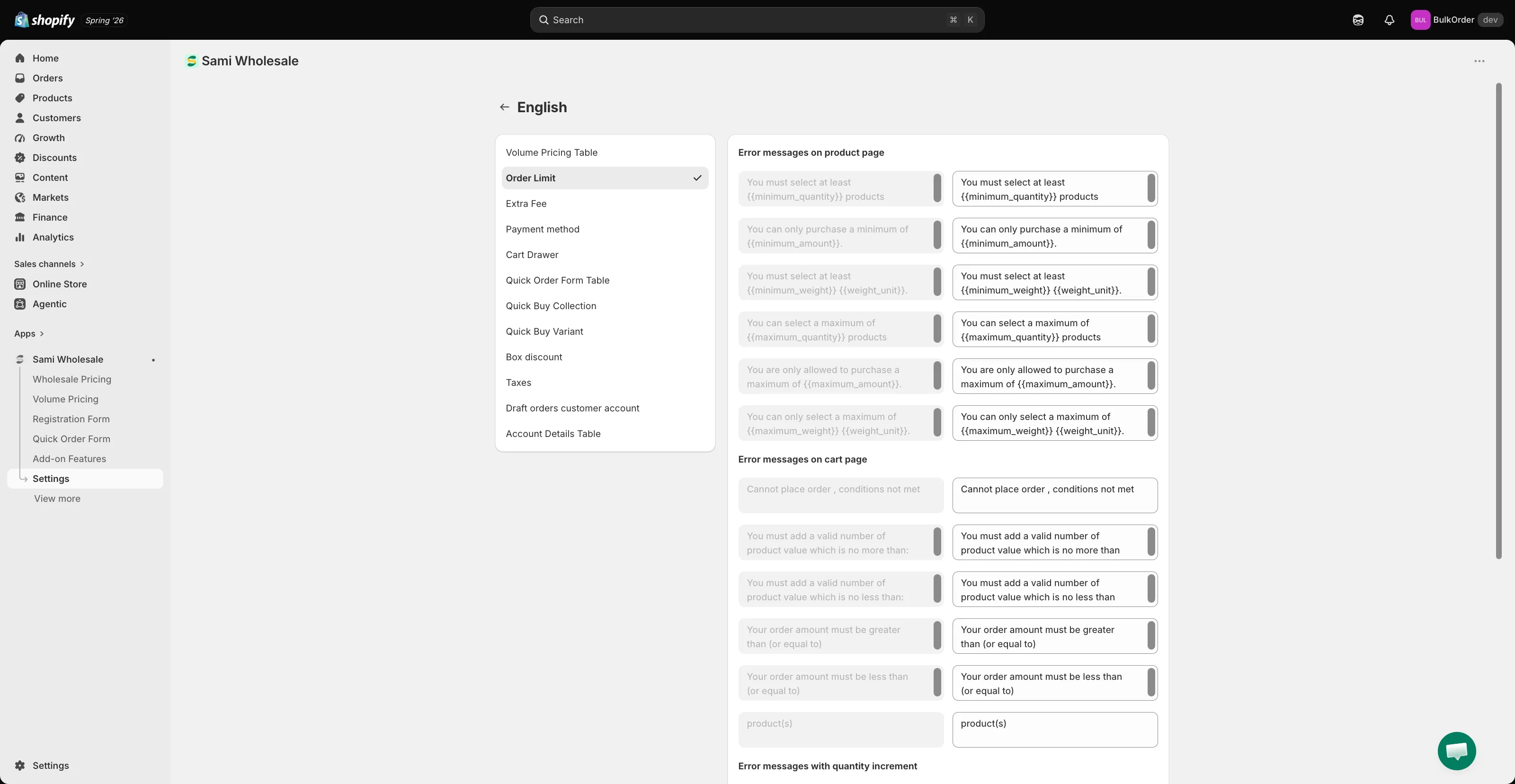
Section titled “Open Translations settings”From the app, click Settings > Translations, click the pencil icon next to a language, then choose Order Limit from the list.
-
Edit the text
Section titled “Edit the text”Edit the text, or click Add language on the Translations page to translate the popup into another language.
-
Click Save to keep your changes.
Need support?
Section titled “Need support?”If you do encounter any difficulty while proceeding these steps, don’t show any hesitation to contact us promptly via the email address support@samita.io.