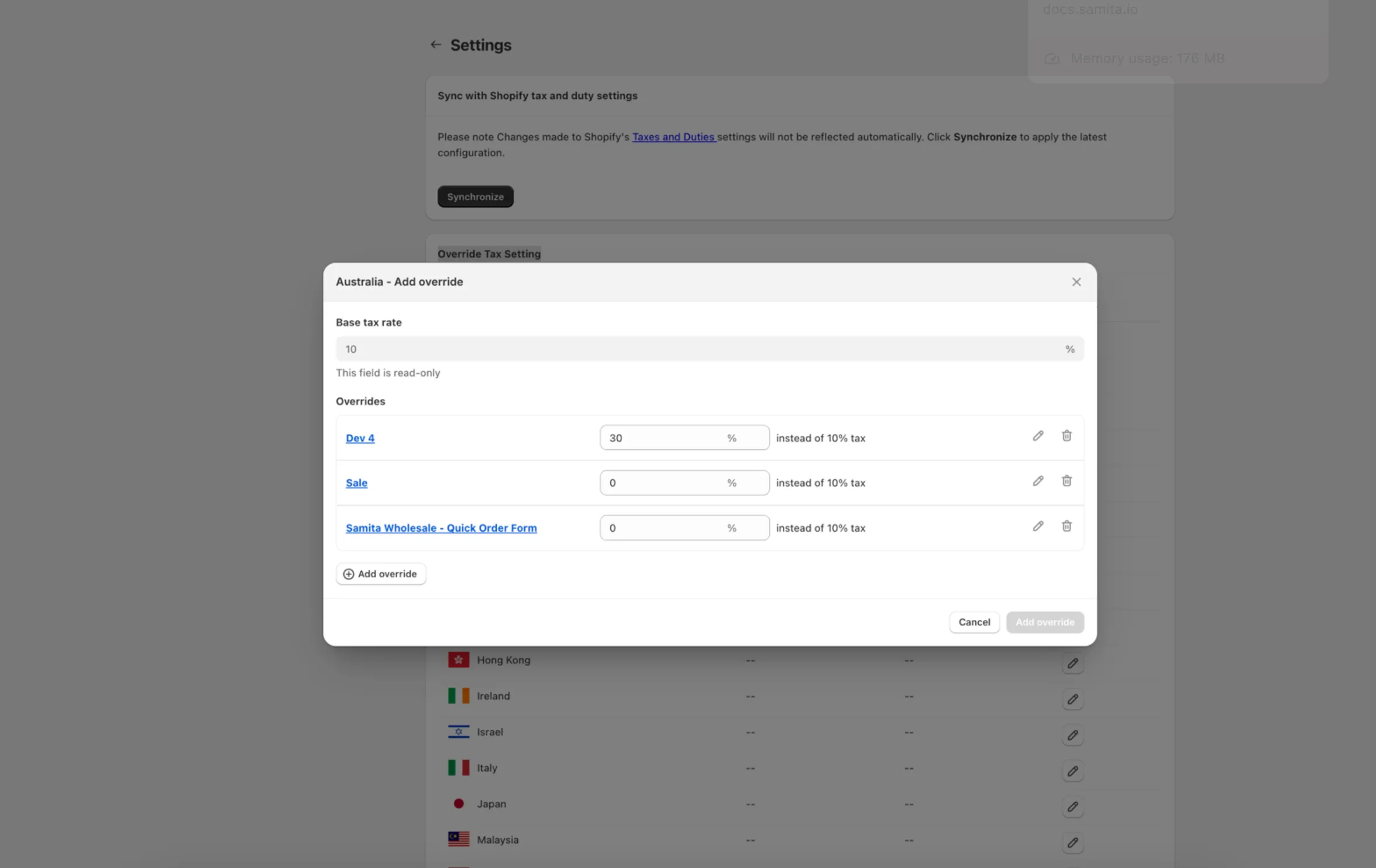
Override Tax settings by Region
Set a different tax rate for specific countries or regions, the same way Shopify's own tax override works.
The app lets you override tax data for specific regions — the same concept as Shopify’s own Tax override setting in Taxes and Duties.
You’ll find this setting on the Tax display page — click Settings at the top.
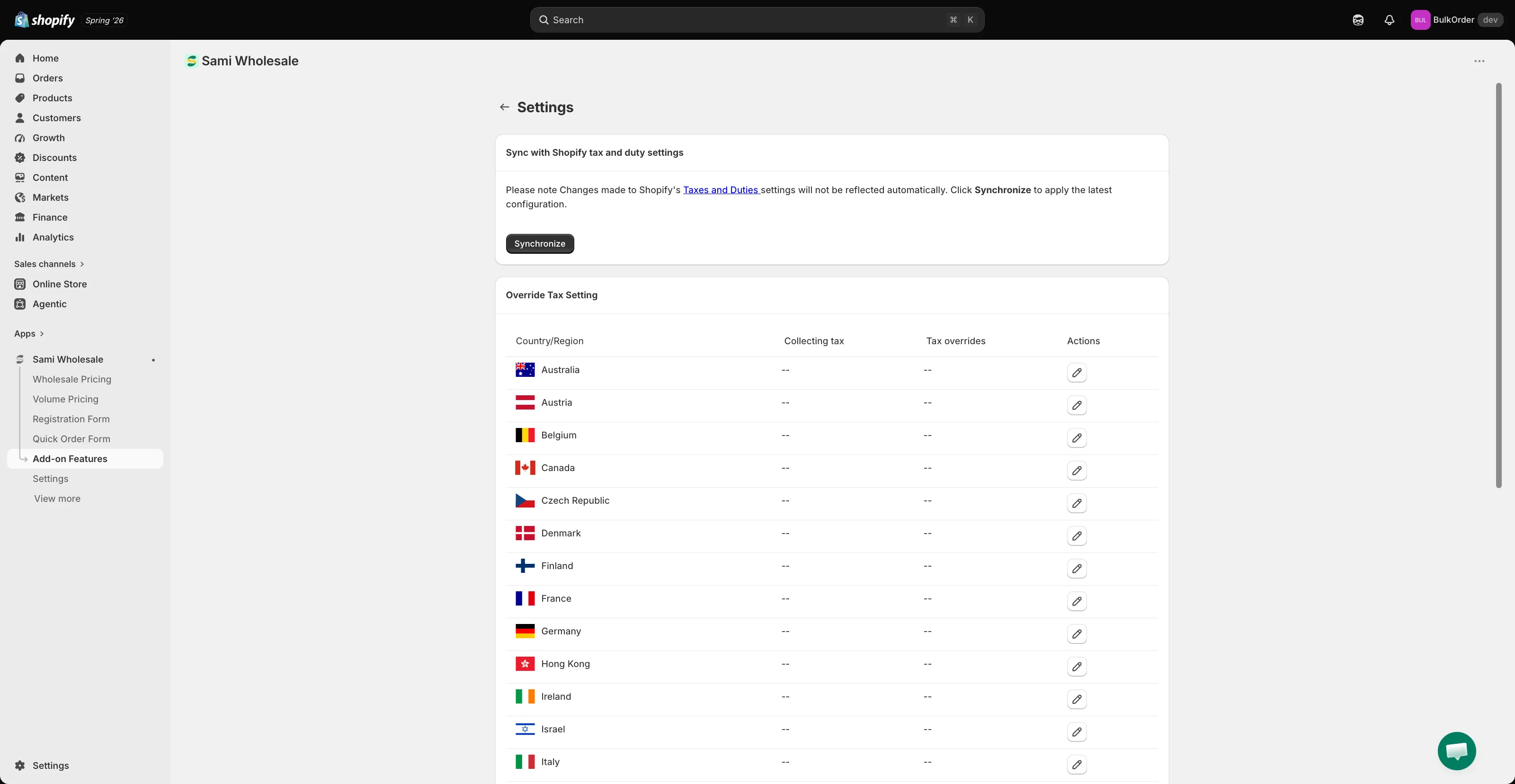
In Override Tax Setting, find the country or region you want to override, then click the pencil icon under Actions.
You can apply these overrides to products based on their collection.