
Activate/Deactivate app in the theme
Turn the app embed on or off in your theme — required before any wholesale pricing, forms, or order tools can appear on your storefront.
Samita Wholesale Pricing only works on your storefront once its app embed is turned on in your theme. This page shows you how to enable or disable it.
Enable app embeds on theme
Section titled “Enable app embeds on theme”-
Click Enable in the app
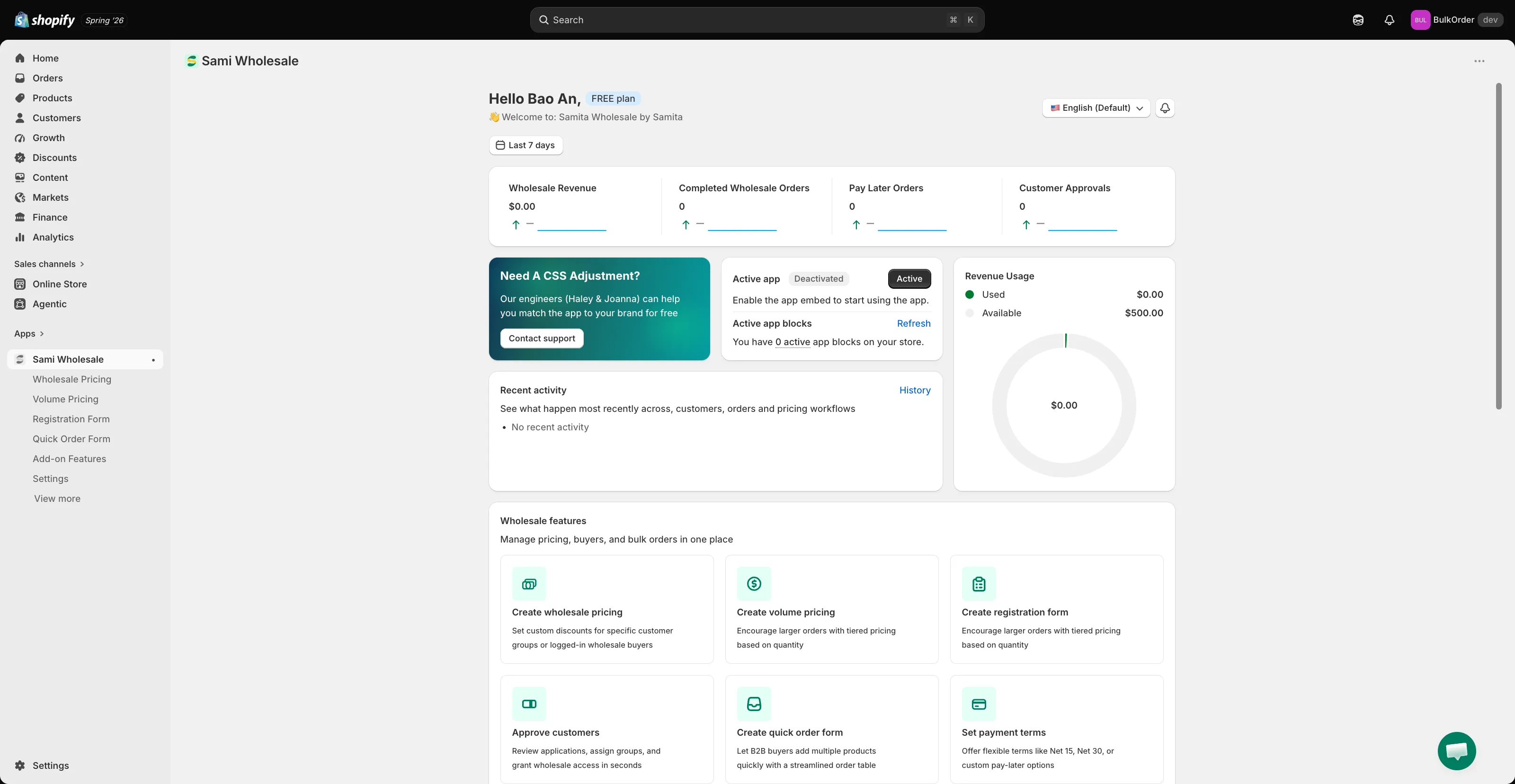
Section titled “Click Enable in the app”From the app’s Dashboard, find the Active app card and click the Deactivated button to activate it.
-
Turn on the app embed in your theme
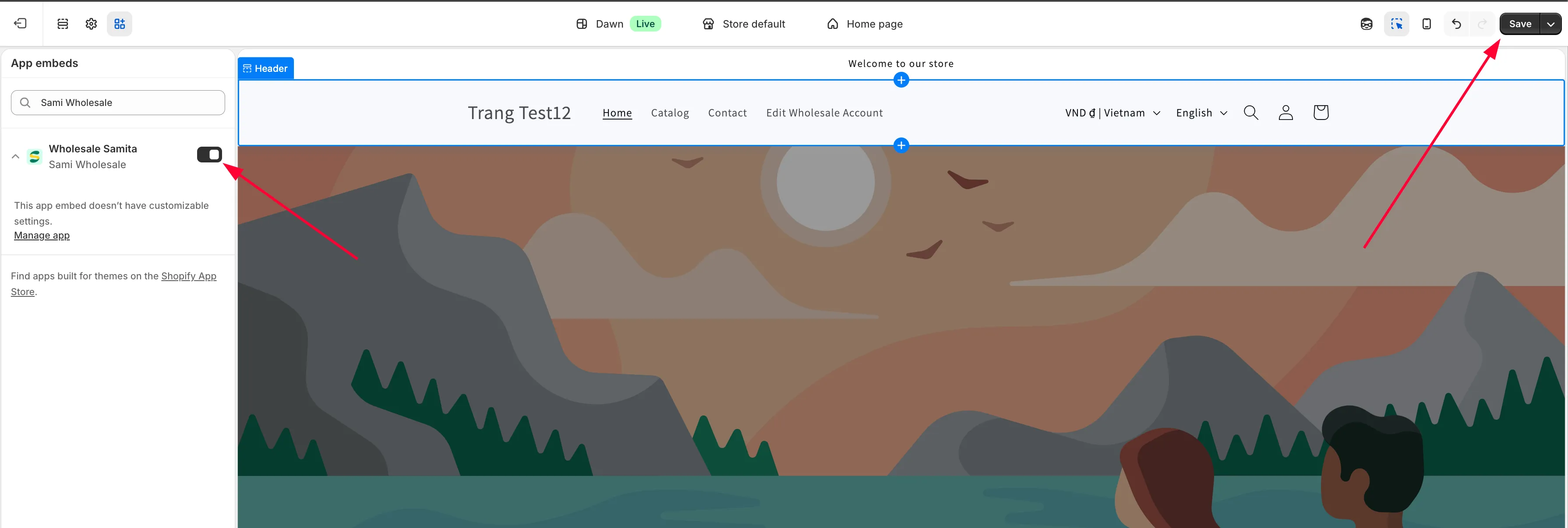
Section titled “Turn on the app embed in your theme”You’ll be redirected to the Theme customize page. Open the App embeds section and turn on the slider for Samita Wholesale Pricing.
-
Save and refresh
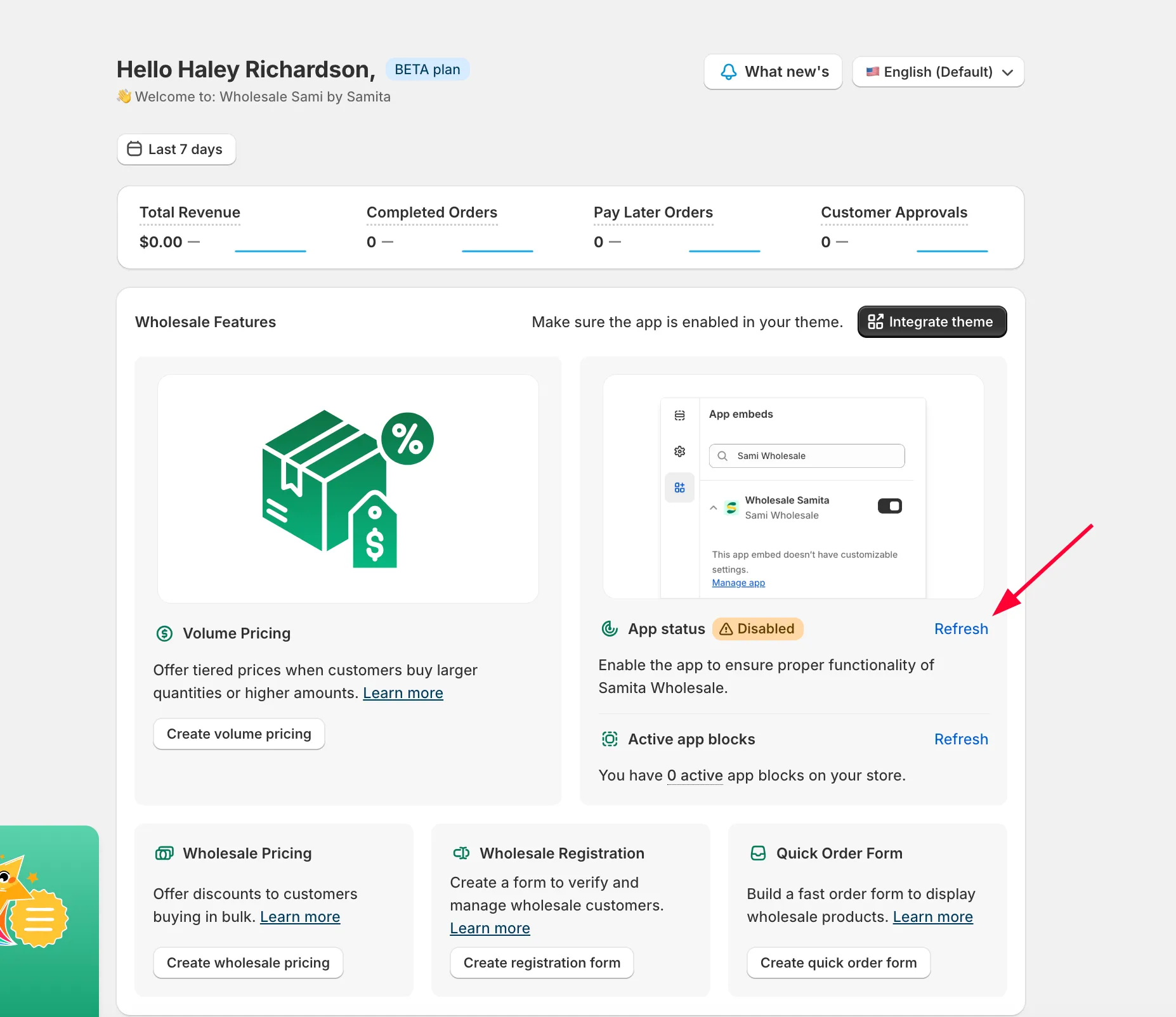
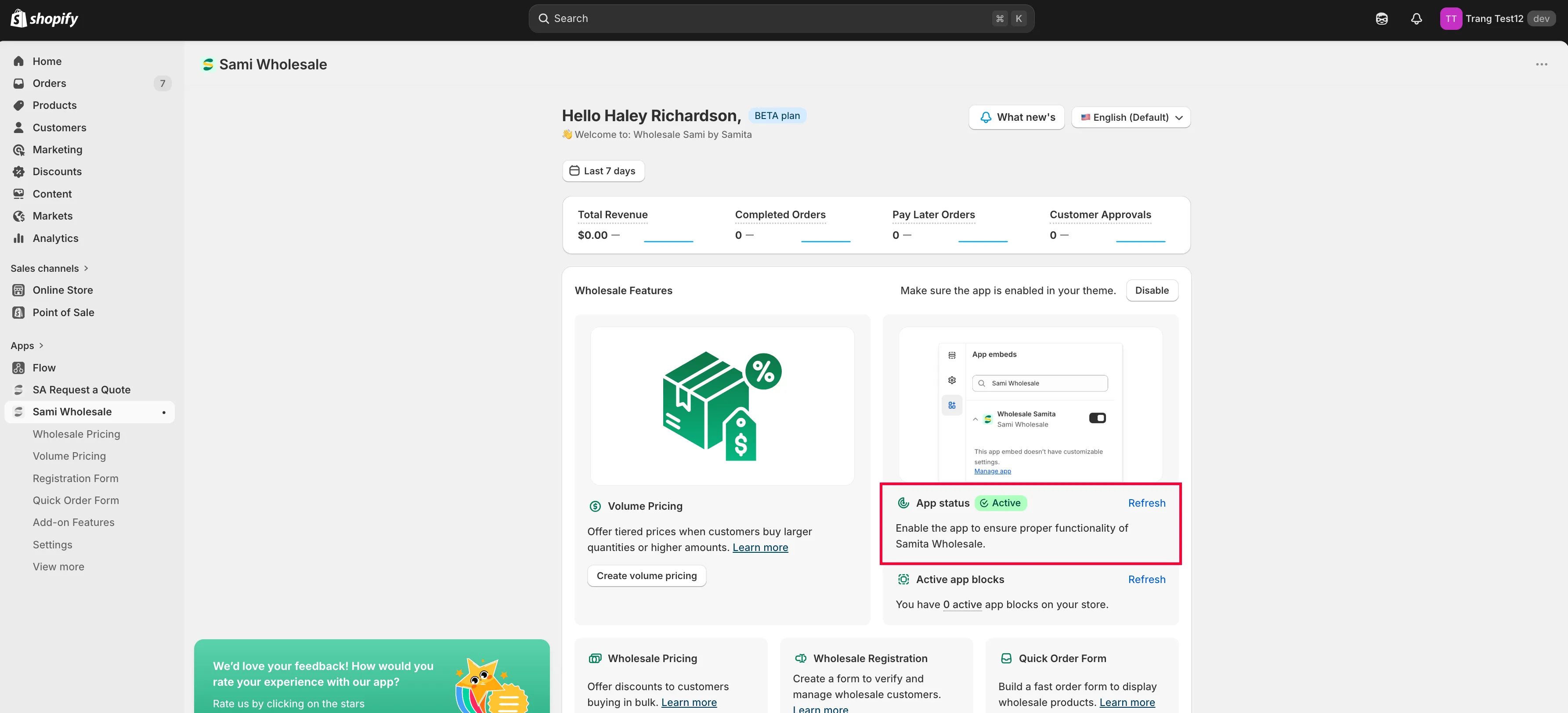
Section titled “Save and refresh”Click Save in the theme editor to apply the change. Back in the app, click Refresh so it picks up the new status.
Disable app embeds on theme
Section titled “Disable app embeds on theme”-
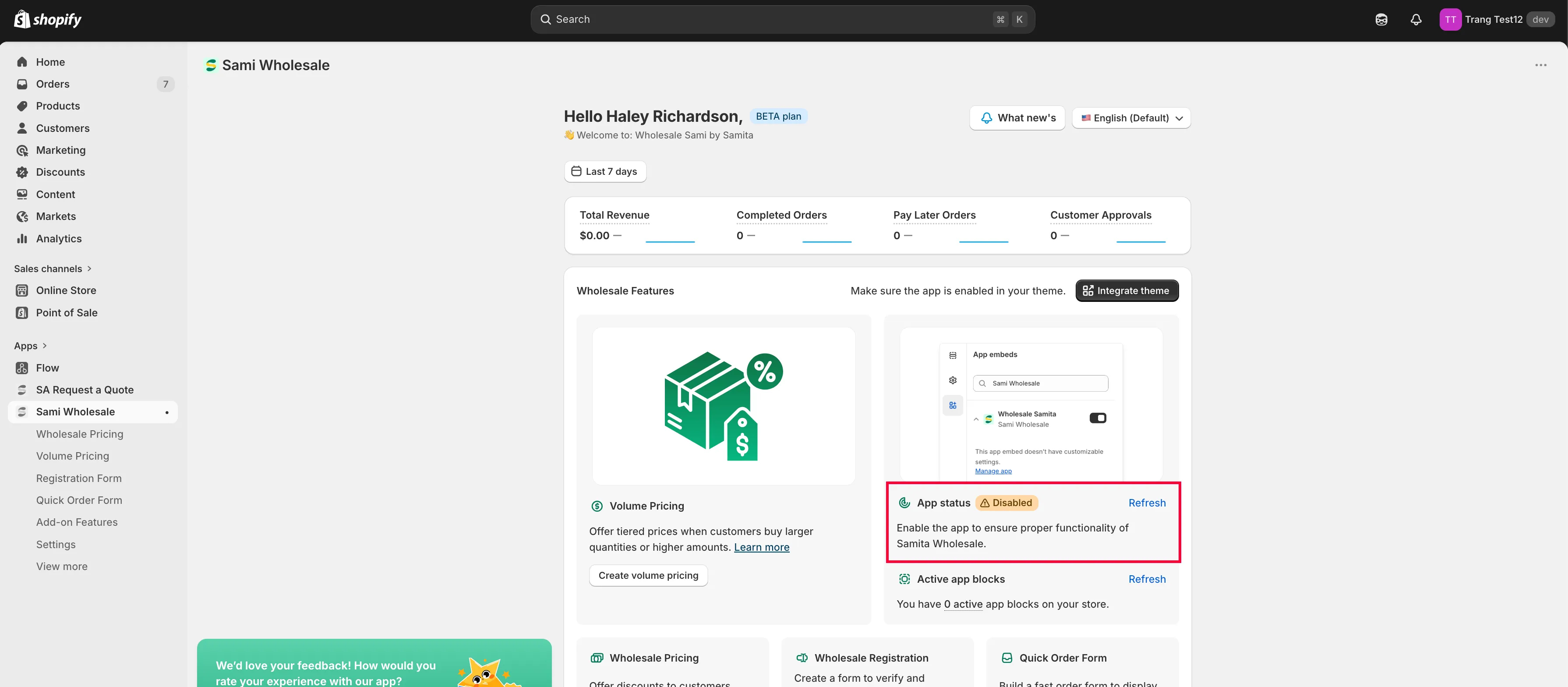
Click Disable in the app
Section titled “Click Disable in the app”From the app’s Dashboard, find the Active app card and click the Active button to deactivate it.
-
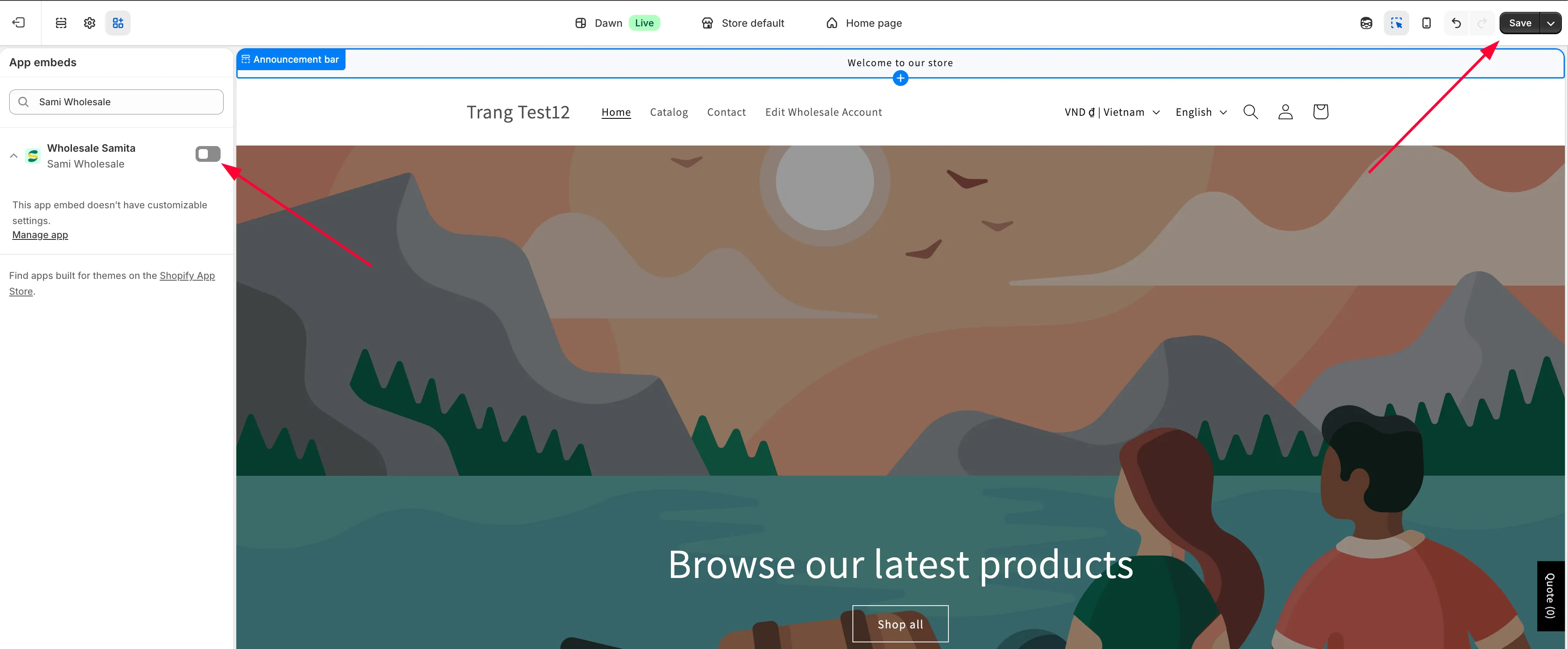
Turn off the app embed in your theme
Section titled “Turn off the app embed in your theme”You’ll be redirected to the Theme customize page. Open the App embeds section and turn off the slider for Samita Wholesale Pricing.
-
Save and refresh
Section titled “Save and refresh”Click Save in the theme editor. Back in the app, click Refresh so it picks up the new status.
Need support?
Section titled “Need support?”If you do encounter any difficulty while proceeding these steps, don’t show any hesitation to contact us promptly via the email address support@samita.io.