
Add Samita Registration form to a page
Publish your Registration Form on a storefront page by pasting its shortcode into the page's HTML.
Once your form is built, you publish it by pasting a short code snippet into a Shopify page.
Steps to manage
Section titled “Steps to manage”-
Get the form code
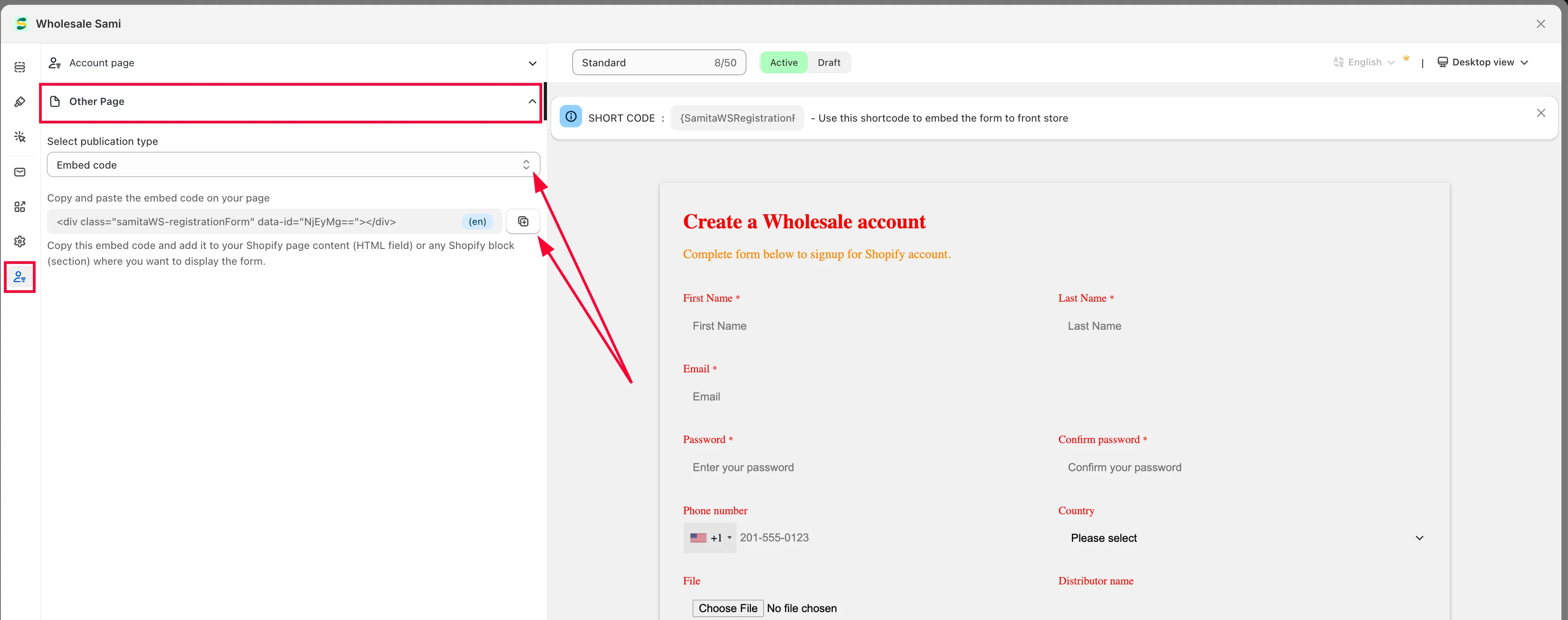
Section titled “Get the form code”Open the app, click Registration form, open the form you want, then click the Publish tab and choose Other Page. Select a publication type and copy the form code.
-
Open the page in Shopify
Section titled “Open the page in Shopify”In your Shopify admin, go to Online Store > Pages, then open the page you want to add the form to.
-
Paste the code
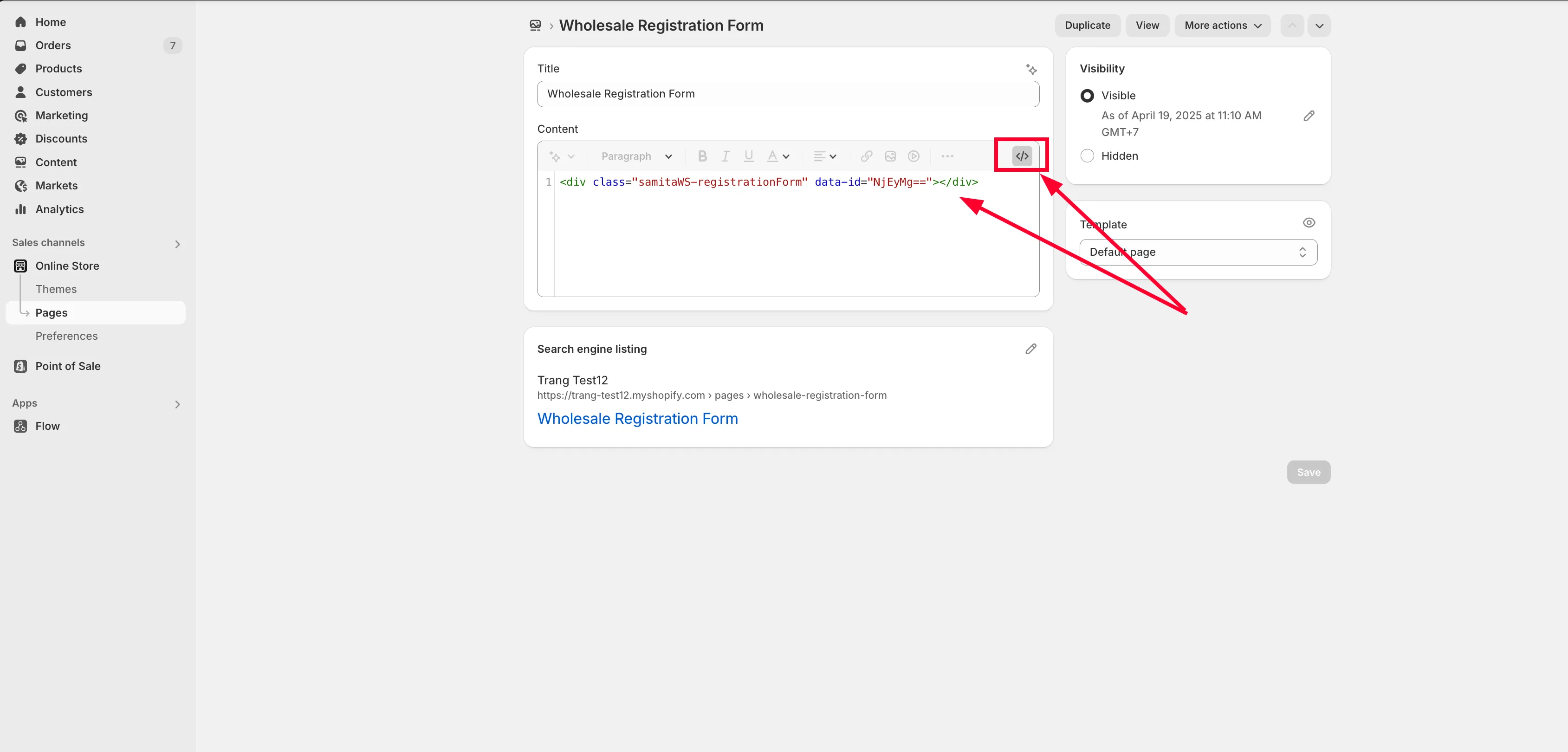
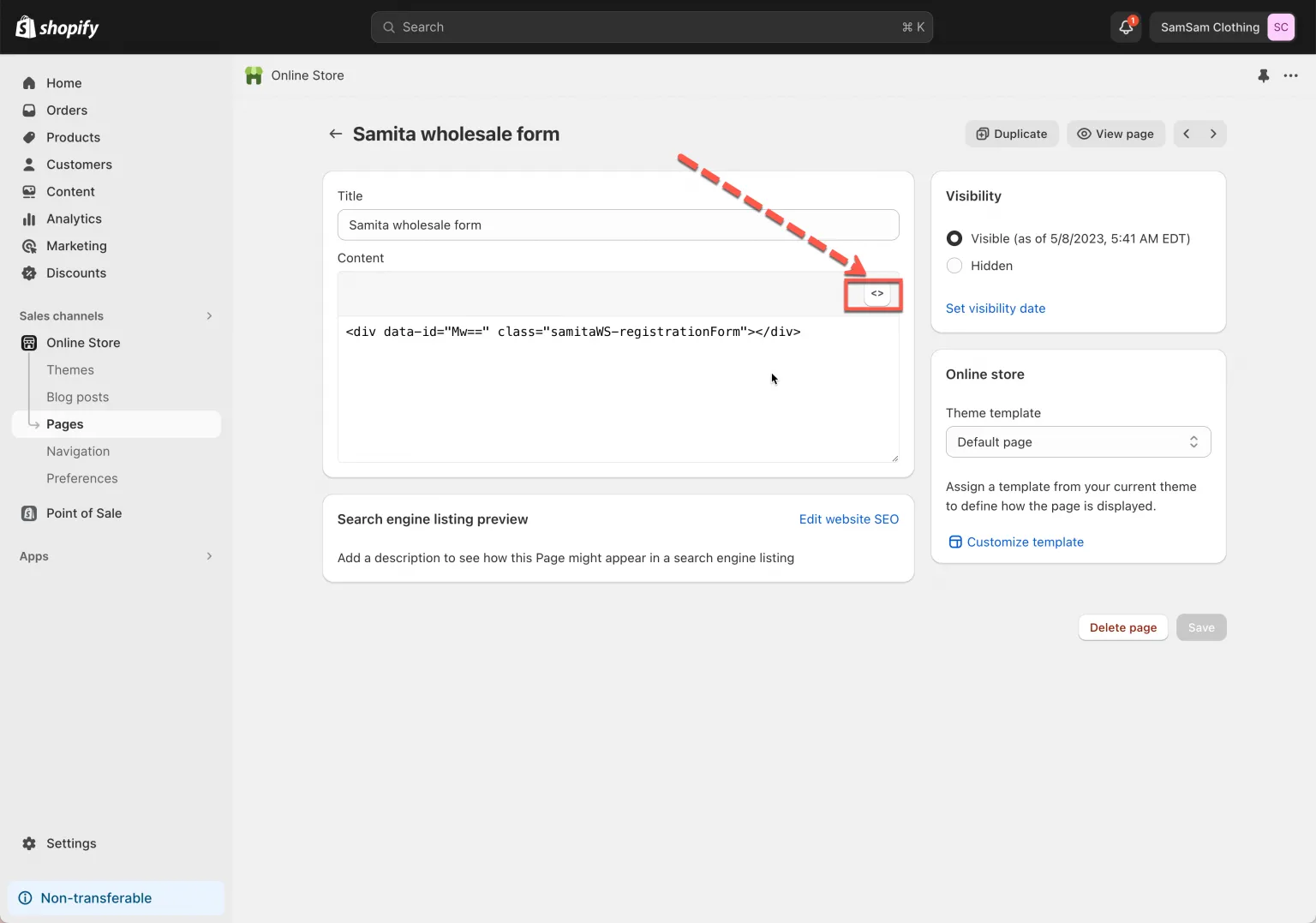
Section titled “Paste the code”Click the HTML icon (<>) in the top right of the content box, then paste the shortcode into that field.
-
Click Save on the page to apply the change.
Need support?
Section titled “Need support?”If you do encounter any difficulty while proceeding these steps, don’t show any hesitation to contact us promptly via the email address support@samita.io.