
Integrate Registration Form with Shopify customer data
Map each Registration Form field to a real Shopify customer property, so submissions become real customer accounts.
Once a customer submits your Registration Form, the app can create a matching customer account in your Shopify store’s Customers list, with the submitted data filled in. To make that happen, you connect each form field to a Shopify customer property.
Common customer properties you can map to:
- First name
- Last name
- Phone
- Password (legacy)
- Address
- Apartment, suite, etc.
- City
- Province
- Zip / postal code
- Country
- Company
- Note[]
- Tags[]
Steps to manage
Section titled “Steps to manage”-
Open the form’s integration settings
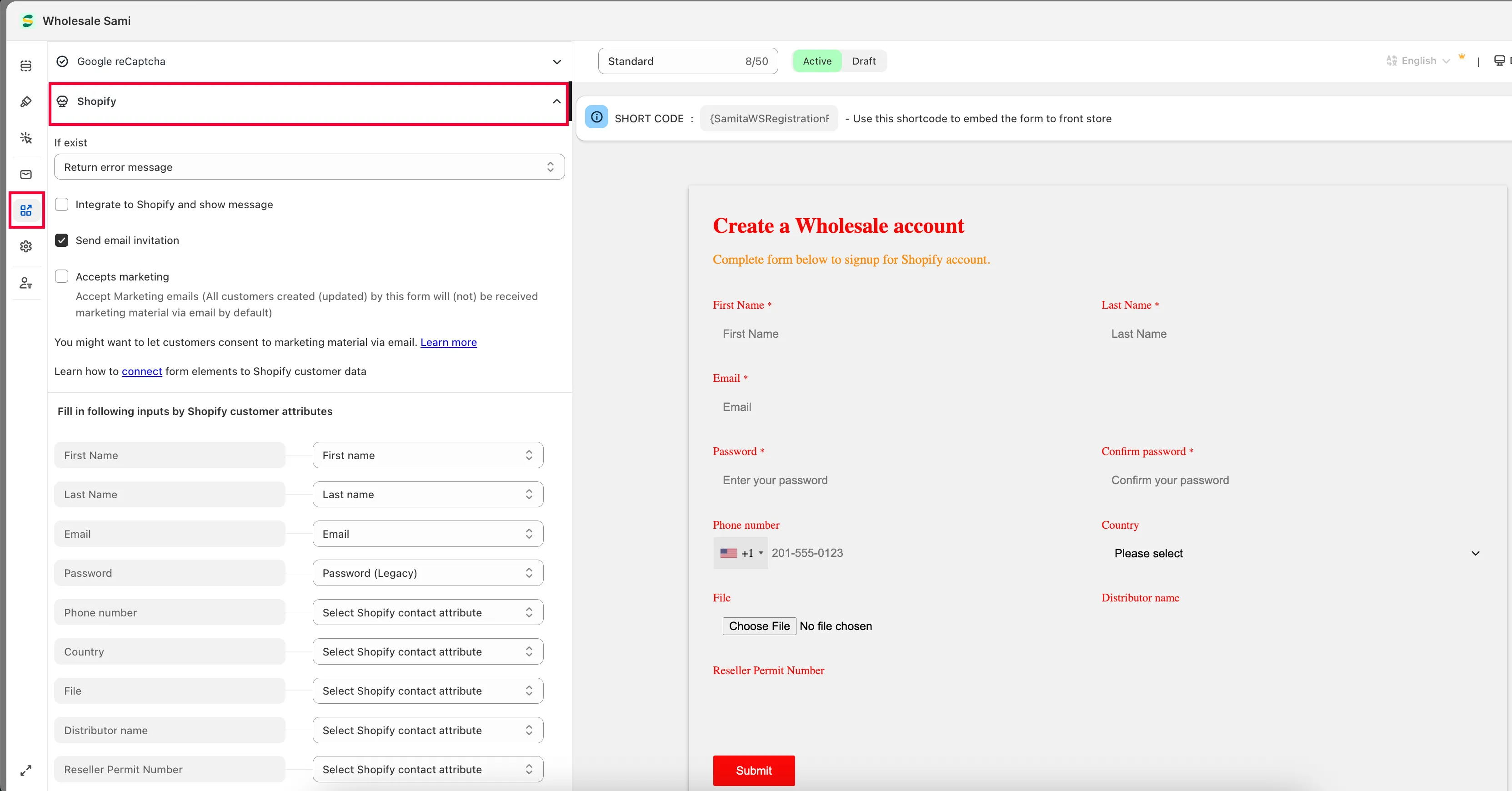
Section titled “Open the form’s integration settings”From the app, click Registration Form, open the form you want, then click the Integration tab and choose Shopify.
-
Choose invitation and marketing options
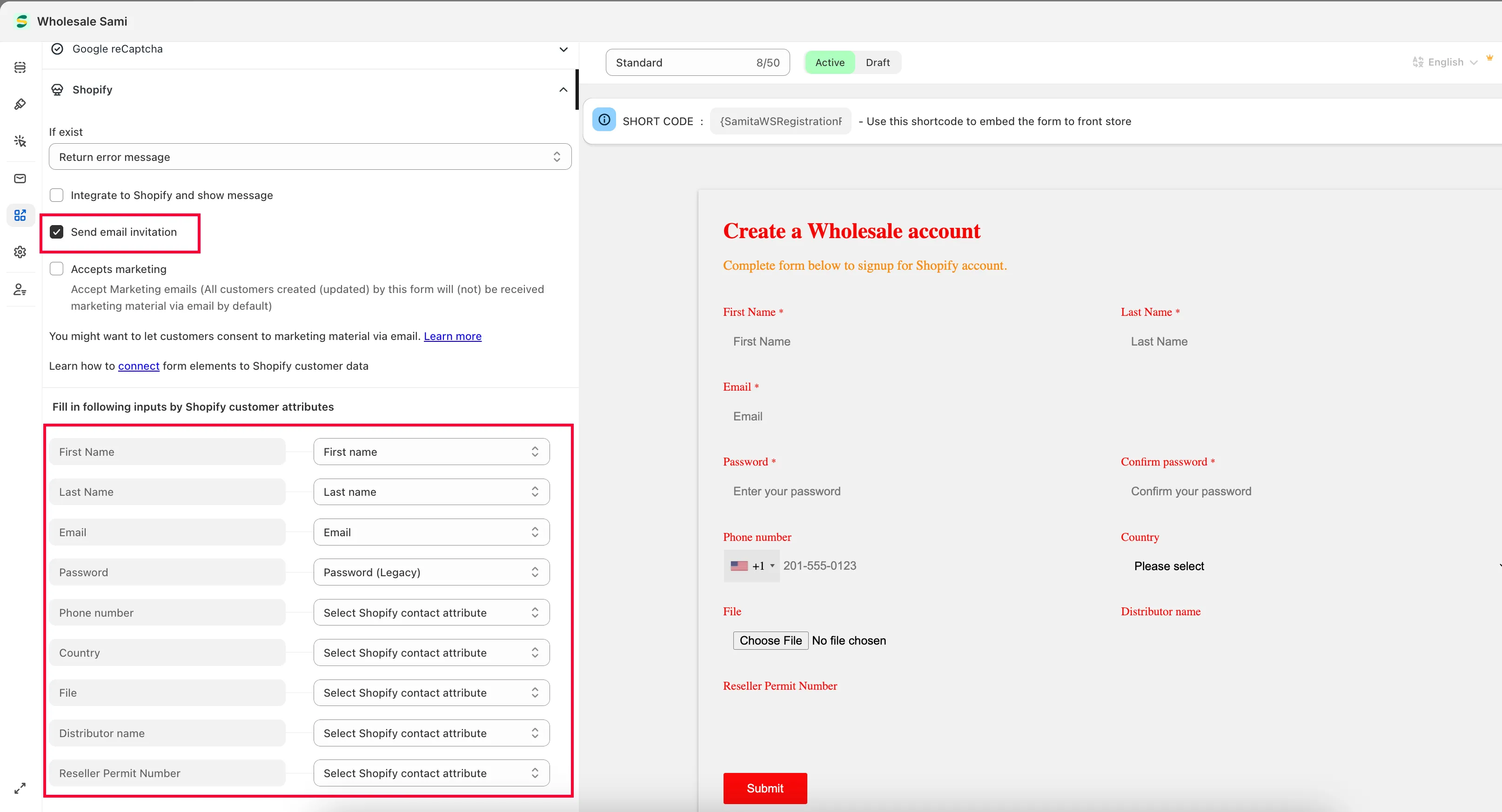
Section titled “Choose invitation and marketing options”Tick Send email invitation (required if your store uses the legacy login type) and Accepts marketing (optional).
-
Map each field
Section titled “Map each field”Match each form field to the corresponding customer property. The email field must be mapped — it’s required.
-
Save and test
Section titled “Save and test”Click Save, then submit the form and check the result in Shopify Customers.
Need support?
Section titled “Need support?”If you do encounter any difficulty while proceeding these steps, don’t show any hesitation to contact us promptly via the email address support@samita.io.