
Enable the app Wholesale Cart
Turn on the app's own cart drawer, which works for both retail and wholesale customers.
Once you turn on the app’s cart, it replaces your theme’s cart for every customer — retail and wholesale alike.
Steps to manage
Section titled “Steps to manage”-
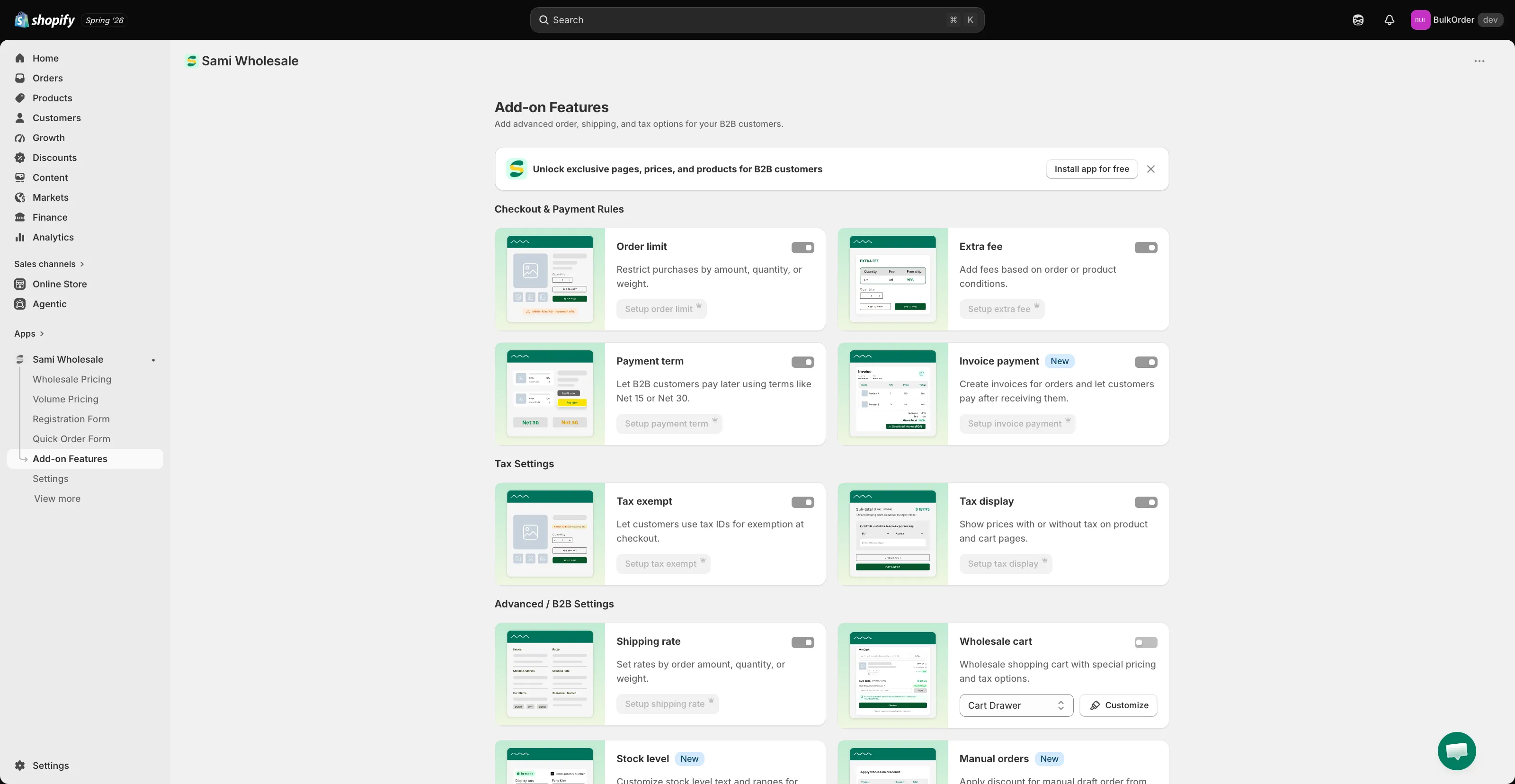
Turn on the Wholesale cart
Section titled “Turn on the Wholesale cart”Open the app, click Add-on Features, turn on the Wholesale cart toggle, then click Customize to open its editor.
-
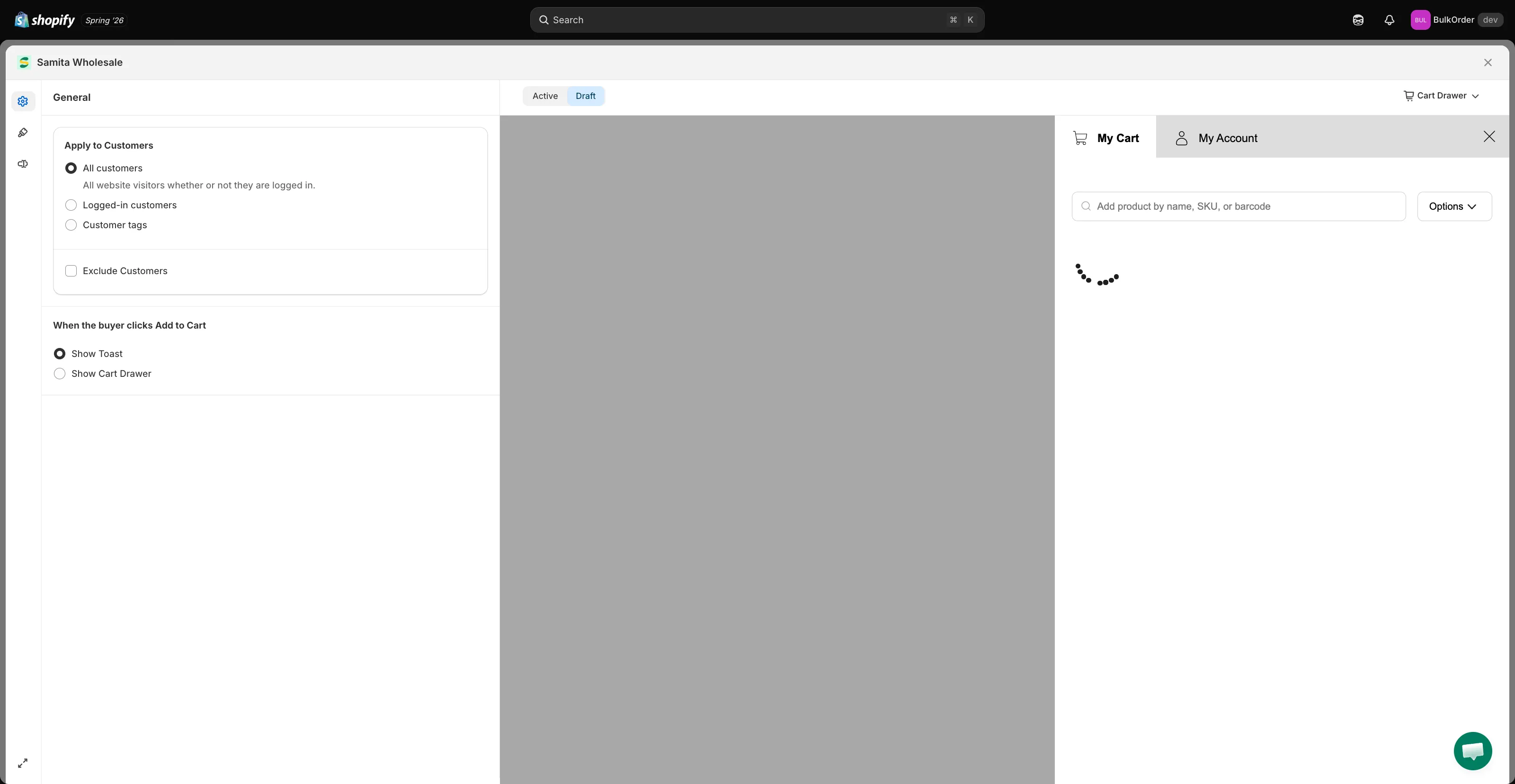
Choose who sees the cart
Section titled “Choose who sees the cart”On the General tab, set Apply to Customers to control who the cart applies to, and choose what happens When the buyer clicks Add to Cart — Show Toast (a small confirmation) or Show Cart Drawer (open the cart immediately).
-
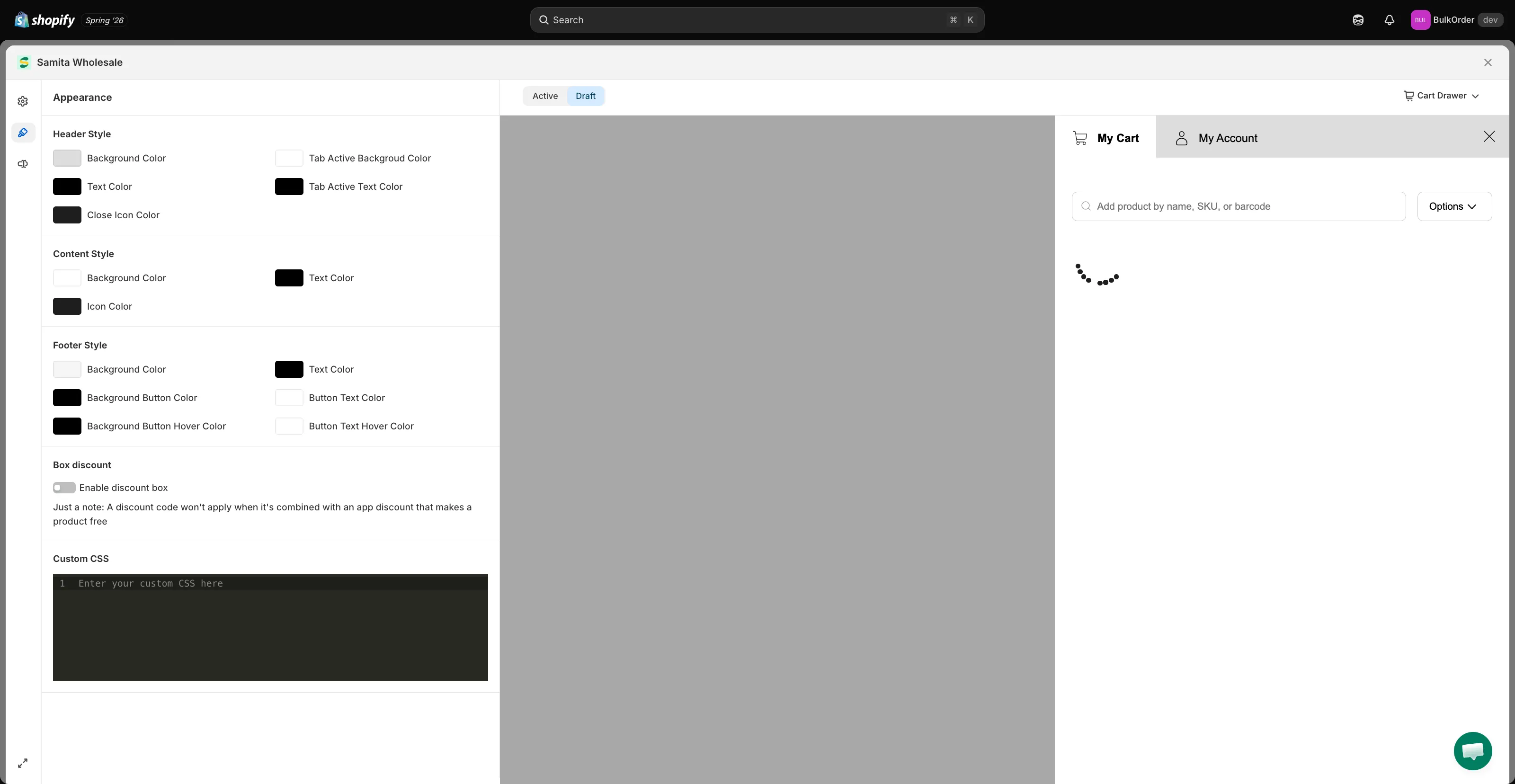
Style the cart
Section titled “Style the cart”Click the Appearance tab to match the cart’s header, content, and footer colors to your theme. For finer control, add custom CSS at the bottom of this tab.
-
Turn on the discount box (optional)
Section titled “Turn on the discount box (optional)”Still on the Appearance tab, enable Enable discount box under Box discount if you want customers to be able to apply an extra discount code in the cart.
-
Click Save in the bar that appears at the top of the page to publish your changes to your storefront.