
Activate/Deactivate volume pricing
Three ways to turn a volume pricing rule on or off without deleting it.
You can pause a volume pricing rule at any time without losing its setup. Pick whichever of these three methods is fastest for you.
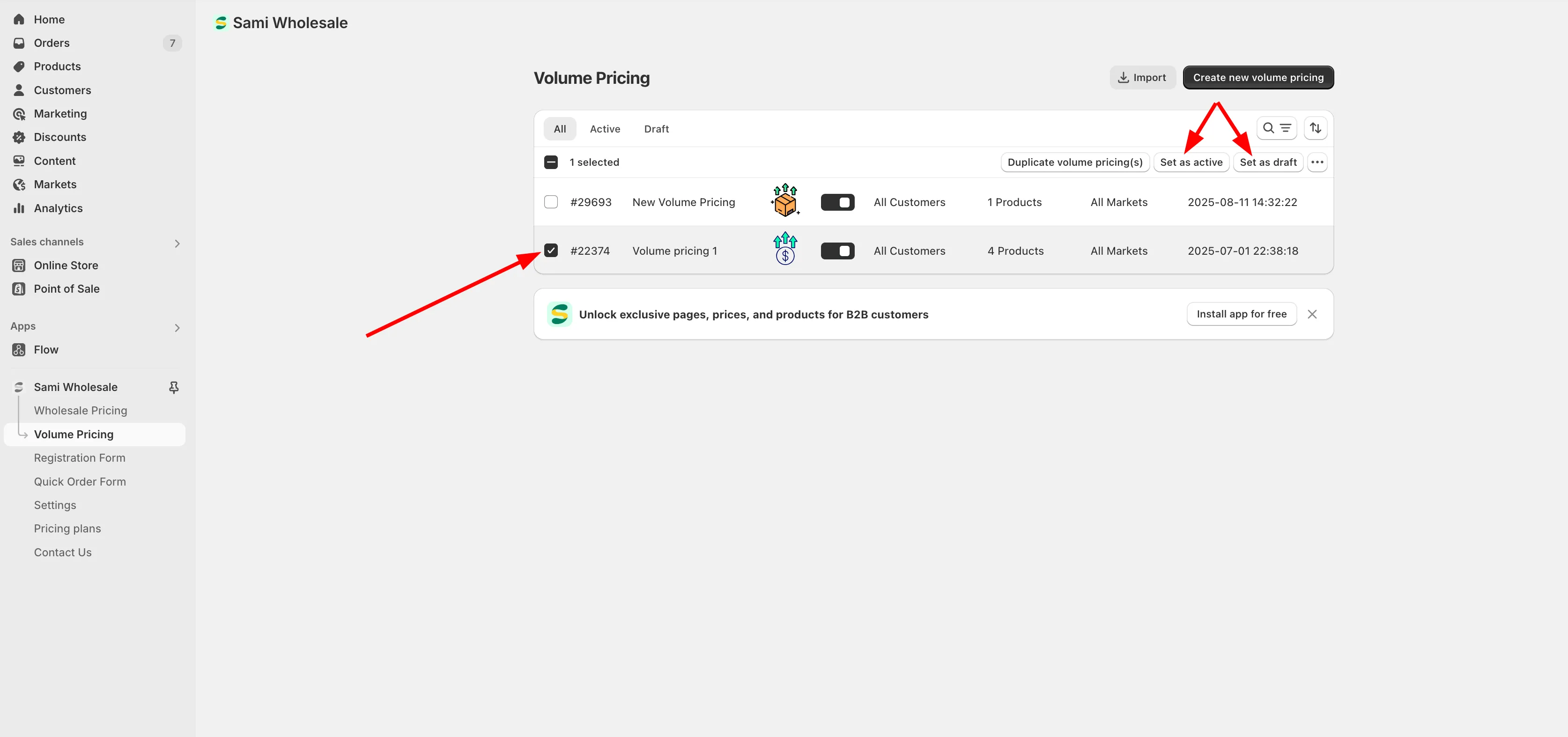
- From the app, click Volume Pricing.
- Tick the checkbox next to the rule(s) you want to change.
- Click Set as active, or Set as draft to deactivate it.
- From the app, click Volume Pricing.
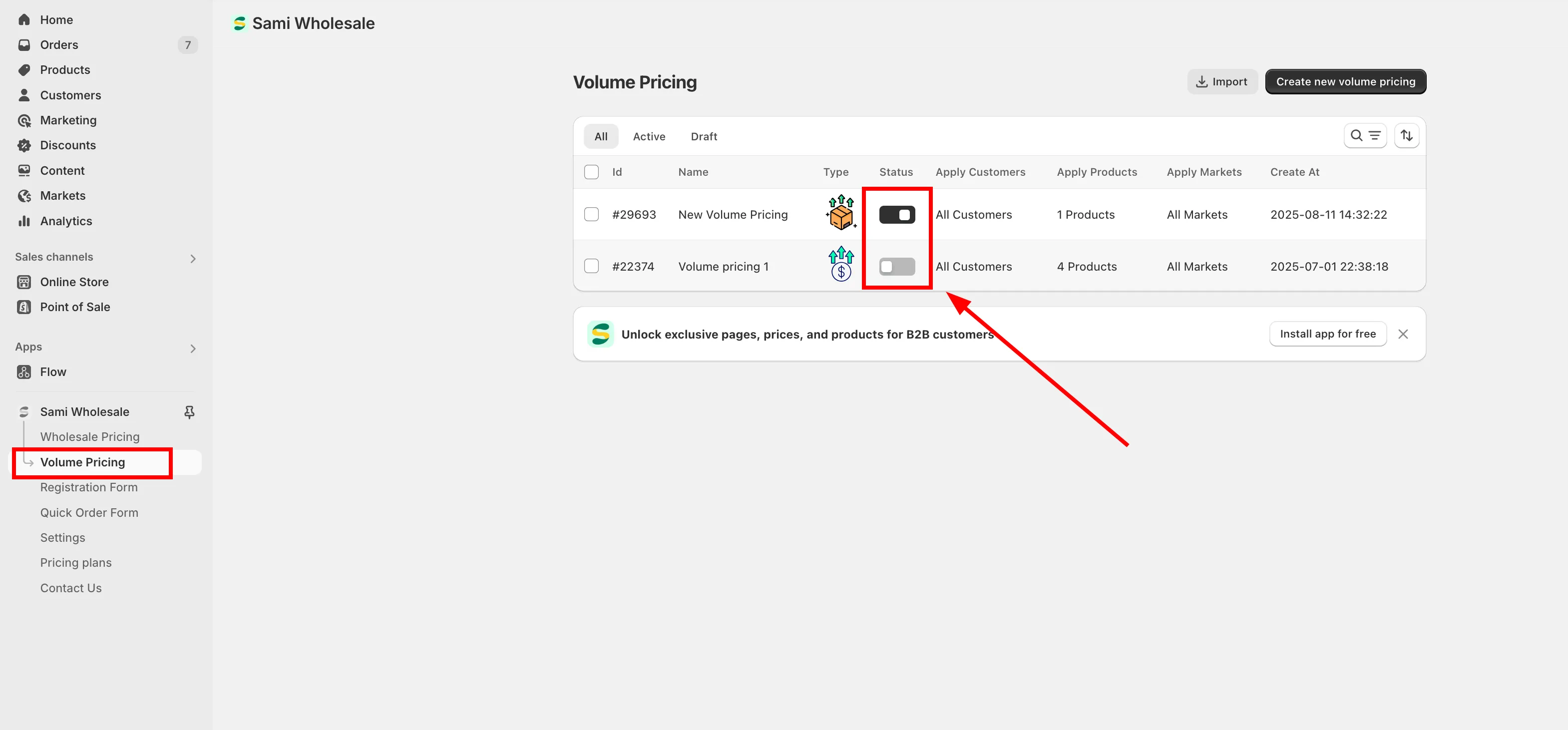
- Toggle the Status slider next to the rule on or off.
- From the app, click Volume Pricing.
- Open the rule you want to change.
- At the top of the Volume Pricing tab, use the Status dropdown next to Rule name to choose Active or Draft.
- Click Save.

Need support?
Section titled “Need support?”If you do encounter any difficulty while proceeding these steps, don’t show any hesitation to contact us promptly via the email address support@samita.io.