
Countdown timer
When the timer ends
Choose what a countdown timer does when it reaches zero — stay, disappear, or restart.
Every countdown timer needs an ending. The When countdown timer end setting, at the bottom of the Setting timer section on the Settings tab, decides what a shopper sees once the clock hits zero.
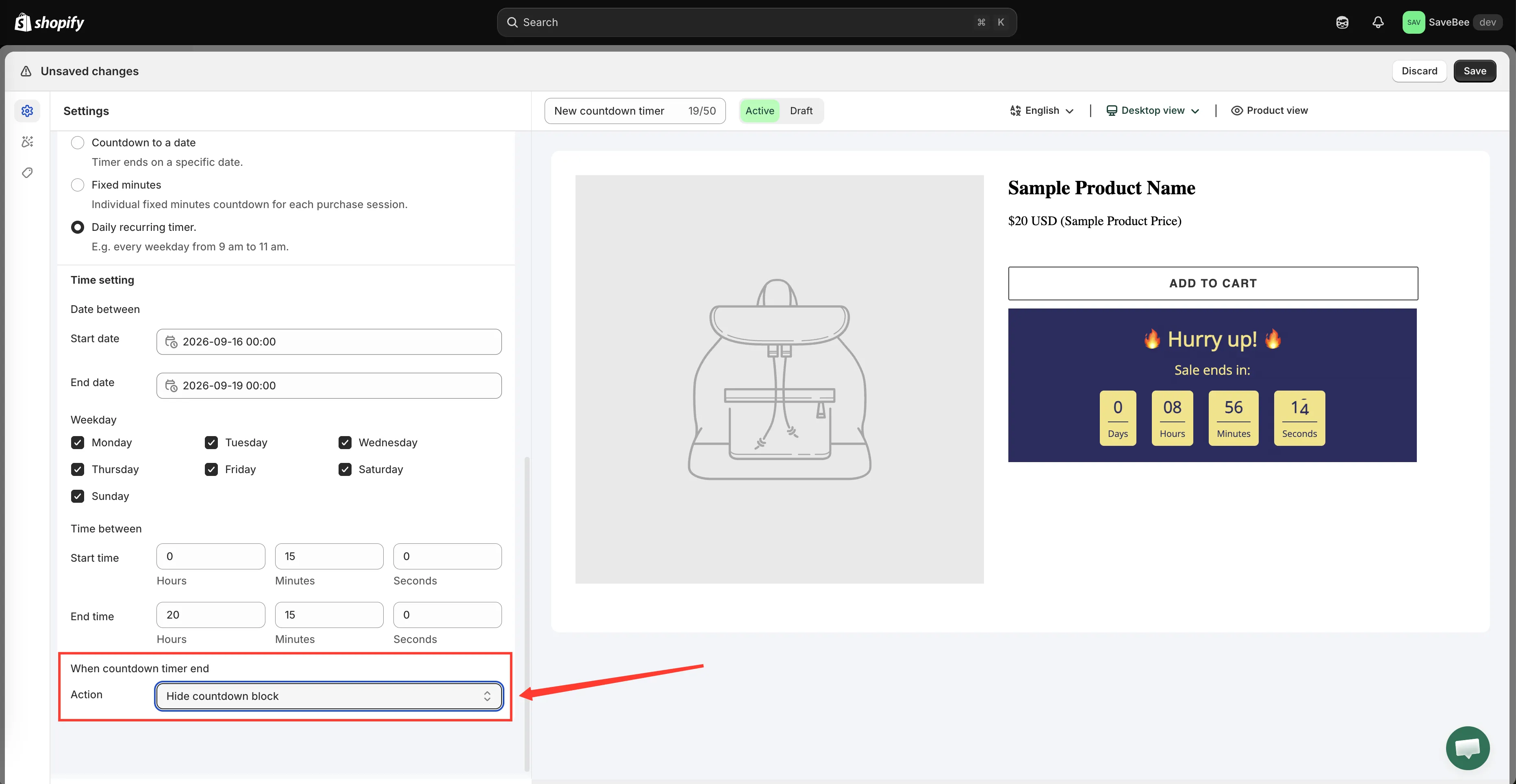
Set the ending in the Setting timer section, below the timing fields.
The three options
Section titled “The three options”| Option | What the shopper sees |
|---|---|
| Do nothing | The timer stays on the page, showing zeros |
| Hide countdown block | The whole countdown disappears from the page |
| Repeat the timer | The timer restarts and runs again |
Do nothing
Section titled “Do nothing”The countdown stays exactly where it is, with every number at zero. Nothing else on the page changes — prices, availability and the Add to cart button are untouched, because this app only draws the timer.
This is rarely what you want on a live storefront. A timer frozen at 00:00:00 tells shoppers the offer is over but keeps the block on the page, which reads as neglected more often than urgent. It’s useful mainly while you’re testing, when you want to see the end state rather than have it vanish.
Hide countdown block
Section titled “Hide countdown block”The countdown removes itself from the page the moment it expires. Shoppers who arrive afterwards see the page exactly as it was before you added the timer.
This is the right default for a real deadline. Set it on any Countdown to a date campaign and you don’t have to remember to switch anything off when the sale finishes — the timer tidies itself away.
Repeat the timer
Section titled “Repeat the timer”The timer starts over and runs again for the same length.
This only makes sense with Fixed minutes, where the timer is a per-visitor window rather than a shared deadline: as soon as a shopper’s window closes, a fresh one opens, so they always see a running clock. See Fixed minutes per visitor.
Which to choose
Section titled “Which to choose”| Your timer is… | Use |
|---|---|
| Counting to a real deadline | Hide countdown block |
| A per-visitor window you want always running | Repeat the timer |
| A daily recurring window | Hide countdown block — it returns on its own next window |
| Being tested in a draft | Do nothing, so you can see the zero state |