
Popup content and image
Set the heading, text, link, and image on a sale popup.
Everything a shopper reads or clicks in a sale popup comes from the Component tab. The app describes it as “Set up what your popup bar says, where it shows up, and how it looks — so it fits perfectly with your store and sales campaign.”
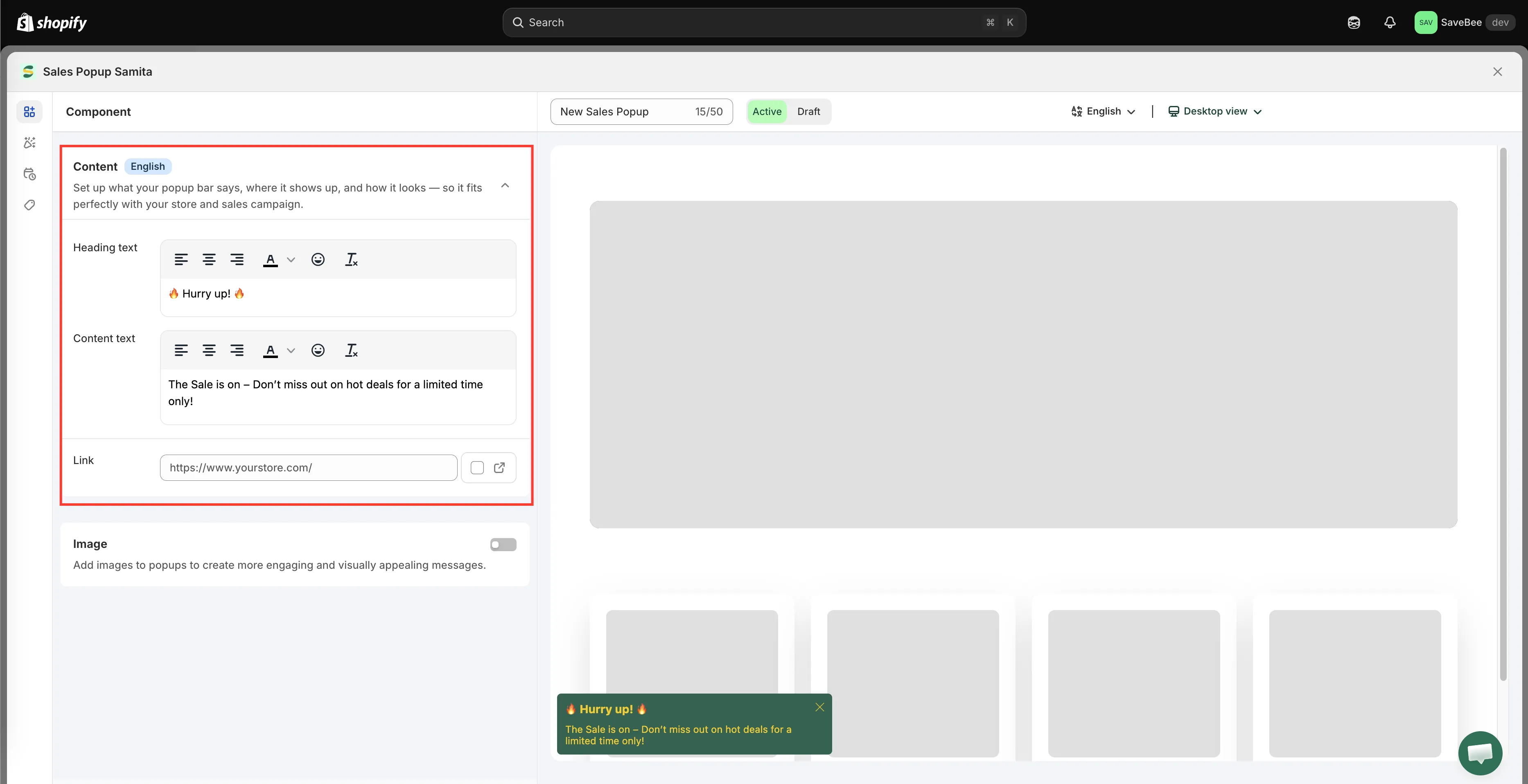
The Component tab of the popup editor.
Heading text
Section titled “Heading text”The bold first line. A new popup starts with 🔥 Hurry up! 🔥.
A popup is small and appears while the shopper is doing something else, so the heading has one job: say what this is in a glance. “Free shipping this weekend” works; a full sentence doesn’t.
Content text
Section titled “Content text”The line underneath. A new popup starts with:
The Sale is on – Don’t miss out on hot deals for a limited time only!
One line is the right length. Two is the maximum before the popup starts to feel like an advert you have to read.
A popup can be clickable. Set a Link and the whole popup becomes a link to it — a collection, a product, a landing page.
The Open link in new tab option keeps the shopper’s current page open. For a link to somewhere on your own store, leaving it off is usually better: you want them to follow the offer, not accumulate tabs.
Leave the link empty and the popup is purely informational, with only the close button to interact with.
An optional picture beside the text, which makes the popup feel like part of your store rather than a system message.
| Requirement | Value |
|---|---|
| Formats | PNG, JPEG, JPG |
| Maximum size | 1 MB |
Sizing is set separately on the Design tab — Image size offers Small, Medium, and Large, with the option of a different size on mobile. See Design and position.
A popup with no image is narrower and less intrusive — a reasonable choice for a text-only announcement.
Translating a popup
Section titled “Translating a popup”Like countdowns, a popup’s text can be written per storefront language using the language switcher in the editor’s top bar. See Translate countdown text — the flow is the same.