
Visibility and schedule
Set when a sale popup runs, how long it stays on screen, and how often one shopper sees it.
The Schedule tab decides when a popup is allowed to appear, and what happens once it does. The app sums it up as “Set schedule for the popup.”
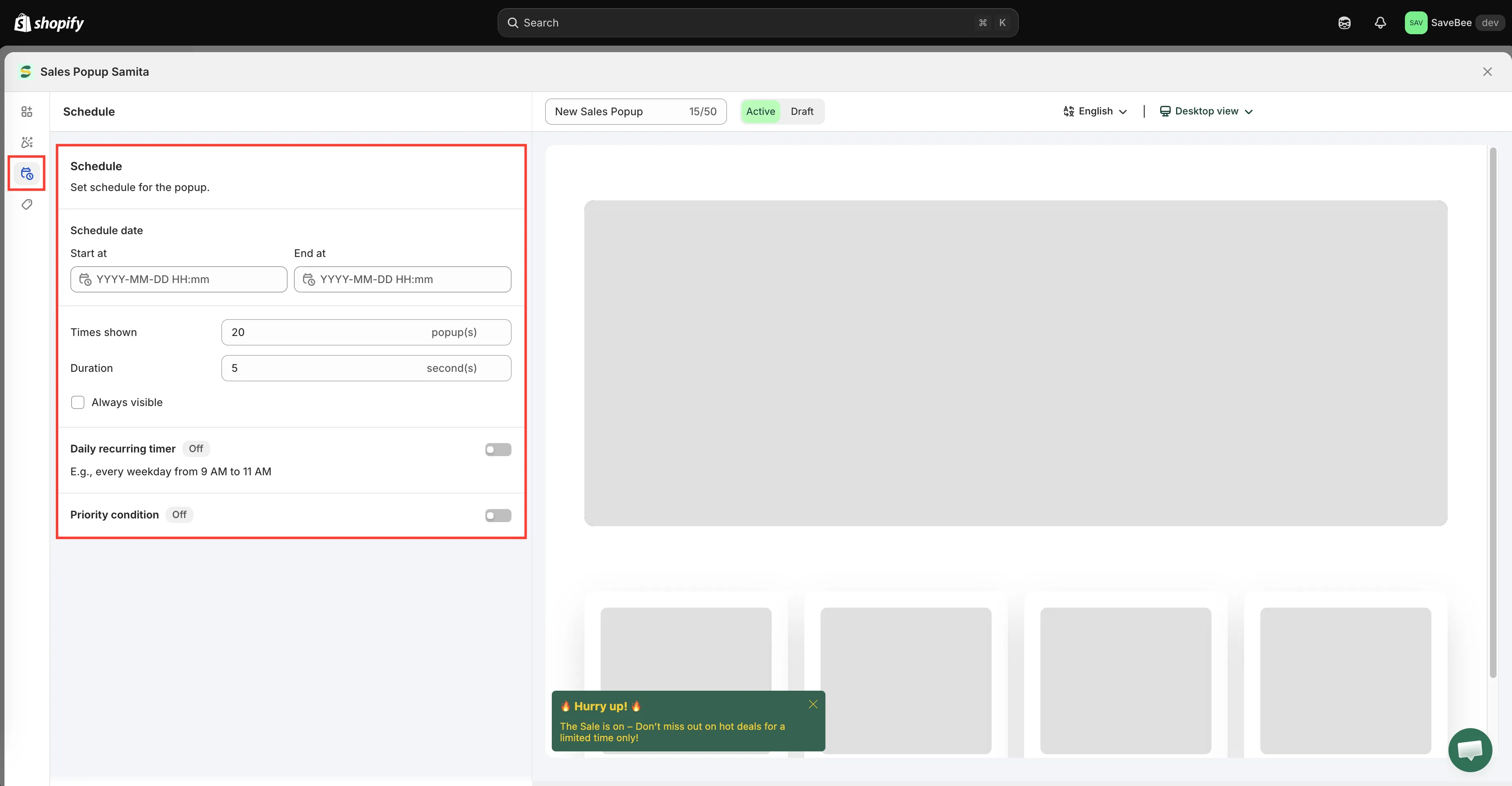
The Schedule tab of the popup editor.
Schedule date
Section titled “Schedule date”Start at and End at set the campaign window. Outside it the popup doesn’t appear, whatever its status says.
Set both for a campaign with real dates — a weekend sale, a launch week. A popup with an end date turns itself off when the promotion finishes, which is one less thing to remember.
Times shown
Section titled “Times shown”How many times one shopper sees this popup, counted in their browser.
This is the single most important setting for not annoying people. A popup that reappears on every page view of a ten-page browsing session has been seen ten times, and the tenth is not persuading anyone.
Two or three is enough for most announcements.
Duration
Section titled “Duration”How long the popup stays on screen before closing itself, in seconds.
Long enough to read and act on, short enough to get out of the way. If your popup has a heading and a line of text, five to eight seconds is a reasonable range.
Always visible
Section titled “Always visible”Keeps the popup on screen until the shopper closes it, instead of timing out.
Use it sparingly. It’s right for something the shopper genuinely needs to acknowledge, and wrong for a promotion — a permanent popup on a small screen is something people leave rather than close.
Daily recurring timer
Section titled “Daily recurring timer”A popup can also run on a repeating schedule rather than continuously. Turn on Daily recurring timer — described in the app with the example “E.g., every weekday from 9 AM to 11 AM” — and set:
- Weekday — the days it runs, Monday through Sunday
- Time between — a Start time and End time, each with hours, minutes, and seconds
Outside those hours the popup doesn’t appear. Use it for a genuinely recurring offer — a lunchtime deal, a weekend-only promotion.
Like everywhere else in the app, this is evaluated against the shopper’s own device clock, so “9 AM” means 9 AM where they are.
Priority
Section titled “Priority”When more than one popup could appear at the same time, Priority decides which one wins. Lower numbers come first — 0 is the highest priority.
The priority of each popup is shown on the Sale Popups list, so you can see the running order at a glance.
Settings that live elsewhere
Section titled “Settings that live elsewhere”Some timing applies to every popup rather than just this one — how long before the first pop appears, the gap between two pops, and the maximum number shown. Those are on the Popup General Settings page.