
Estimated delivery date
Delivery variables
The seven tokens you can drop into a delivery message, and what each one renders.
A delivery message isn’t fixed text. Anywhere you write one of these tokens, the app replaces it with a real value when the page loads — a calculated date, a live countdown, or the shopper’s own country.
Open the Variables list from the message editor to insert one, or type it by hand — they’re just text in curly braces.
The Variables panel, opened from the delivery message editor.
The seven variables
Section titled “The seven variables”| Variable | Renders |
|---|---|
{delivered_min_date} |
The estimated order delivery minimum date |
{delivered_max_date} |
The estimated order delivery maximum date |
{dispatched_min_date} |
The estimated order dispatched minimum date |
{dispatched_max_date} |
The estimated order dispatched maximum date |
{cutoff_time} |
A live countdown to today’s cut-off time |
{country_flag} |
The flag of the visitor’s detected country |
{country_name} |
The name of the visitor’s detected country |
The four date variables come straight out of your date range settings, formatted with the Date format you chose there.
Pair the min and max of the same stage to express a window:
Delivery between {delivered_min_date} and {delivered_max_date}Use a single one when you want to sound definite rather than hedged:
Get it by {delivered_max_date}Cut-off countdown
Section titled “Cut-off countdown”{cutoff_time} renders as a running countdown to today’s deadline, formatted with the Time format you chose. It’s what makes a delivery message act like a countdown:
✅ Order within the next {cutoff_time} for delivery between {delivered_min_date} - {delivered_max_date}Country flag and name
Section titled “Country flag and name”{country_flag} renders a small flag image and {country_name} the country’s name — both for the country the app detects for that visitor.
🚚 Free shipping to {country_flag} {country_name}The country is detected from the visitor’s IP address at the time they browse, not from an address on their account. Two consequences worth knowing:
- A shopper on a VPN sees the country their VPN exits from.
- The detection isn’t infallible, so don’t attach a promise to it that would be expensive to get wrong.
Writing a good message
Section titled “Writing a good message”The default message is a reasonable model: a shipping statement, then a deadline, then a window.
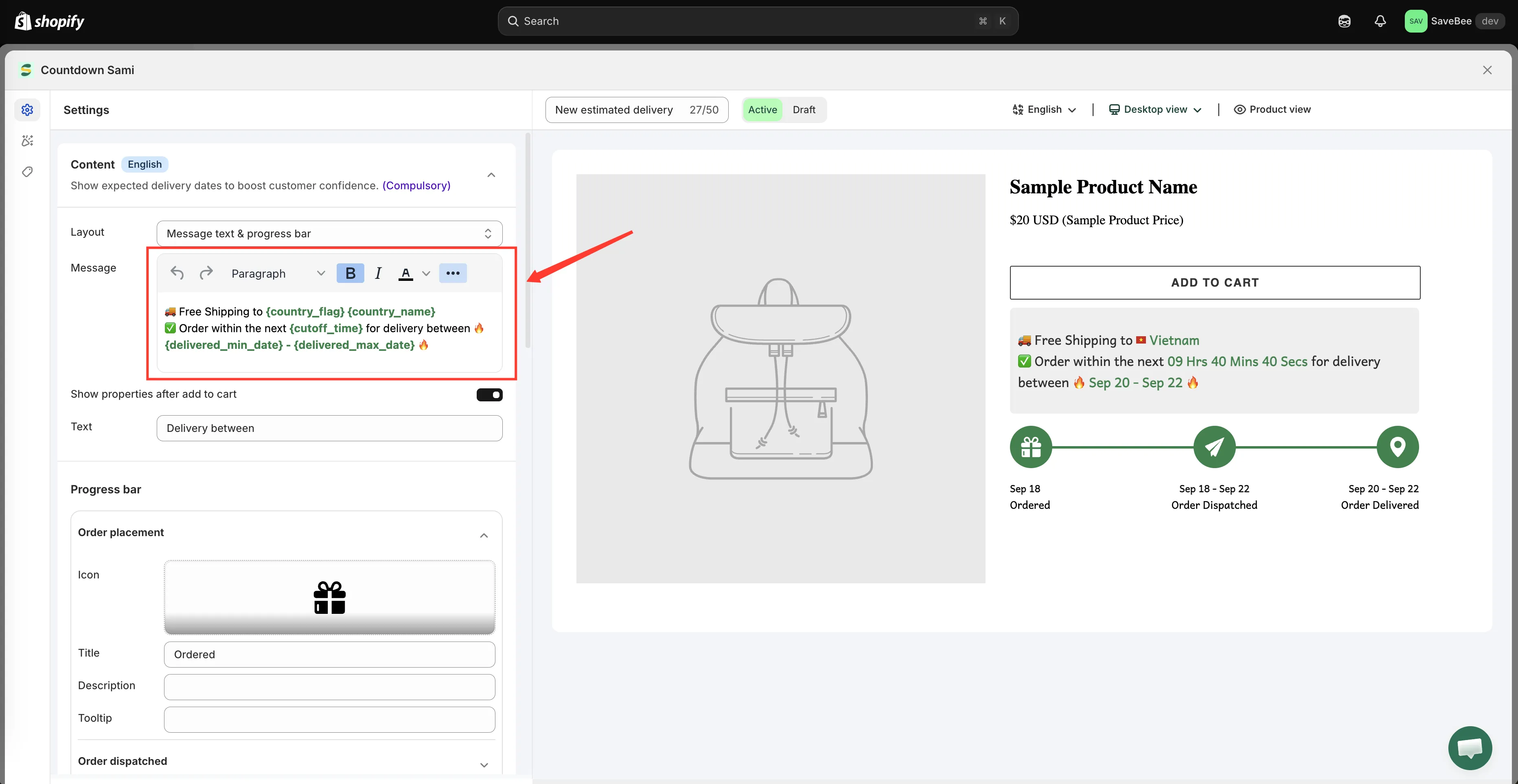
🚚 Free Shipping to {country_flag} {country_name} ✅ Order within the next {cutoff_time} for delivery between {delivered_min_date} - {delivered_max_date}
A few things that help:
- Colour and bold the dates, not the whole sentence. The editor supports both.
- Keep it to two lines. It sits near the Add to cart button, where it competes for attention.
- Check it on mobile. A message that reads well on desktop can wrap badly on a phone.