
Automatically create subscribed customer accounts after submit
Automatically opt new customers into marketing emails when their registration form is submitted.
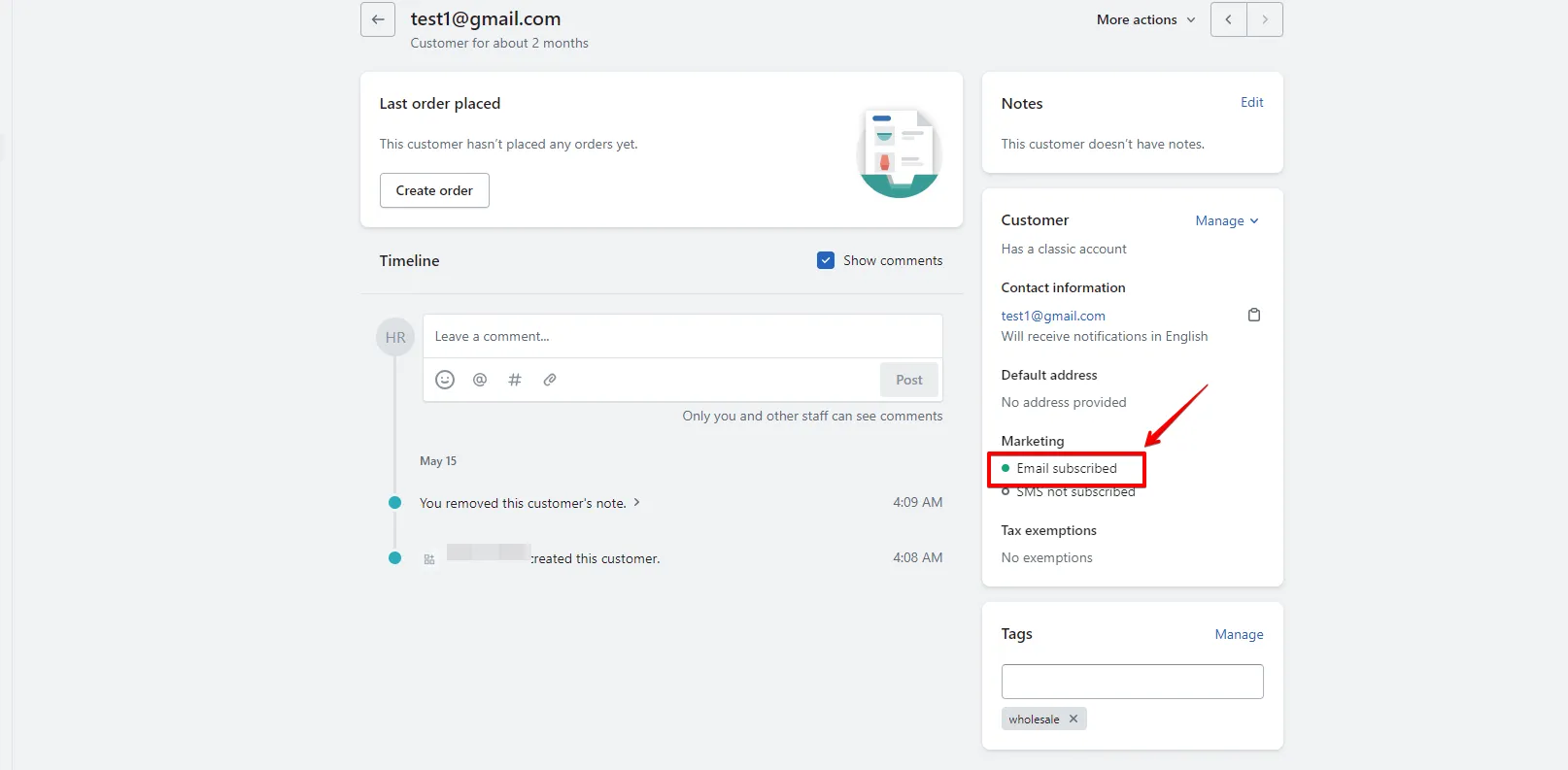
This page shows you how to make the Registration Form automatically create customer accounts with a Subscribed marketing status when submitted.
Steps to manage
Section titled “Steps to manage”-
Open Integration settings
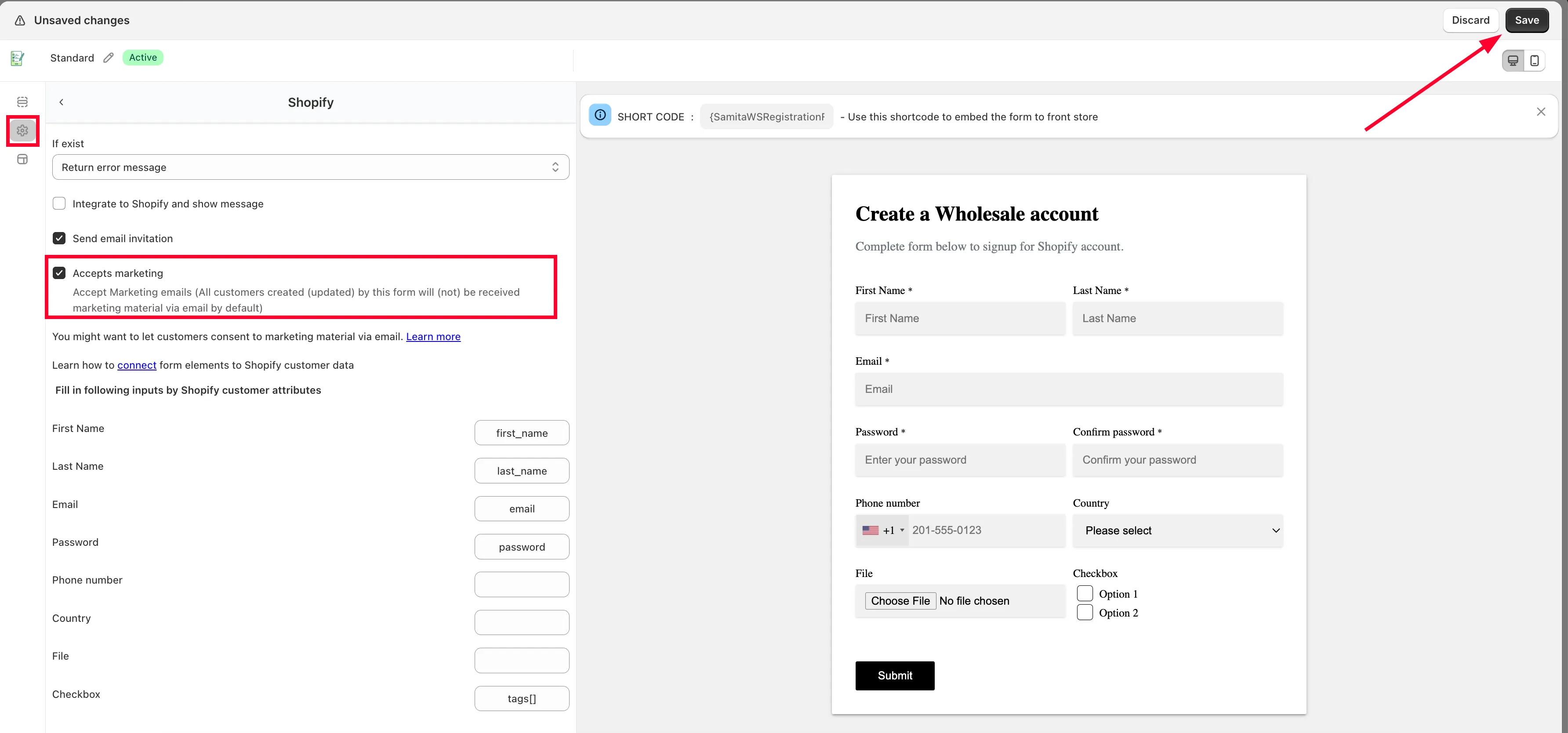
Section titled “Open Integration settings”In the Registration form editor, click Settings > Integration.
-
Open the Shopify customer account settings
Section titled “Open the Shopify customer account settings”Click Shopify > Shopify customer account.
-
Enable Accepts marketing
Section titled “Enable Accepts marketing”Enable the Accepts marketing setting. Every customer created or updated through this form will then receive marketing emails by default, with their account status set to Subscribed.
-
Click Save.
To customize the confirmation email itself, see Set up email notifications for the Registration Form.
Need support?
Section titled “Need support?”If you do encounter any difficulty while proceeding these steps, don’t show any hesitation to contact us promptly via the email address support@samita.io.