
Quick start
Install the app
Add Countdown Timer Bar Samita to your Shopify store from the App Store.
Countdown Timer Bar Samita installs like any other Shopify app: you add it from the Shopify App Store, approve the permissions it asks for, and it opens inside your Shopify admin.
Install from the Shopify App Store
Section titled “Install from the Shopify App Store”-
Open the App Store listing
Go to Countdown Timer Bar Samita on the Shopify App Store.
-
Click Install
Shopify asks which store to install on if you’re signed in to more than one. Pick the store you want the countdowns to appear on.
-
Review and approve the permissions
Shopify shows exactly what the app will be able to access before anything is installed. The app asks to read your products, files, themes, and storefront languages, and to write files — it needs these to show you a product picker, to render countdowns on the storefront, and to store the images you upload.
For a plain-language explanation of each permission, see Permissions and data.
-
Land on the dashboard
After you approve, the app opens on its Dashboard inside your Shopify admin. This is where you create countdowns, check whether the app embed is on, and reach every other part of the app.
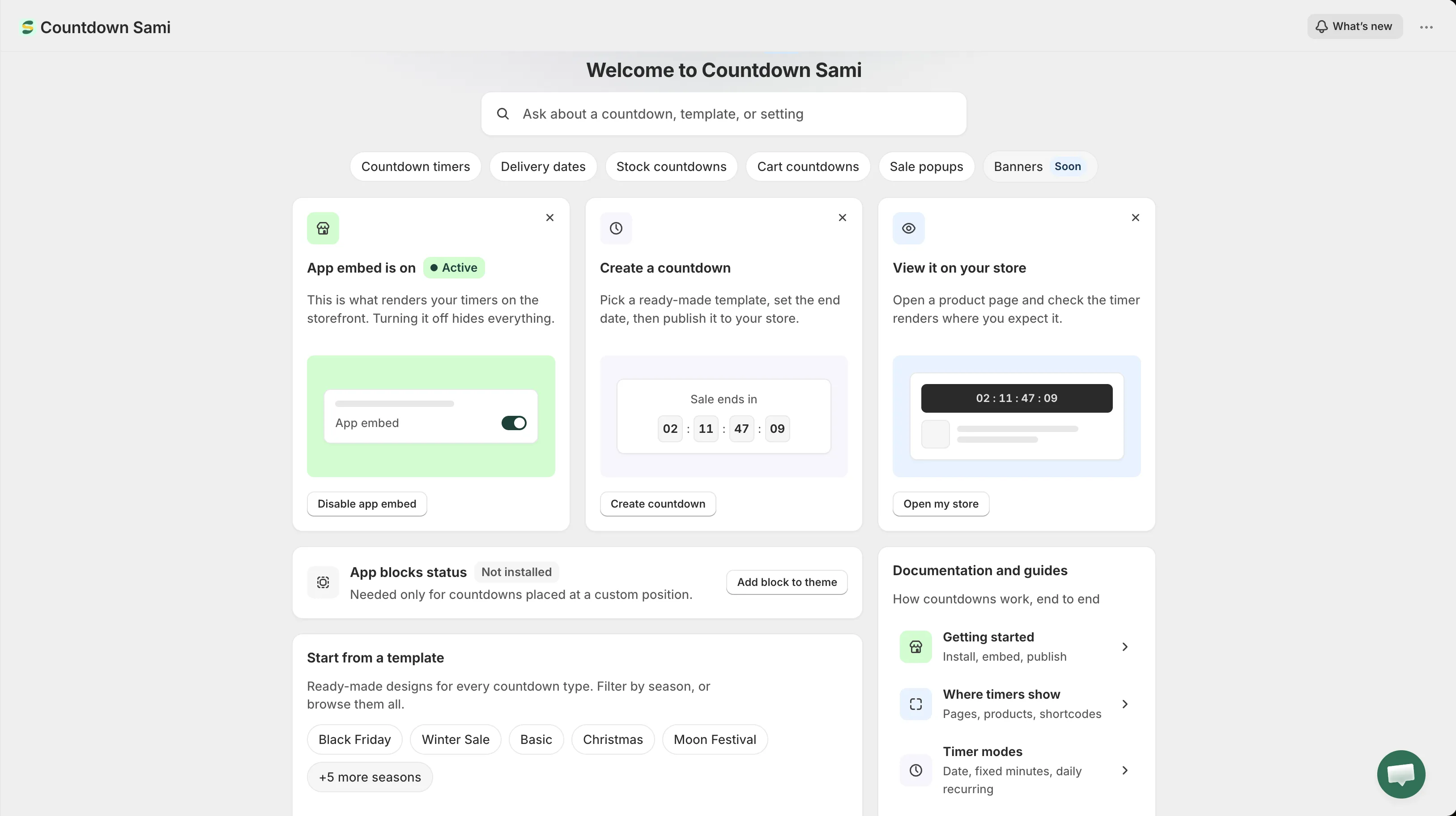
The app dashboard, the first screen you see after installing.
Where to find the app later
Section titled “Where to find the app later”The app lives in your Shopify admin under Apps. Open Apps → Countdown Timer Bar Samita any time to come back to it.