
App language
Change the language of the app's admin interface.
The app’s own interface — buttons, labels, help text — can be shown in any of nineteen languages. The setting is in the dashboard footer.
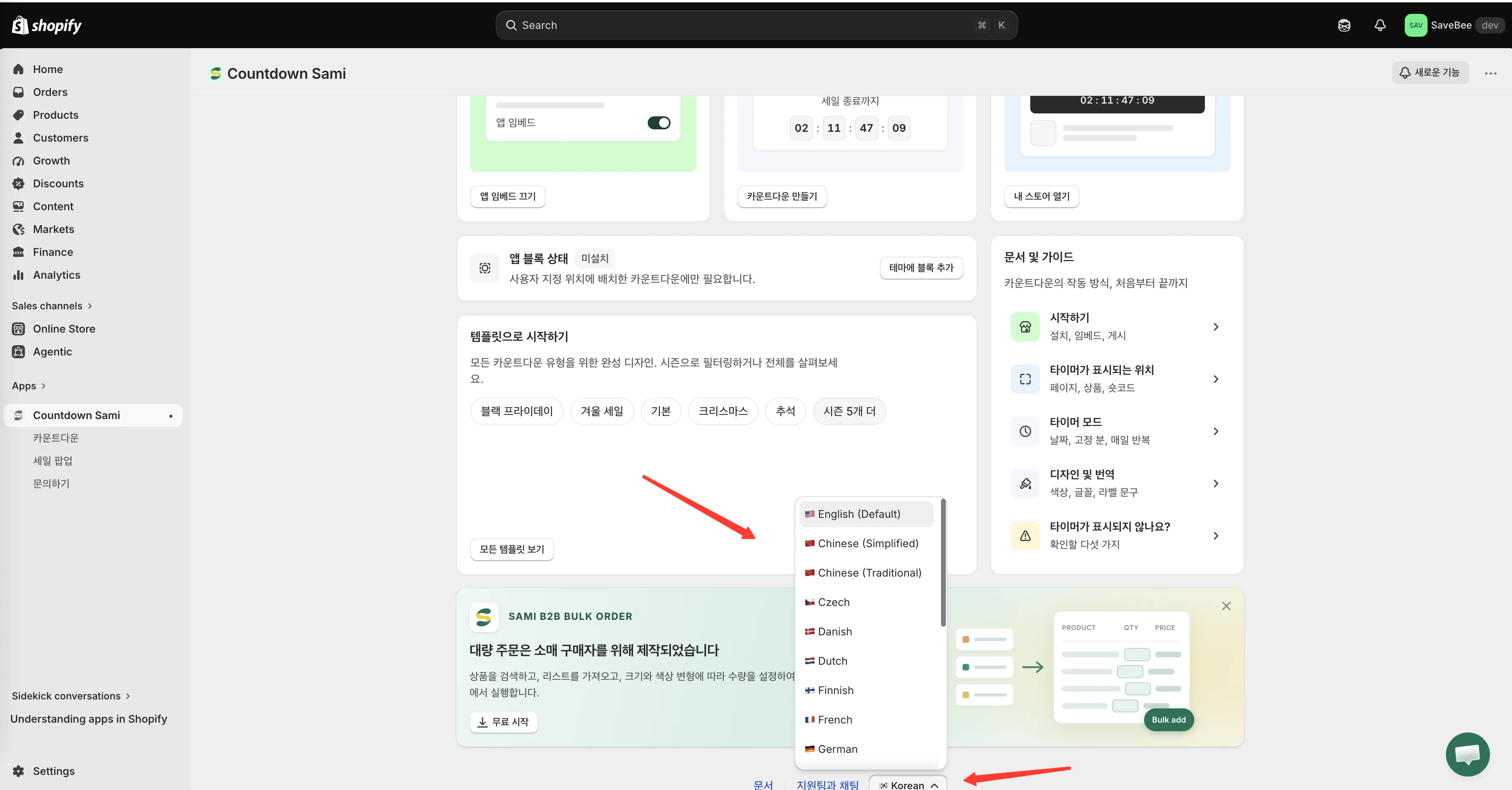
The app language picker sits in the dashboard footer.
Change it
Section titled “Change it”- Open the app’s Dashboard.
- Scroll to the footer, beside the Documentation and Chat with support links.
- Click the language button and pick a language from the list.
The interface switches in place — no reload — and the app confirms with a “Language changed” message.
Available languages
Section titled “Available languages”🇺🇸 English (Default) · 🇨🇳 Chinese (Simplified) · 🇨🇳 Chinese (Traditional) · 🇨🇿 Czech · 🇩🇰 Danish · 🇳🇱 Dutch · 🇫🇮 Finnish · 🇫🇷 French · 🇩🇪 German · 🇮🇹 Italian · 🇯🇵 Japanese · 🇰🇷 Korean · 🇳🇴 Norwegian (Bokmål) · 🇵🇱 Polish · 🇵🇹 Portuguese (Brazil) · 🇵🇹 Portuguese (Portugal) · 🇪🇸 Spanish · 🇸🇪 Swedish · 🇹🇷 Turkish
It’s saved to your store
Section titled “It’s saved to your store”Your choice is stored against your store, so the app opens in that language next time — including for anyone else with access to it.
Two different language settings
Section titled “Two different language settings”| Setting | Changes | Where |
|---|---|---|
| App language | The app’s admin interface, for you | Dashboard footer |
| Countdown translation | The text shoppers read, per storefront language | Language switcher in the countdown builder |
They’re independent. You can run the admin in Vietnamese while your countdowns speak English and French to shoppers.