
Create and customize the Registration Form
Build the sign-up form new B2B customers use to apply for wholesale access, then connect it to your storefront.
The Registration Form is how new customers apply to become wholesale buyers. This page covers creating the form, customizing its fields, connecting it to Shopify, and publishing it.
Steps to manage
Section titled “Steps to manage”-
Create a registration form
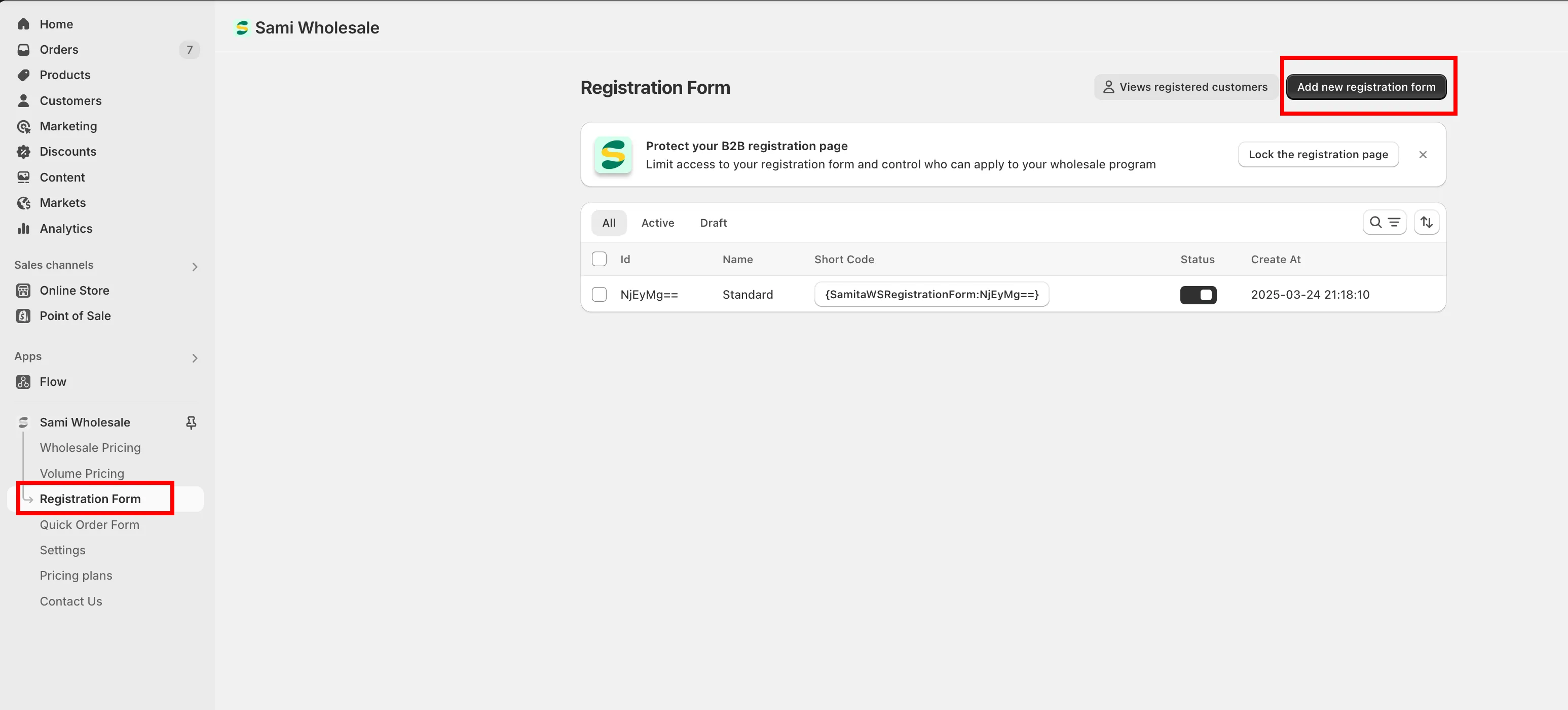
Section titled “Create a registration form”From the app, click Registration Form, then click Create new registration form and select one of the available templates.
-
Build the form
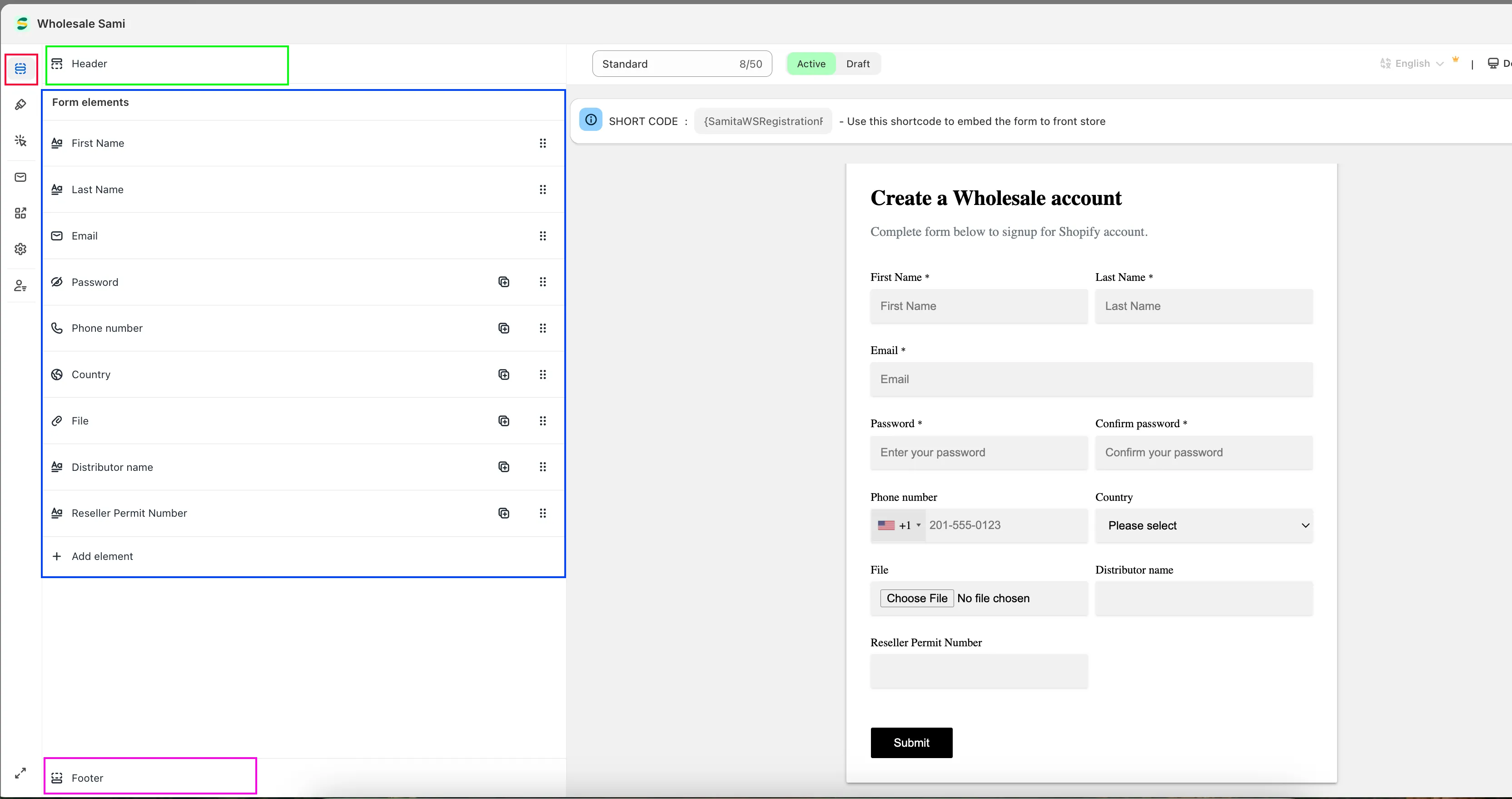
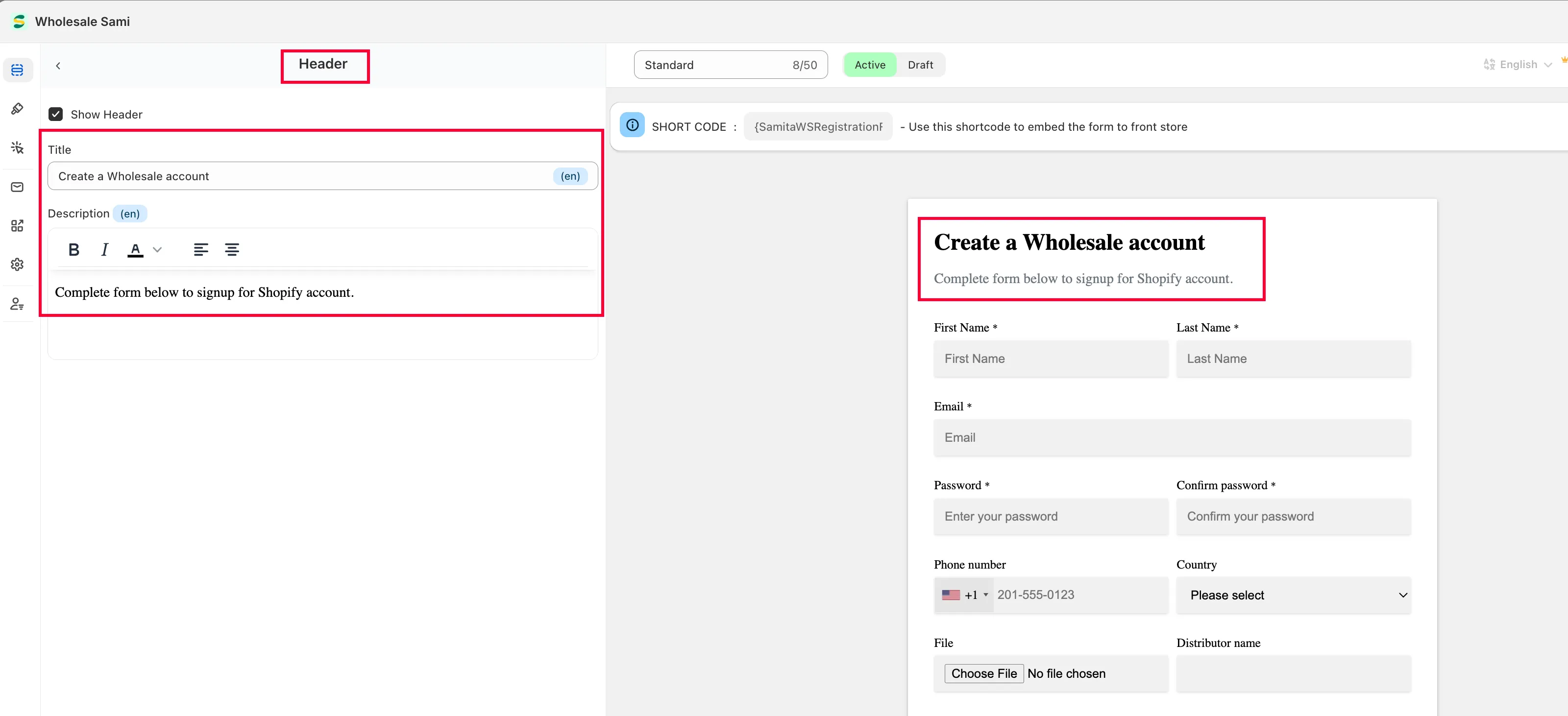
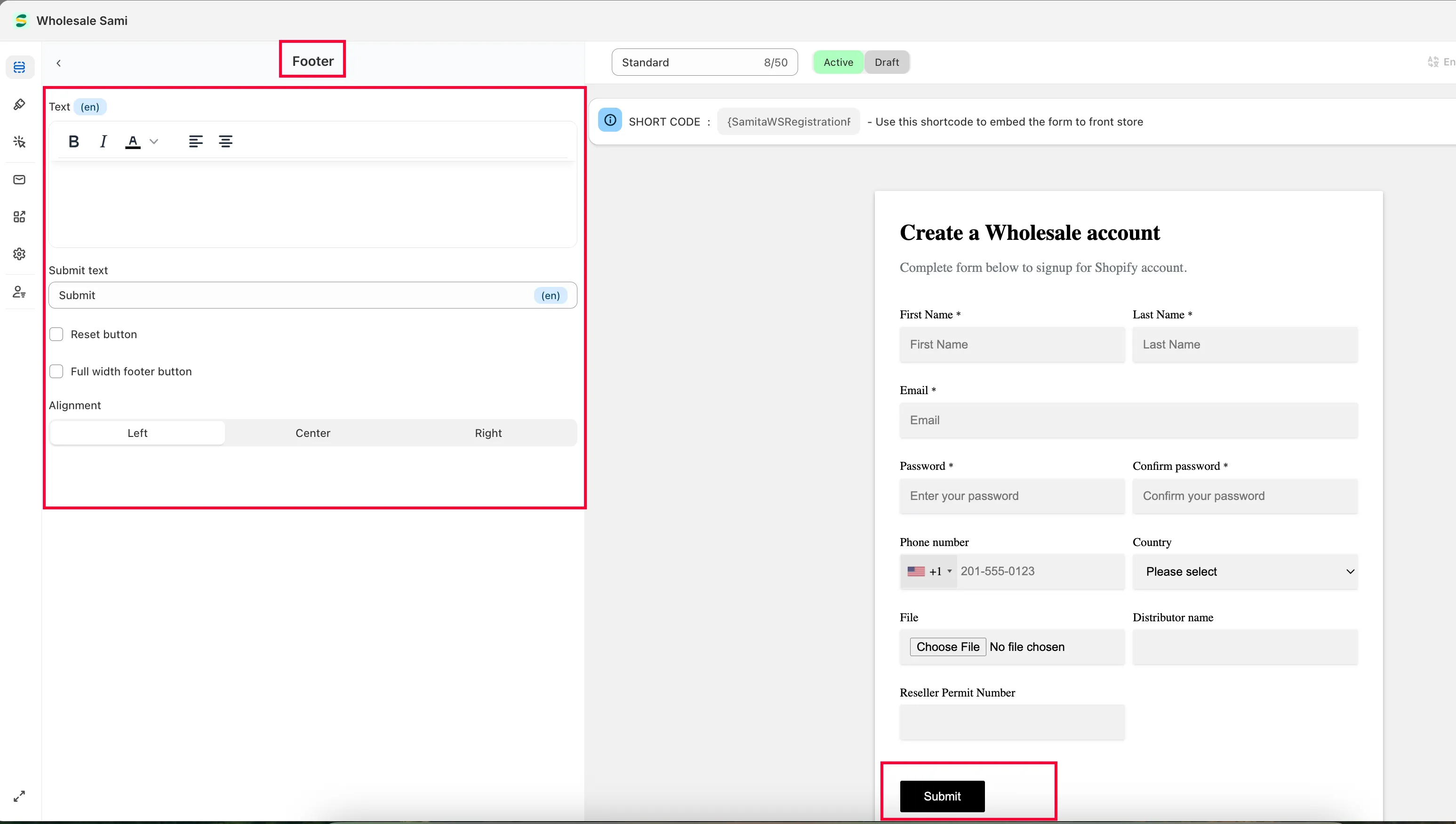
Section titled “Build the form”Elements — This tab sets up the form’s Header, Body, and Footer.
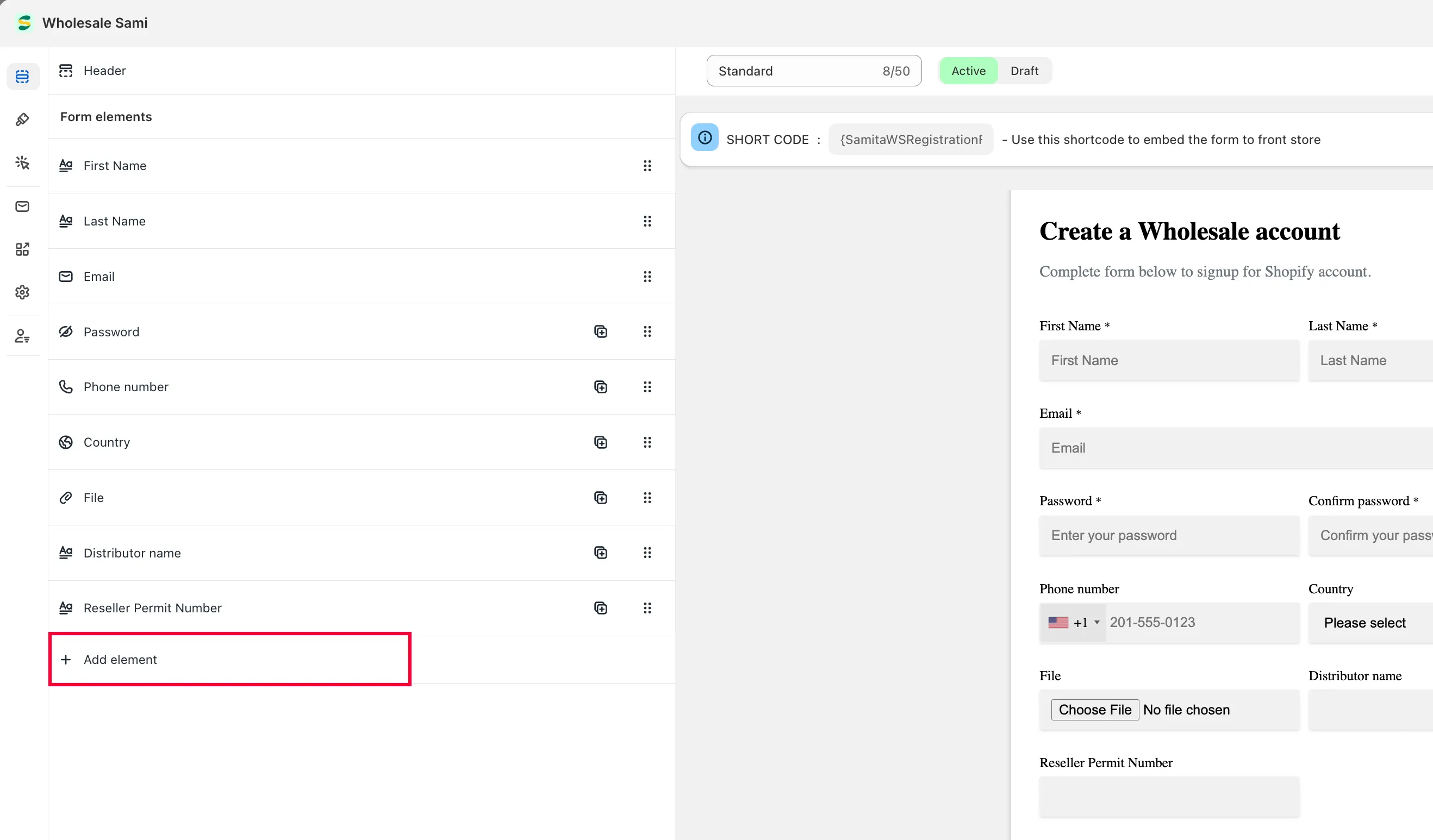
To add more fields: click Add elements, then choose the element you want to add.
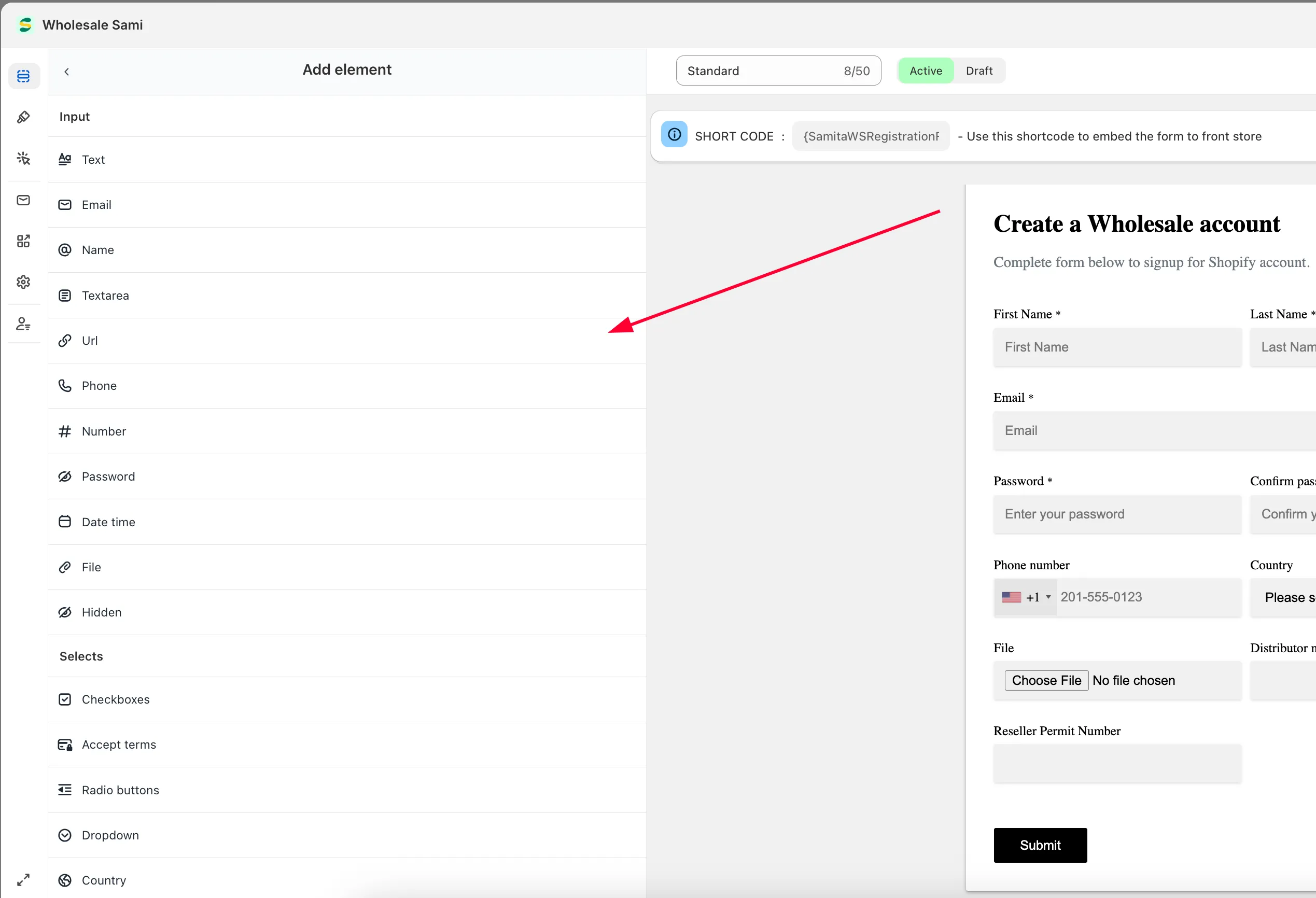
Click any element to open its properties (available options depend on the element type). Common settings include: label, placeholder, description, character limit, hide label, required, icon, and column width. For a File upload element, see File upload limits and retention for the file size and count limits, and how long uploaded files are kept.
Click Save to update the form. You can also edit the Header and Footer by clicking on each of them directly.
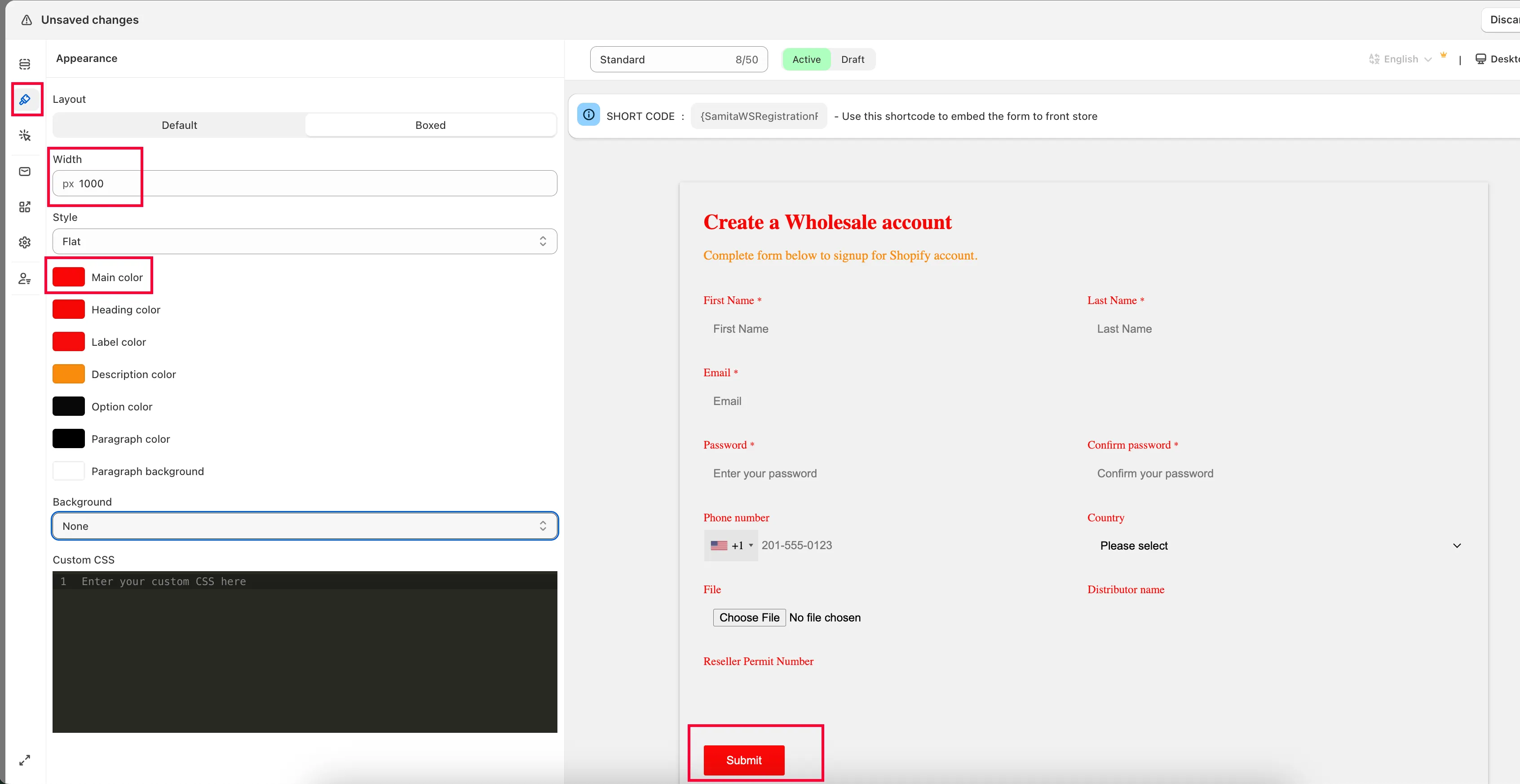
Appearance — Click the Appearance tab to change the form’s colors and size.
Email Notifications — Click the envelope icon to customize the emails sent to you and to customers as an application is submitted and reviewed. See Set up email notifications for the Registration Form.
-
Connect the form to Shopify
Section titled “Connect the form to Shopify”This form is meant to be a sign-up form for customers who want to become wholesalers. For their data to reach the Shopify Customers list, you need to connect the form to Shopify. See Integrate Registration Form with Shopify customer data.
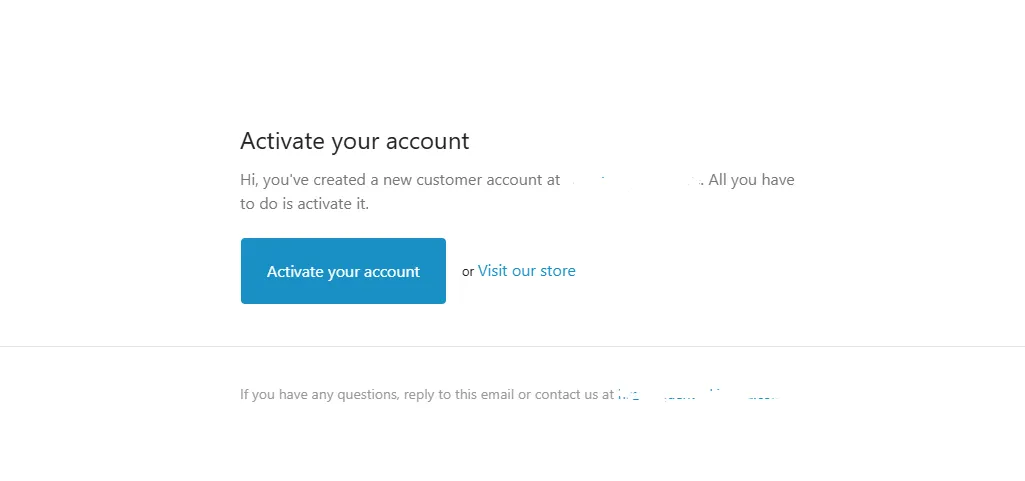
Once connected, customers receive an account activation email from Shopify after you approve their registration.
-
Publish the form on your storefront
Section titled “Publish the form on your storefront”To show the form on your storefront, add its shortcode to a page. See Add Samita Registration form to a page.
Tutorial video
Section titled “Tutorial video”Need support?
Section titled “Need support?”If you do encounter any difficulty while proceeding these steps, don’t show any hesitation to contact us promptly via the email address support@samita.io.